Table of Contents:
- Introduction
- Understanding the Difference: Tracking vs Managing Labour
- Where Excel Starts Failing Contractors
- Construction Workforce Management: Why Real-Time Visibility Matters
- Manpower Management Software vs Excel: Detailed Comparison
- Hidden Risks of Managing Labour Through Excel
- What Modern Manpower Management Software Delivers
- The CFO Perspective: Labour Visibility Equals Financial Control
- Manpower Management Software + Construction ERP: The Bigger Advantage
- When Should a Contractor Move Beyond Excel?
- Best Practice Checklist for Contractors
- Conclusion
Introduction
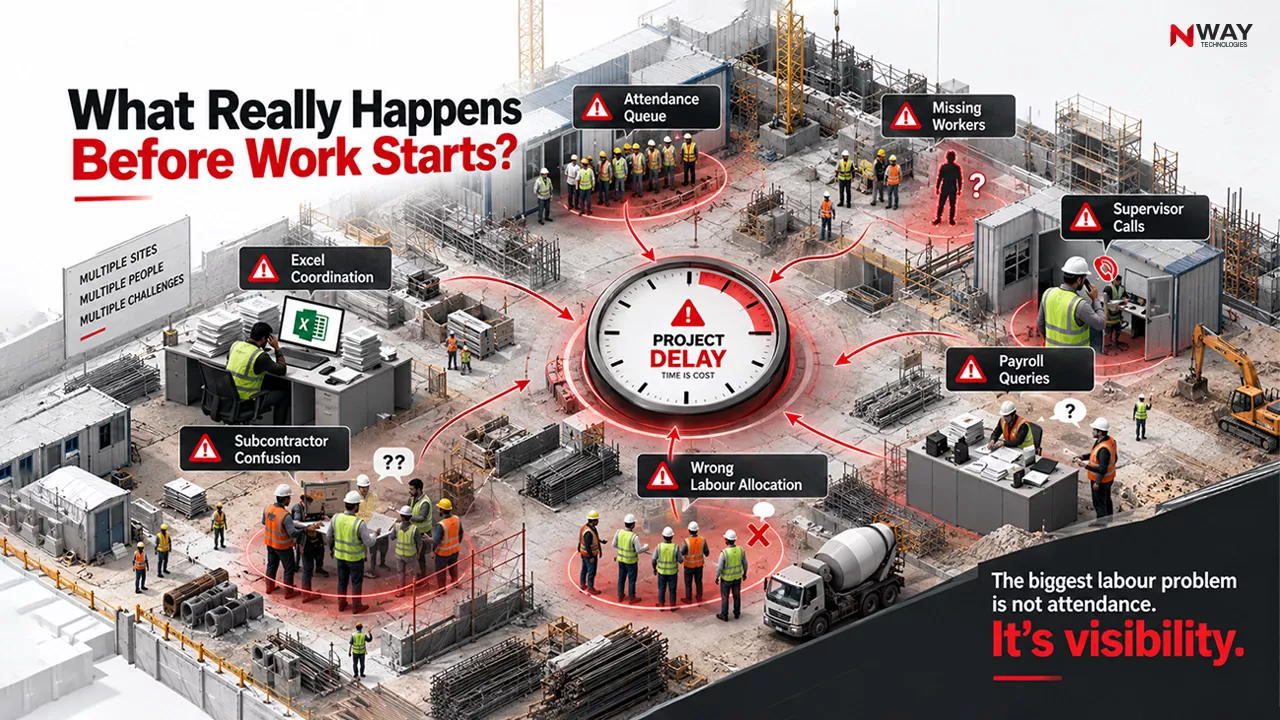
Imagine managing 1,200 workers spread across six project sites. Every morning, supervisors collect attendance manually. At the end of the week, HR teams consolidate spreadsheets from different locations. Payroll calculations require multiple reviews, and project managers still struggle to answer a simple question:
“How many workers are actually on-site today, and what is their productivity?”
This scenario is common across construction, infrastructure, EPC, and contracting businesses.
For years, Excel has been the default tool for workforce tracking. It is familiar, inexpensive, and easy to deploy. However, as projects become larger, contractor ecosystems become more complex, and compliance requirements increase, Excel often transforms from a useful tool into an operational bottleneck.
Today’s contractors require visibility across manpower deployment, productivity, attendance, payroll, compliance, subcontractor management, and project performance. This demand is driving rapid adoption of labour management software for contractors and integrated construction ERP platforms.
The question is no longer whether technology should be adopted.
The real question is:
Can Excel still support modern construction workforce management?
Understanding the Difference: Tracking vs Managing Labour
Excel primarily acts as a data repository.
A labour management software solution acts as an operational control system.
Excel: A Workforce Recording Tool
Excel helps contractors:
- Maintain attendance registers
- Prepare labour reports
- Calculate wages
- Track headcounts
- Generate basic summaries
While these functions are useful, they are largely reactive.
Teams first collect data and later analyze it.
Manpower Management Software: A Workforce Control Platform
Construction labour management software enables:
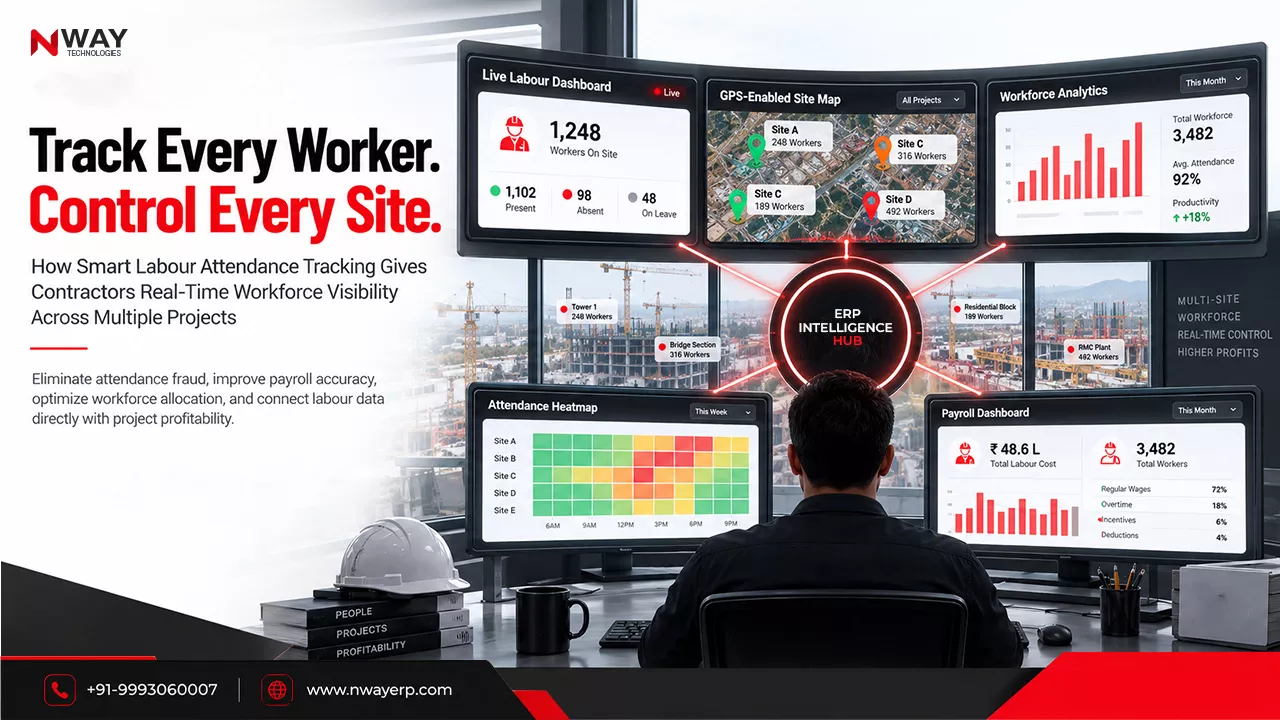
- Digital attendance capture
- Biometric integration
- Mobile workforce tracking
- Labour productivity monitoring
- Payroll automation
- Compliance management
- Contractor-wise workforce monitoring
- Real-time dashboards
- Project-level labour analytics
Instead of reporting what happened yesterday, managers can monitor what is happening now.
Quick Insight
Excel answers, “What happened?”
Labour management software answers, “What is happening, why is it happening, and what should we do next?”
Where Excel Starts Failing Contractors
The challenges usually appear when companies scale.
1. Multiple Project Sites
When labour information arrives from different locations:
- Data formats differ
- Reports arrive late
- Consolidation becomes manual
- Duplicate records emerge
Project managers spend significant time validating information rather than making decisions.
2. Attendance Errors
Manual attendance processes can create:
- Incorrect working hours
- Duplicate entries
- Missing attendance records
- Payroll disputes
Even small inaccuracies can create substantial financial losses across hundreds of workers.
3. Limited Labour Cost Visibility
Many contractors struggle to answer:
- Which project has the highest labour cost?
- Which subcontractor is most productive?
- Which site has workforce shortages?
- Where is overtime increasing?
Excel often lacks the live visibility required for proactive management.
Common Mistake
Many contractors continue adding more spreadsheets to solve workforce complexity.
The real issue is not the number of sheets.
The issue is the absence of a centralized labour management system.
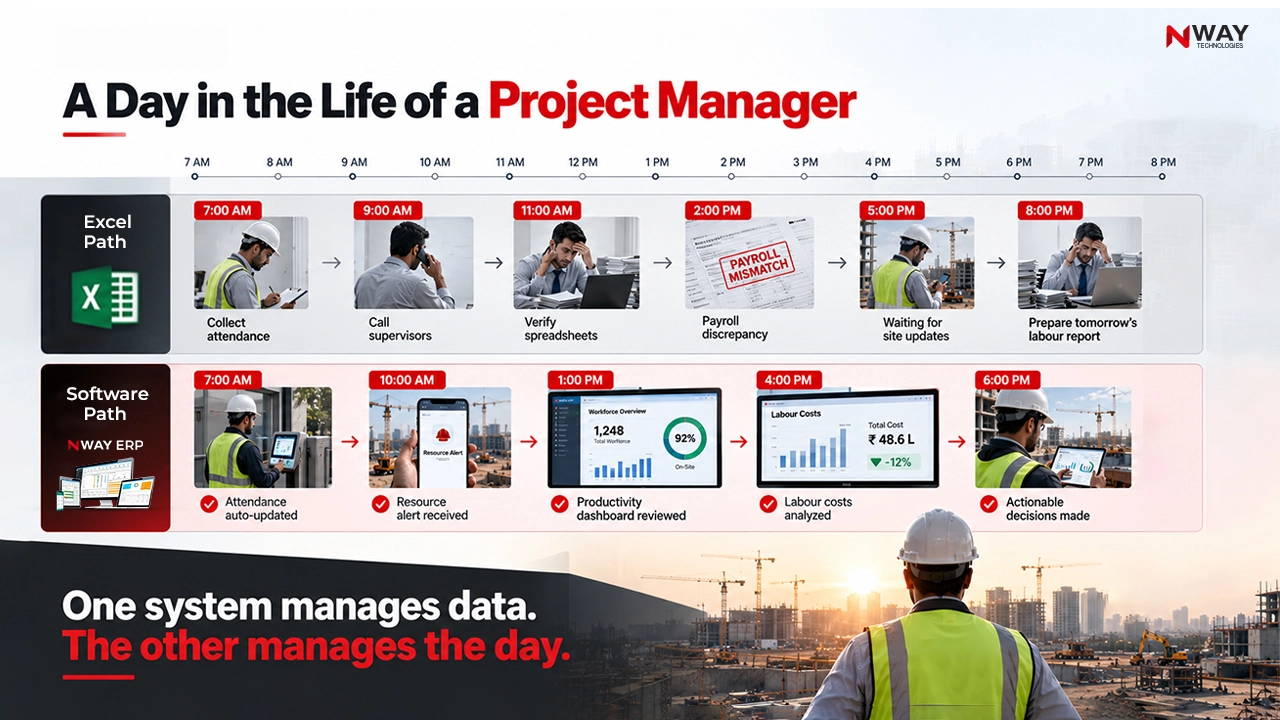
Construction Workforce Management: Why Real-Time Visibility Matters
Labour expenses directly influence:
- Project profitability
- Resource utilization
- Project schedules
- Cash flow management
A workforce shortage identified after one week may already have delayed project execution.
A productivity issue discovered after payroll processing may already have impacted margins.
Example
Consider an EPC contractor managing:
- 8 project sites
- 2,500 workers
- 40 subcontractors
Using Excel:
- Attendance reports arrive daily
- Consolidation takes several hours
- Productivity analysis takes days
Using workforce management software for contractors:
- Attendance updates instantly
- Workforce movement becomes visible
- Labour productivity is measured automatically
- Management receives exception alerts
The difference is not just efficiency.
It is decision-making speed.
Manpower Management Software vs Excel: Detailed Comparison
Decision Matrix for Contractors
| Parameter | Excel | Labour Management Software |
|---|---|---|
| Attendance Management | Manual | Automated |
| Productivity Tracking | Limited | Real-Time |
| Payroll Processing | Formula-Based | Automated |
| Workforce Allocation | Difficult | Dynamic |
| Compliance Management | Manual | Automated Monitoring |
| Mobile Functionality | Limited | Yes |
| Multi-Project Reporting | Time-Consuming | Instant |
| Data Accuracy | Moderate | High |
| Historical Analysis | Manual | Built-In Analytics |
| Executive Dashboards | Limited | Advanced |
| Scalability | Low | High |
Hidden Risks of Managing Labour Through Excel
Many companies underestimate these risks because losses occur gradually.
Payroll Leakage
Caused by:
- Incorrect attendance entries
- Duplicate workers
- Wrong overtime calculations
- Delayed corrections
Compliance Risks
Construction companies operating across India, UAE, Saudi Arabia, and GCC countries must manage increasing workforce regulations.
Manual tracking can lead to:
- Documentation gaps
- Audit challenges
- Penalty exposure
- Contractor disputes
Productivity Blind Spots
Without detailed labour analytics, businesses struggle to identify:
- Underperforming teams
- Idle labour
- Workforce shortages
- Excess labour deployment
Did You Know?
A small labour productivity drop across a large workforce can significantly impact project profitability, often without being immediately visible in spreadsheet-based management systems.

Stop Labour Cost Leakages Before They Impact Project Margins
What Modern Labour Management Software Delivers
Real-Time Attendance Management
Modern labour tracking software captures attendance through:
- Biometric devices
- Mobile applications
- Geo-location tracking
- Digital check-ins
Benefits include:
- Reduced fraud
- Accurate work hours
- Improved payroll accuracy
- Better workforce accountability
Workforce Allocation Optimization
Project managers can instantly identify:
- Available workers
- Skill shortages
- Resource bottlenecks
- Excess staffing situations
This enables better contractor workforce management across projects.
Automated Payroll Processing
Payroll automation eliminates:
- Manual calculations
- Spreadsheet dependencies
- Human errors
- Payment disputes
Benefits include:
- Faster payroll cycles
- Improved employee trust
- Reduced administrative workload
Expert Tip
If payroll requires exporting data from three or more Excel sheets every month, it is often a strong indicator that workforce processes need automation.
The CFO Perspective: Labour Visibility Equals Financial Control
For CFOs and business owners, workforce management is not simply an HR function.
It is a cost-control function.
With Excel
CFOs often receive:
- Historical reports
- Delayed updates
- Incomplete visibility
With Construction Manpower Management Software
CFOs gain:
- Project-wise labour costs
- Contractor-wise cost analysis
- Overtime monitoring
- Budget versus actual comparisons
- Workforce productivity insights
This improves forecasting and project profitability management.
Manpower Management Software + Construction ERP: The Bigger Advantage
Many contractors initially implement labour software independently.
However, the greatest value emerges when labour management connects with:
- HRMS
- Payroll
- Procurement
- Project Planning
- Equipment Management
- Finance
- Cost Control
This is where integrated platforms such as NWAY ERP create operational advantages.
Before vs After Transformation Matrix
| Area | Before (Excel) | After (ERP + Labour Management) |
|---|---|---|
| Attendance | Manual collection | Digital capture |
| Payroll | Spreadsheet calculations | Automated processing |
| Labour Costs | Periodic reports | Real-time visibility |
| Decision-Making | Reactive | Proactive |
| Workforce Planning | Estimation based | Data-driven |
| Compliance | Manual monitoring | Automated workflows |
When Should a Contractor Move Beyond Excel?
The answer depends on complexity, not company size.
Consider upgrading if:
- Managing more than one site
- Workforce exceeds 100 workers
- Payroll takes multiple days
- Labour disputes are increasing
- Attendance errors occur frequently
- Compliance requirements are growing
- Management lacks workforce visibility
- Productivity measurement is difficult
Best Practice Checklist for Contractors
Workforce Management Checklist
- Digitize attendance collection
- Centralize labour records
- Automate payroll calculations
- Track project-wise labour costs
- Monitor productivity regularly
- Create workforce dashboards
- Integrate labour and project data
- Use mobile-enabled systems
- Maintain digital audit trails
- Link workforce insights to profitability
Conclusion
The debate around manpower management software vs Excel is no longer about technology preferences. It is about operational control, workforce visibility, and profitability.
Excel remains useful for simple record-keeping and small workforce environments. However, as contractors expand across projects, geographies, and subcontractor networks, spreadsheet-based management often becomes a barrier to growth.
Modern labour management software for contractors enables real-time attendance monitoring, workforce allocation, payroll automation, productivity tracking, and compliance visibility. When integrated with a construction ERP platform such as NWAY ERP, it creates a connected workforce ecosystem that supports smarter planning, better cost control, and faster decisions.
The contractors that gain a competitive advantage over the next decade will be those that move beyond managing labour as a reporting function and begin managing it as a strategic business asset.