Construction estimation software, also called construction estimating software, calculates what a project will cost from measured quantities, rates for material, labour and machinery, and overheads. For Indian contractors it also prepares tender BOQs, runs rate analysis against CPWD DSR or state SOR, and turns the approved estimate into the budget your site and purchase teams work against.
Every construction project is won or lost at the estimate. Price too high and you lose the bid. Price too low and you win a project that eats your margin. Yet many contractors still prepare estimates in Excel sheets passed between the estimator, the planning engineer and the director, with rates copied from old projects and no link to what actually gets spent on site.
This guide explains what construction estimating software does, how it works for civil and building projects, what Indian contractors should look for, and how to choose the right estimating software for your business.
Table of Contents:
- What is Construction Estimating Software?
- What Construction Estimating Matters?
- The Shift From Traditional Methods
- Benefits of Construction Estimating Software
- Choosing the Right Software
- Implementation Tips
- Conclusion
- FAQs
What is Construction Estimation Software?
Construction estimating software calculates the expected cost of a construction project by combining measured quantities with rates for materials, labour, equipment, subcontract work, and overheads, then presents the result as a structured estimate or BOQ.
Unlike a generic spreadsheet, estimating software stores reusable rate libraries, standard item templates and past project costs. Estimators build an estimate faster, every revision is tracked, and the approved figure becomes the project budget.
Construction cost estimating software is used at three stages:
- Pre-bid: preparing tender estimates and bid prices
- Pre-construction: converting the won estimate into a working budget
- Execution: comparing estimated cost with actual cost as work progresses
Types of Estimates in Construction (and Where Estimation Software Fits)
An estimate isn’t one document. Most projects go through four or five versions, and every one of them gets made from the one before it. That chain is what estimation software keeps intact.
| Estimate type | When it’s prepared | Basis | Typical use |
|---|---|---|---|
| Preliminary / approximate | Feasibility, before drawings are final | Plinth area, cubic content or cost per unit (per bed, per km, per seat) | Go / no-go and budget approval |
| Detailed estimate | After working drawings | Item-wise quantities × analysed rates | Tender pricing and technical sanction |
| Revised estimate | When cost moves materially beyond the sanctioned figure | Updated quantities and current rates | Re-approval |
| Supplementary estimate | When extra work is added to the original scope | New items only | Extra items and deviations |
| Working estimate | After award | The tender estimate re-priced at your actual buying rates | The budget site and purchase teams execute against |
Rate Analysis Example: How Estimation Software Builds an Item Rate
Take a common item: PCC 1:4:8 with 40 mm aggregate, per m³. Dry volume is about 1.52 times the wet volume, so the software splits it like this. The rates are illustrative only, so replace them with your DSR/SOR or current market rates.
| Component | Quantity | Rate (₹) | Amount (₹) |
|---|---|---|---|
| Cement | 3.37 bags | 380 / bag | 1,281 |
| Coarse sand | 0.47 m³ | 1,800 / m³ | 846 |
| Aggregate 40 mm | 0.94 m³ | 1,400 / m³ | 1,316 |
| Labour (mixing, laying, curing) | lump sum | — | 900 |
| Machinery (mixer, vibrator) | lump sum | — | 150 |
| Water charges @ 1% of material | — | — | 34 |
| Sub-total | 4,527 | ||
| Contractor’s profit & overheads @ 15% | 679 | ||
| Rate per m³ | ≈ ₹5,206 |
In Excel, every one of those cells is a place where someone can type the wrong rate. In estimation software, cement and sand come from one rate library. Change the cement rate once and every item that uses cement re-prices across the whole estimate. That’s the real time saver on a 600-item BOQ.
How Does Construction Estimating Software Work?
A typical estimating workflow has six steps:
Quantity takeoff: measure quantities from drawings: excavation, concrete, steel, brickwork, finishes.
BOQ preparation: organise those quantities into a bill of quantities with item descriptions and units.
Rate analysis: build the rate for each item from materials, labour, machinery, wastage and overheads, using a schedule of rates or your own historical data.
Cost build-up: apply rates to quantities and add subcontract costs, site overheads, contingency and profit.
Review and approval: circulate the estimate for checking, revise it, and lock the approved version.
Budget handover: turn the approved estimate into the project budget that procurement and site teams work against.
In construction ERP, the approved estimate flows into the Planning & Estimation module and from there into budgets, purchase and project cost tracking, so the number you bid on is the number you control on site.
Quantity Takeoff, Material Take Off, BOQ and Estimate: What’s the Difference?
These four terms are often confused. Each is a separate step:
| Term | What it is | Output |
|---|---|---|
| Quantity takeoff (QTO) | Measuring every quantity of work from drawings | Quantities by item (m³ of concrete, kg of steel, m² of plaster) |
| Material take off (MTO) | Converting work quantities into the materials needed to buy | Material list (bags of cement, tonnes of aggregate, steel by diameter) |
| Bill of Quantities (BOQ) | A structured list of work items, units and quantities, often issued with a tender | Itemised BOQ |
| Estimate | The BOQ priced with rates for labour, material, equipment and overheads | Total project cost |
Quantity takeoff example: For an RCC column 0.3 m × 0.45 m × 3 m, the concrete quantity is 0.405 m³. Multiply by the number of columns, add the reinforcement weight from the bar bending schedule, and you have the column quantities for the BOQ. The material take off then converts 0.405 m³ of M25 concrete into cement, sand and aggregate quantities for purchasing.
Quantity estimation software speeds up the first two steps, and construction bill of quantities software handles the third.
For a deeper comparison, read BOQ vs Budget vs Estimate: What’s the Difference?
Civil Estimating Software: Estimation and Costing in Civil Engineering
Civil estimating software is built for the quantity-heavy, rate-driven work of civil engineering: earthwork, concrete, reinforcement, masonry, roads and drainage. Building estimating software focuses on buildings, where finishes and services add many more line items.
Good estimation software for civil engineering should handle:
- Item-wise rate analysis: breaking each BOQ item into material, labour and machinery components
- Standard item libraries: reusable items with specifications and units
- Lead and lift: adjusting rates for material carriage distance and working height
- Multiple estimate versions: tender estimate, revised estimate and working estimate on the same project
- Abstract of cost: summary sheets by trade or work package
Building estimating software
For residential, commercial and institutional buildings, building estimating software manages structure, finishes, MEP allowances and external works in one estimate, and splits cost by floor, block or tower.
Earthwork and excavation estimating
Earthwork estimating software calculates cut and fill volumes, soil classification, haulage and machinery hours. For road and site development projects, earthwork is often the largest cost line, so equipment rates and productivity must be accurate.
Road and infrastructure estimating
Road estimates combine earthwork, sub-base, base, bituminous layers, culverts and road furniture, priced per chainage. Machinery and fuel costs dominate. See how Nway supports road construction companies and infrastructure contractors.
BIM and 5D estimating
BIM estimating extracts quantities directly from 3D models, and 5D BIM adds cost to the model. It suits firms already working in BIM. Most Indian civil contractors still estimate from 2D drawings and BOQs, so BOQ-based estimating with strong rate analysis remains the practical starting point.
Construction Estimating Software for India: What Indian Contractors Need
Global estimating tools are built for US or UK pricing methods. Indian contractors work with different rate systems and tender formats. Look for estimation software in India that supports:
| India-specific need | Why it matters |
|---|---|
| CPWD DSR and state SOR rates | Government tenders are priced against the CPWD Delhi Schedule of Rates or state PWD schedules of rates; estimators need these as base rates |
| Rate analysis in Indian format | Material, labour, machinery, water charges, contractor’s profit and overheads as separate components |
| Tender BOQ formats | Item descriptions and units that match government and private tender documents |
| GST treatment | Correct tax on materials, subcontracts and the final bid price (GST in construction guide) |
| RA billing linkage | The approved BOQ becomes the basis for running account bills during execution |
| Multi-site and multi-project | Most mid-size contractors run several projects at once |
Key Features to Look For in the Best Estimating Software for Contractors
Use this checklist when you compare construction estimating software:
- BOQ management: create, import and edit BOQs with standard item libraries
- Rate analysis: material, labour, machinery and overhead build-up for every item
- Rate database: your own historical rates plus DSR/SOR rates
- Estimate versions and approvals: tender, revised and working estimates with an audit trail
- Subcontract and equipment costing: price subcontract packages and machinery hours separately
- Reports: abstract of cost, item-wise and trade-wise summaries, comparison of versions
- Integration: approved estimate flows into budgeting, procurement, inventory and finance
- Estimate vs actual: compare planned cost with actual spending as the project runs (how to calculate budget vs actual cost)
- Multi-project support: run estimates for several projects and tenders at once
- Scalability: suitable for small contractors now and for larger projects later
- User-Friendly Interface: Easy to navigate and learn, even for non-technical users.
-
Cloud-based Access: Enable real-time collaboration and accessibility from anywhere.
Choosing the Right Construction Estimating Software
With so many options available, selecting the right software can feel overwhelming. Here are some key features to look for:
Upgrades: Recent, updated software that meets construction needs in 2026.
Customization: Tailor templates and reports to fit your unique needs.
Integration Capabilities: Compatibility with other tools like accounting, ERP, and scheduling systems.
Scalability: Suitable for both small businesses and large organizations.
Free vs Paid Construction Estimation Software: What You Actually Get
Free tools and Excel templates work for small jobs. If you quote a few house extensions a month, a free quote app or a well-built sheet is honestly enough. They start to break when you have hundreds of BOQ items, more than one estimator, DSR revisions, or a client who wants three versions by Friday.
Paid tools fall into roughly three groups:
- Desktop estimating licences: Indian marketplaces list these from roughly ₹25,000 to ₹1,00,000 per licence. They’re good at takeoff and rate analysis, but the estimate stays on one PC.
- Cloud estimating subscriptions: multi-user and accessible anywhere, usually priced per user per month.
- Estimation inside a construction ERP (like Nway ERP): priced by modules and users. It costs more up front, but the approved estimate becomes the budget, and every purchase order and labour bill gets checked against it.
The right question isn’t “what does the software cost?” It’s “what did our last under-priced tender cost us?”
5 Estimation Mistakes That Quietly Kill Margins
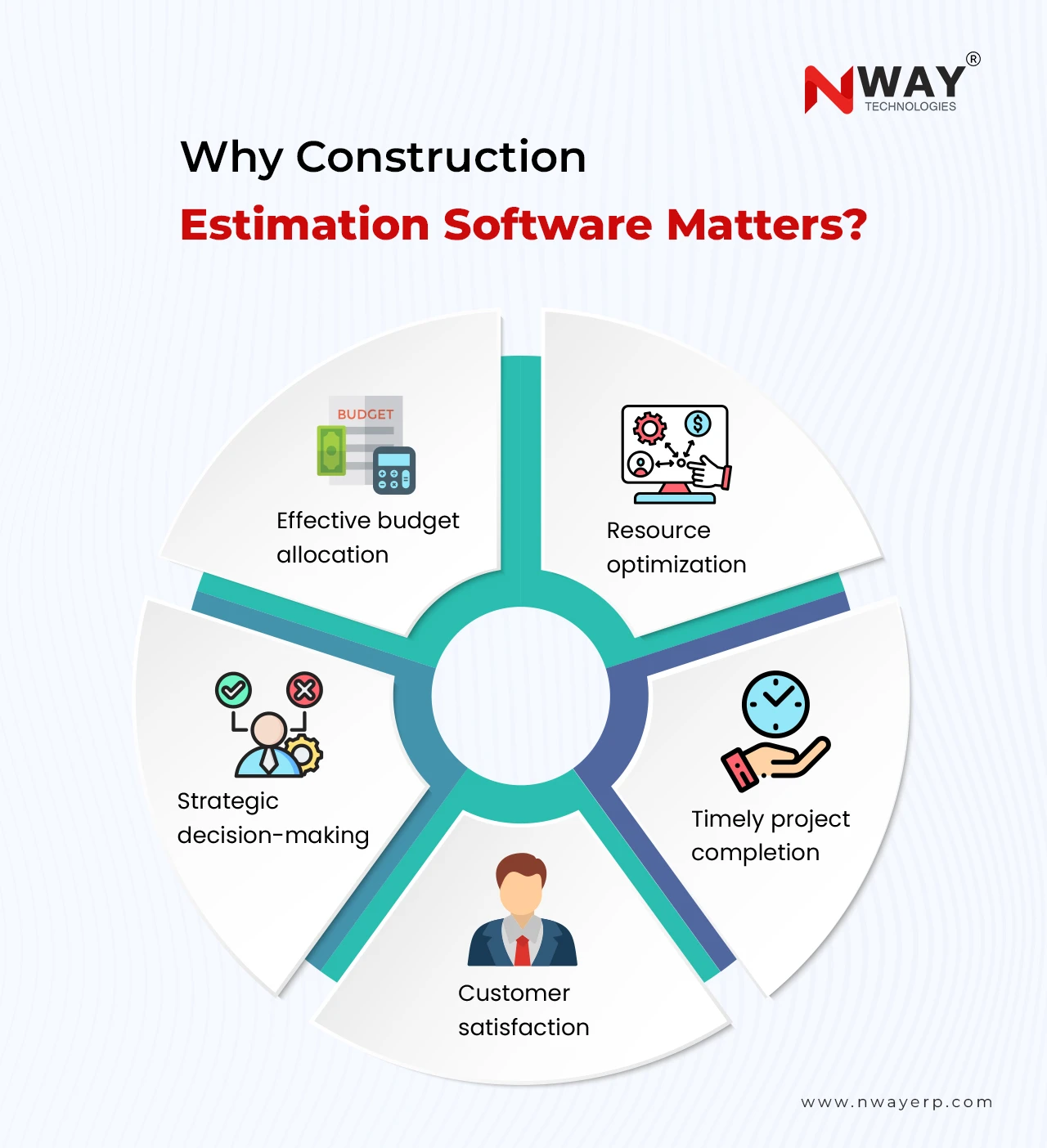
Whether you are dealing with residential homes, commercial buildings, or large-scale infrastructure projects, accurate estimation is your blueprint for success.
- Copying rates from the last project. Cement, steel and diesel move every quarter. A rate library with dates attached shows you when a rate is old.
- Pricing quantities nobody checked. A 5% quantity error on steel or bitumen can wipe out the margin before mobilisation. See BOQ vs budget vs estimate.
- Giving high-value items to the wrong estimator. This one is covered in how poor staff decisions lead to wrong construction cost analysis.
- Ignoring lead, lift and wastage. Small percentages on high-volume items add up to lakhs.
- Losing the estimate after award. If the estimate never becomes the budget, nobody can explain the overrun later. This is where most budget leakages begin.
Who Uses Construction Estimating Software?
- General contractors and civil contractors use contractor estimating software to price tenders and control margins.
- Estimators and quantity surveyors use it for takeoff, BOQ preparation and rate analysis.
- Planning engineers turn estimates into budgets and schedules.
- Procurement teams use material take off quantities to plan purchasing.
- Directors and owners compare estimate vs actual across projects.
- Small contractors use construction estimating software for small business to bid faster without hiring extra estimators.
Standalone Estimating Software vs Estimating Inside a Construction ERP
| Criteria | Standalone estimating software | Estimating inside a construction ERP (Nway ERP) |
|---|---|---|
| Best for | Estimating-only teams, consultants, QS firms | Contractors who estimate and execute projects |
| Takeoff and pricing | Usually strong | BOQ, rate analysis and estimate build-up |
| After the bid is won | Estimate is exported, often to Excel | Estimate becomes the budget automatically |
| Procurement, inventory, labour, machinery | Not included | Same system |
| Estimate vs actual | Manual | Automatic from purchase and site data |
Bottom line: If your problem is only preparing estimates faster, standalone estimating software may be enough. If your problem is that projects finish over budget, you need construction estimating and project management software in one system, so the estimate controls execution. Here’s how the estimate controls execution in an ERP.
Benefits of Construction Estimation Software
Here’s how the best construction estimating software can revolutionize your project planning and execution:
01. Improved Accuracy
By using built-in cost databases and real-time data, the software also reduces the chances of human error and ensures precise calculations for every project.
02. Time Efficiency
Automated workflows mean faster quote generation, quicker approvals, and less time spent manually inputting or double-checking data.
03. Consistency Across Projects
Templates and standard formats help maintain consistent estimating practices across all your projects and teams.
04. Increased Bid Wins
With more accurate and competitive bids, companies are more likely to win projects without compromising quality and margins.
05. Integration with Project Management Tools
Many software solutions integrate seamlessly with scheduling, procurement, accounting, and ERP systems. It will also help smooth the data flow and better project control.
06. Better Reporting & Forecasting
Effective reports and historical data enable smarter forecasting. It also helps in making proactive decisions and financial and operational decisions.
Don’t let inaccurate estimates hold your projects back. With NWAY Construction Estimating Software, you can take control of your costs, win more bids, and drive your business forward with confidence.
How to Implement Construction Estimating Software
- Standardise your item library before migrating: agree item codes, descriptions and units.
- Load your rate base: current rates, DSR/SOR references and recent project rates.
- Pilot on one live tender while continuing your existing process.
- Train estimators and planning engineers on BOQ, rate analysis and versions.
- Connect to budgets and procurement once estimating is stable.
- Review accuracy by comparing estimates with final costs on the first completed projects.
Nway supports this through business process consultation, implementation and training. To avoid common pitfalls, read ERP implementation challenges.
Conclusion
An estimate is only valuable if it controls the project that follows. Construction estimating software speeds up quantity takeoff, BOQ preparation and rate analysis. When estimating sits inside a construction ERP, the approved estimate also becomes the budget that every purchase order, material issue and labour payment is checked against.
For Indian civil, building and infrastructure contractors, that link between estimate and execution is where margins are protected.