AI Construction Project Management Software for Real-Time Control & Cost Optimization

It’s Thursday evening and the project review is tomorrow. The planning engineer is merging three site updates into one schedule. Accounts is chasing GRNs that never reached the system. Someone has to explain why the slab pour on Tower 2 slipped a week, and nobody saw it coming.

None of this is unusual. On most Indian and GCC projects, the information to spot that delay existed days earlier: a late material delivery, a crew shortfall, a pending approval. It was just spread across registers, WhatsApp groups and spreadsheets where nobody could join the dots in time.

That’s the real promise of AI in construction project management. It doesn’t replace your project manager. It joins the dots faster, so your team spends less time compiling and more time acting.

If you’re new to the basics of construction project management, start here.

Table of Contents:

What is AI construction project management software?

AI construction project management software is project management software that uses your project data (schedules, site progress, material, labour, costs and documents) to flag risks early, automate routine data entry and reporting, and answer questions about project status in plain language. It sits on top of the core work of construction project management: planning, scheduling, cost control and coordination.

Traditional vs AI-assisted project management

Task Traditional approach AI-assisted approach
Progress reporting Engineers compile DPRs and weekly reports by hand Reports built from site entries; summaries generated on request
Spotting delays Discovered at the review meeting Flagged when inputs (material, labour, approvals) drift from plan
Data entry Bills, POs and GRNs typed in from paper Documents read and captured automatically, then checked by a person
Cost control Budget vs actual at month end Variances surfaced as costs post
Answering “where do we stand?” Ask three people, wait a day Ask the system in plain language

AI Construction Project Management Software removes manual work and delays

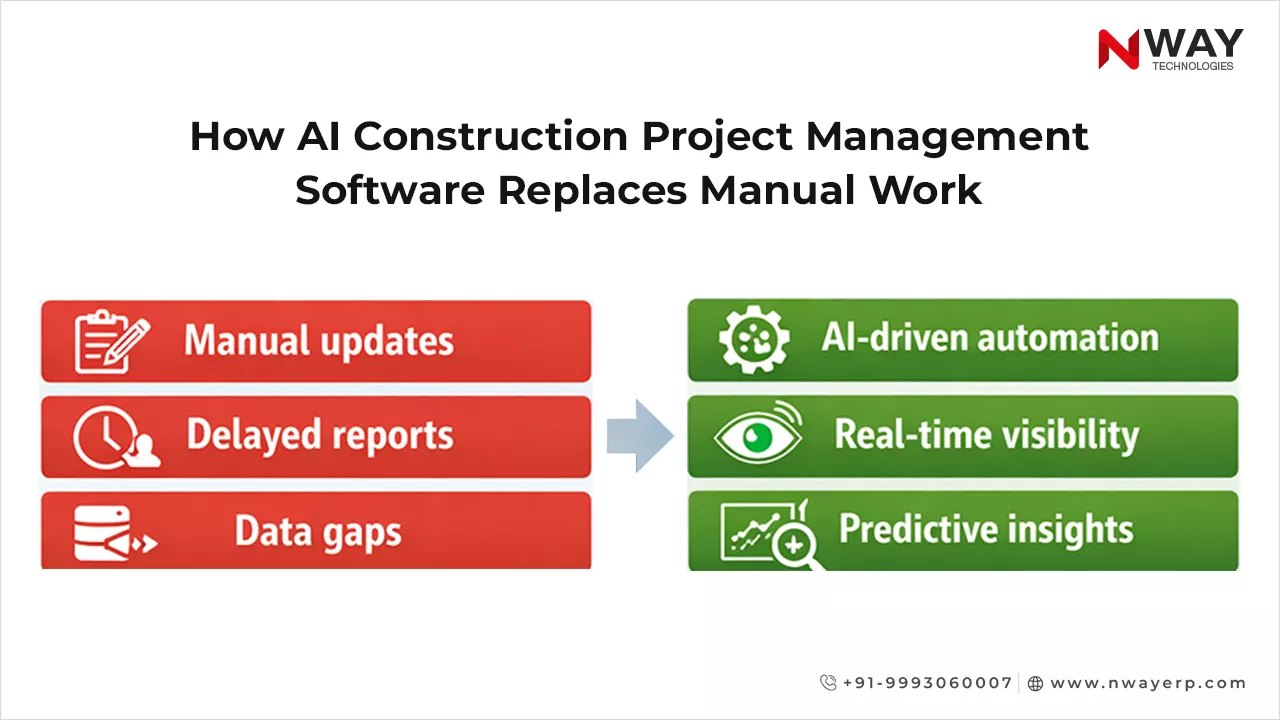
Manual tracking and reporting are major bottlenecks in construction projects. Teams spend hours compiling data, updating schedules, and generating reports – time that could be spent on execution. These delays often lead to cost overruns and missed deadlines.
How AI Construction Project Management Software Replaces Manual Work

According to research, 62% of construction projects experience schedule overruns due to manual tracking. This demonstrates the urgent need for automated, intelligent solutions. AI-driven software helps managers:

  • Capture data in real-time from field teams
  • Automate reporting and documentation
  • Track project progress and deadlines without manual intervention

The result: fewer errors, faster updates, and reduced administrative burden.

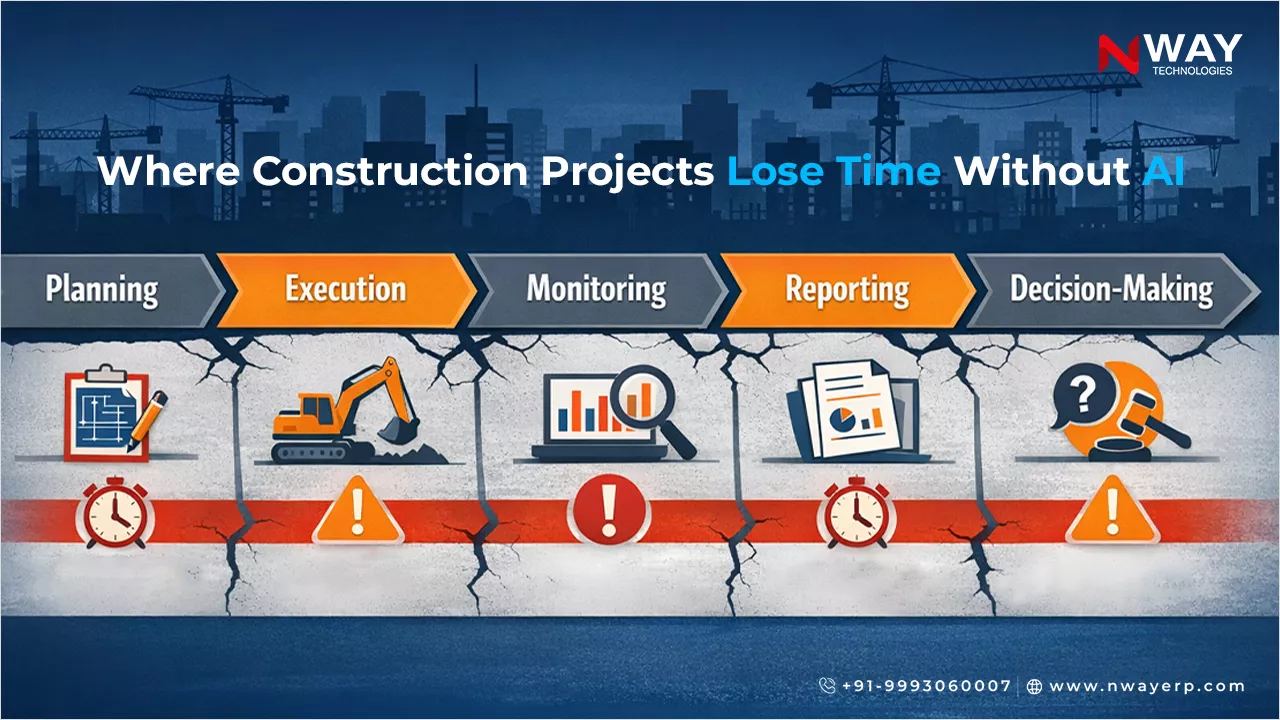
Why traditional tracking costs time and money

Traditional construction project management software or manual processes can’t handle today’s project complexity. Updating multiple spreadsheets, reconciling material orders, and tracking labor manually leads to inefficiency and errors.
Where Construction Projects Lose Time Without AI

Even with standard Construction ERP Software, reactive reporting delays decisions. Executives only discover issues after they happen, increasing risk and cost. Without AI, forecasting resource needs or predicting project delays remains largely guesswork.

AI predicts risks and keeps projects on schedule

AI Construction Project Management Software goes beyond automation. It predicts potential delays, resource conflicts, and budget overruns using historical and real-time data.

Key benefits of AI in construction management include:

  • Proactive risk alerts before delays occur
  • Optimized allocation of labor, materials, and equipment
  • Dynamic dashboards for instant decision-making

Research indicates that companies using AI project management tools can reduce delays and cost overruns by up to 20%. AI turns reactive management into proactive, insight-driven execution.

6 ways AI helps construction project management

Construction ERP integrates AI across all construction project workflows to tackle the challenges that have long plagued the industry. Its approach is not just about automation – it’s about measurable impact for managers and executives.

1. Early warning on delays

AI compares what was planned with what’s actually happening: material lead times, crew strength, pending approvals and progress rates. When a pattern points to a slip, it tells you before the review meeting does. Example: steel delivery for a floor is four days late and that floor’s crew is already short, so the slab date is flagged at risk. Read about AI in construction project planning.

2. Smarter scheduling and resource allocation

Across several sites, AI can suggest where to move labour or equipment when one site is ahead and another is behind. That’s hard to see when every site keeps its own schedule.

3. Automated document capture

Purchase bills, GRNs, quotations and expense documents are read automatically instead of typed in. Your team checks and approves rather than re-keys, which cuts errors and speeds up billing and vendor payments.

4. Instant answers instead of manual reports

An AI assistant lets a project head ask, “Which activities on Site 3 are behind plan?” or “How is labour cost trending this month?” and get an answer drawn from live data, without waiting for someone to build a report.

5. Cost overruns spotted while you can still act

When purchases, contractor bills and site expenses post against the budget as they happen, AI can highlight cost heads trending over budget mid-month, not after the project closes.

6. Better daily progress reporting

Site teams enter progress, labour and material use from mobile, and AI turns those entries into consistent daily and weekly summaries. That makes DPRs faster and more comparable across sites.

AI is only as good as your site data

This is the part most AI pitches skip. AI can’t predict a delay from data nobody entered. Before AI adds value, you need:

  • A baseline schedule and BOQ in the system, not in a separate file
  • Daily site entries for progress, labour and material, ideally from mobile
  • Purchase and billing flowing through the same platform
  • Consistent codes for projects, activities and cost heads

This is why AI works best inside a connected construction ERP rather than as a stand-alone tool. The ERP collects the data, and AI makes sense of it.

How AI Project Management turns insights into faster delivery
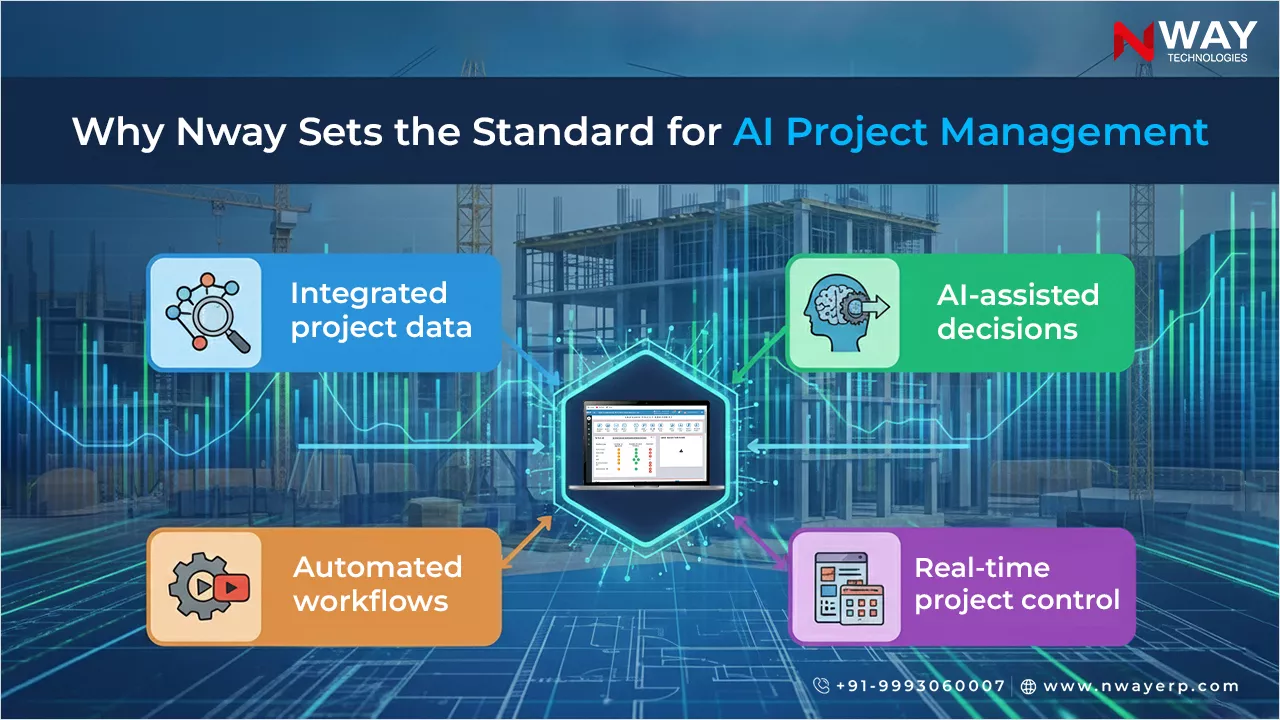
Why Nway Sets the Standard for AI Project Management

Unlike generic Construction Project Management Software, Nway combines domain-specific intelligence, AI-powered insights, and automation tailored for construction workflows. Decision-makers gain:

  • Clear visibility across all sites
  • Reduced manual work and errors
  • Optimized labor, materials, and equipment
  • Proactive control over timelines and budgets

By embedding AI in daily operations, Nway ensures problems are anticipated and addressed before they affect delivery. Projects finish faster, costs are controlled, and teams operate more efficiently.

What AI can’t do (yet)

  • It won’t fix a bad plan. If the BOQ or baseline schedule is wrong, AI will forecast against the wrong target.
  • It needs people to act. A warning only helps if someone owns the response.
  • It needs history. Predictions improve as the system sees more of your own projects.
  • It doesn’t replace site judgement. Weather, client changes and on-ground realities still need an experienced eye.

Think of AI as a sharp assistant for your project team, not an autopilot.

How to get started: a 4-step roadmap

  1. Connect the basics: move schedules, BOQs, purchase, inventory and site reporting into one system
  2. Get daily site data flowing: mobile DPRs, labour and material entries on every site
  3. Switch on AI where the pain is: usually document capture and reporting first, then delay and cost alerts
  4. Review and tune: compare AI flags with what actually happened for two or three months, then widen the scope

How to measure the ROI of AI in project management

Track a few numbers before and after you switch on AI:

  • Hours spent preparing weekly and monthly reports
  • Days between a site issue and management knowing about it
  • Schedule slippage per project
  • Data-entry errors in bills and GRNs
  • Billing cycle time
  • Cost variance found mid-project vs at closure

The future of construction is AI-driven and fully automated

AI is no longer optional for managing complex construction projects. Future trends include:

  • Real-time reporting and analytics
  • Predictive scheduling and resource allocation
  • Fully automated documentation and approvals
  • Reduced human error and operational inefficiencies

Companies implementing Nway ERP, the AI Construction Project Management Software, gain speed, efficiency, and a clear competitive advantage.

Conclusion

Construction projects in India and the GCC face growing complexity, but manual work, spreadsheets, and reactive management slow delivery and increase costs. AI Construction Project Management Software transforms workflows, automates routine tasks, predicts risks, and provides real-time insights. Nway ERP combines AI, automation, and domain-specific intelligence to help construction companies deliver projects faster, reduce errors, and optimize resources, setting the benchmark for modern construction management.

FAQs

What is AI construction project management software?

It is project management software that uses your project data (schedules, site progress, material, labour, costs and documents) to flag risks early, automate data entry and reporting, and answer questions about project status in plain language. It supports project managers rather than replacing them.

How is AI used in construction project management?

The most common uses are early delay warnings, resource allocation across sites, automated capture of bills and GRNs, plain-language project reports, mid-project cost overrun alerts and faster daily progress reporting.

Can AI predict construction project delays?

AI can flag a likely delay when inputs drift from plan, such as late material deliveries, crew shortfalls or pending approvals. Accuracy depends on how complete and current your site data is, and improves as the system learns from your own projects.

What is the difference between AI and traditional construction project management software?

Traditional software records schedules, tasks and progress that people enter and review. AI-assisted software also analyses that data, highlighting risks, automating document entry and answering questions, so teams spend less time compiling reports and more time acting.

What data does AI need to manage construction projects?

It needs a baseline schedule and BOQ, regular site entries for progress, labour and material, and purchase and billing data in the same system, using consistent project and cost codes. Without this, AI has nothing reliable to analyse.

Will AI replace construction project managers?

No. AI handles compiling, data entry and pattern-spotting. Project managers still set plans, make trade-offs, manage people and respond to site realities. AI makes them faster and better informed.

Is AI project management software suitable for small contractors?

Yes, if you already run more than one site or struggle with reporting. Start with core modules and site data entry, then switch on AI features such as document capture and reporting where they save the most time.

How much does AI construction project management software cost?

Cost depends on users, projects, modules and implementation support. NWAY ERP uses user-based pricing, so you pay for the users you need and add modules as you grow. Book a demo for a quote based on your projects.

How do I measure the ROI of AI in construction project management?

Track report preparation time, days between a site issue and management knowing about it, schedule slippage, data-entry errors, billing cycle time and how early cost variances are found. Compare these before and after switching on AI.

Which is the best AI construction project management software in India?

Look for software built for Indian construction workflows, with BOQ, RA billing, GST, multi-site inventory and mobile DPRs, that adds AI on top of connected project data. NWAY ERP combines these with an AI assistant and SmartEntry AI. Book a free demo to see it on your projects.

Construction Project Management Techniques and Tools: A Practical Guide

Effective Project Management Tools

Construction projects rarely fail for lack of effort. They fail because dozens of contractors, suppliers and crews work to different plans, and delays or cost overruns surface too late to fix. Project management techniques give the team a shared way to plan and sequence work; tools turn those plans into schedules, reports and checks that people use on site every day.

Here’s the software that turns these techniques into daily practice.

This guide covers the eight techniques used most in construction, compares them side by side, and explains the tools that support each stage of a project, from planning to handover.

Project Management Techniques and Tools

Waterfall technique

The traditional, sequential approach — each phase (design, procurement, execution, handover) must finish before the next begins. Best suited to projects with fixed scope and few late-stage changes, like standard residential builds or government infrastructure with locked specifications.

Best for: Fixed-scope projects, regulatory/government contracts.

Limitation: Little room to adapt once a phase is signed off.

Critical Path Technique

CPM maps every task and its dependencies to find the longest unbroken chain of activities — the “critical path” — which determines the minimum possible project duration. Any delay on a critical-path task delays the entire project; tasks off that path have float (slack) and can shift without affecting the deadline.

Best for: Multi-contractor projects with complex task dependencies

Limitation: Needs accurate task-duration estimates to be reliable — garbage in, garbage out

Program Evaluation and Review Technique (PERT)

PERT is CPM’s cousin for projects where task durations are uncertain. Instead of one estimate per task, it uses optimistic, pessimistic, and most-likely time estimates to calculate a weighted average — visualized as a network chart. It’s the standard choice for long-duration, high-uncertainty projects like infrastructure and highway construction.

Best for: Long-term projects with unpredictable variables (weather, land acquisition, approvals)

Lean Construction

Adapted from Lean manufacturing, this technique focuses on eliminating waste — of material, time, and labor — through continuous improvement and just-in-time delivery of materials to site. It pairs well with the Last Planner System (below) for weekly work planning.

Best for: Projects where material wastage and idle labor are eating into margins

Last Planner System (LPS)

A collaborative scheduling technique where the people actually doing the work — site supervisors, foremen — commit to weekly task plans instead of a single top-down master schedule. It surfaces blockers early and dramatically improves schedule reliability on-site.

Best for: Large sites with multiple subcontractors working in parallel

Agile / Scrum for Construction

Borrowed from software development, Agile breaks work into short, reviewable cycles (“sprints”) rather than one long linear plan. In construction, this looks like phased design-build delivery or fast-track construction, where design and execution overlap. It suits projects where requirements evolve — interiors, fit-outs, real estate developments responding to buyer feedback.

Best for: Fast-track and design-build projects, real estate fit-outs

Earned Value Management (EVM)

EVM measures project performance by comparing planned value, earned value, and actual cost—giving a real-time answer to “Are we ahead or behind, and by how much money?” It’s the technique finance-conscious project owners lean on most, because it ties schedule performance directly to budget performance.

Best for: Projects with tight budget oversight and multiple stakeholders demanding cost visibility

Line of Balance (LOB)

Line of Balance schedules repetitive work, such as floors of a tower, kilometres of road or sections of pipeline, as sloped lines on a time–location chart. Each line shows one crew moving through the units. When two lines get too close, crews will clash; when they diverge, a crew is idle.

Best for: roads, pipelines, railways, high-rise floors and housing blocks.

Limitation: less useful for one-off, non-repetitive work such as a single industrial building.

Comparing construction project management techniques

Construction project management techniques compared
Technique Best for Main strength Main limitation
Waterfall Fixed-scope and government projects Simple, clear phase gates Hard to change once a phase closes
Critical Path Method (CPM) Projects with many dependent tasks Shows which delays move the end date Needs reliable duration estimates
PERT Long projects with uncertain durations Builds uncertainty into the schedule More estimating effort per task
Lean Construction Projects losing money to waste and idle labour Cuts material and time waste Needs a culture of continuous improvement
Last Planner System Large sites with many subcontractors Reliable weekly plans from the people doing the work Needs disciplined weekly meetings
Agile / Scrum Design-build, fit-outs, evolving scope Adapts quickly to change Poor fit for locked specifications
Earned Value Management (EVM) Budget-sensitive projects Links progress to cost in one number Needs accurate progress measurement
Line of Balance (LOB) Repetitive linear or floor-by-floor work Keeps crews flowing without clashes Weak for non-repetitive work

Construction project management tools

Techniques are the method; tools are how teams apply them day to day. Group them by project stage.

Planning tools

  • Work Breakdown Structure (WBS): splits the project into deliverables and work packages, so every cost and task has an owner.
  • Bill of Quantities (BOQ) and estimate: quantifies materials and labour and becomes the baseline for cost control.
  • RACI matrix: records who is Responsible, Accountable, Consulted and Informed for each work package.

Scheduling tools

  • Gantt chart: a bar chart of tasks against time; the most common schedule format shared with clients.
  • CPM network diagram: shows task dependencies and highlights the critical path.
  • Look-ahead schedule: a rolling 3–6 week site plan, often used with the Last Planner System.

Monitoring and control tools

  • Daily Progress Report (DPR): records work done, labour, material and machinery each day.
  • S-curve and EVM dashboard: plots planned vs actual progress and cost. Schedule Performance Index (SPI) = EV ÷ PV; Cost Performance Index (CPI) = EV ÷ AC. A value below 1 means behind schedule or over budget.
  • Risk register: lists each risk, its likelihood, impact, owner and response.
  • Change order log: tracks scope changes, their cost and approval status.
  • BIM (4D/5D): links the 3D model to the schedule (4D) and cost (5D) to spot clashes and sequencing issues before work starts.

Quality management tools

  • Inspection and Test Plan (ITP): defines what gets checked, when, by whom and against which standard.
  • Checklists and snag lists: standard pre-pour, post-pour and handover checks.
  • Non-Conformance Report (NCR) log: records defects and their corrective action.
  • Root-cause tools: 5 Whys and fishbone (Ishikawa) diagrams for repeat defects.

Software categories

  • Scheduling software: Primavera P6, NWAY ERP, and Microsoft Project for CPM and Gantt schedules.
  • Field and collaboration platforms: document control, RFIs, photos and site reporting.
  • Construction ERP: combines project planning with purchase, inventory, labour, and finance, so cost and progress come from the same data

Worked example — finding the critical path

A small foundation package has six activities:

Worked CPM example: foundation package
Activity Duration (days) Depends on
A. Site clearing Critical 2 —
B. Excavation Critical 4 A
C. Rebar and formwork fabrication 1-day float 3 A
D. Foundation concreting Critical 5 B, C
E. Curing Critical 7 D
F. Plinth masonry Critical 4 E
Critical path: A → B → D → E → F = 22 days (A → C → D → E → F = 21 days)

Path A–B–D–E–F takes 22 days; path A–C–D–E–F takes 21. The critical path is A–B–D–E–F, so the package needs at least 22 days. Activity C has 1 day of float: it can slip a day without moving the finish date, but a one-day delay in excavation delays everything.

For PERT, each duration becomes a weighted estimate: (Optimistic + 4 × Most likely + Pessimistic) ÷ 6.

How to choose the right technique

  • Fixed scope, government, or tender-based work: Waterfall for phases, CPM for the schedule.
  • Long projects with uncertain approvals or weather: PERT, updated monthly.
  • Repetitive linear work (roads, pipelines, railways, floors): Line of Balance.
  • Many subcontractors on one site: Last Planner System with a look-ahead schedule.
  • Evolving design or fit-outs: Agile-style phased delivery.
  • Tight budgets or multiple funders: add EVM on top of whichever scheduling method you use.

Most large projects combine methods: CPM for the master schedule, Last Planner for weekly site plans, and EVM for cost reporting.

Conclusion

No single technique fits every construction project. CPM and PERT set the schedule, Lean and the Last Planner System make it reliable on site, Line of Balance keeps repetitive crews moving, and EVM tells you whether progress is worth what it costs. Choose the method that matches your project’s scope stability and complexity, and back it with tools that keep plans, progress and cost in one place.

FAQs

What are the main project management techniques used in construction?

The most common are Waterfall, Critical Path Method (CPM), PERT, Lean Construction, the Last Planner System, Agile, Earned Value Management (EVM) and Line of Balance. Most projects combine two or three of them.

Which project management methodology is best for construction?

There is no single best method. CPM with a Waterfall phase structure suits most fixed-scope projects. Add Last Planner for multi-contractor sites, Line of Balance for repetitive work and EVM when cost control is critical.

What project management methodology is most used in construction?

Waterfall combined with CPM scheduling is the most widely used, because most construction contracts have a defined scope, sequence and completion date.

What is the difference between CPM and PERT?

CPM uses one fixed duration per task to find the critical path. PERT uses three estimates (optimistic, most likely, pessimistic) per task, which makes it better for projects with uncertain durations.

What tools do construction project managers use?

Common tools include the work breakdown structure, Gantt charts, CPM network diagrams, daily progress reports, S-curves, risk registers and BIM. Most teams run them in scheduling software, field apps or a construction ERP.

What quality tools are used in construction project management?

Inspection and Test Plans, checklists, snag lists, Non-Conformance Report logs, and root-cause tools such as 5 Whys and fishbone diagrams.

Can project planning be integrated with an ERP system?

Yes. Construction ERP systems link the project schedule and BOQ with purchase, inventory, labour and accounts, so progress, cost and material data update from one source instead of separate spreadsheets.