Ask a contractor’s accountant what the company made last year and you’ll get a clear answer. Ask what Project B made, and the room goes quiet. That gap is why construction industry accounting software exists. Normal accounting reports the company as one unit. A construction company is really ten or twenty small businesses running at once, each with its own budget, client, billing cycle, suppliers and labour.
This guide explains what construction accounting software should do for an Indian contractor: project costing, RA bills, GST, TDS, retention and labour contractor payments. It also covers where Tally is enough, where it isn’t, and how to choose.
Why construction accounting is different
Four things set construction apart from a trading or service business:
- Revenue arrives through running bills, measured and certified in stages, not on delivery.
- Costs are spread across sites: material at five stores, labour through several contractors, machines moving between projects.
- Clients hold money back as retention and recover advances from later bills.
- Tax applies at every step: GST on works contracts, TDS on contractor payments, e-invoicing above ₹5 crore turnover.
General accounting software can record all of this. What it can’t easily do is tell you, project by project, whether you’re making money.
Project-wise costing: the heart of it
The one capability that defines construction accounting software is project-wise costing: every rupee of cost and revenue tagged to a project, and ideally to an activity or cost head within it.
A simple example. A contractor runs three projects and closes the year with ₹1.2 crore profit, which looks healthy:
| Project | Revenue | Cost | Profit |
|---|---|---|---|
| A: commercial building | ₹8.0 crore | ₹7.1 crore | ₹90 lakh |
| B: road package | ₹5.5 crore | ₹5.9 crore | −₹40 lakh |
| C: residential tower | ₹6.5 crore | ₹5.8 crore | ₹70 lakh |
| Company | ₹20.0 crore | ₹18.8 crore | ₹1.2 crore |
Company-level books hide a ₹40 lakh loss on Project B. With project-wise costing you’d have seen it in month three, not at the year-end audit. To compare cost against plan as the work goes, see how to calculate budget vs actual cost.
Good construction accounting software sets up:
- Cost centres per project, with sub-heads for material, labour, subcontract, equipment and site overheads
- Automatic tagging, so a GRN at the Site B store posts to Project B’s material cost without an accountant re-keying it
- Shared-cost allocation: head-office overheads and plant used across sites, split on a fair basis
- Inter-site material transfers that move cost with the material
Billing, retention and advances
On the revenue side, three things need their own treatment:
- RA bills. Each running bill is raised against certified measurement of BOQ items. Accounting should pick up the certified bill straight from measurement, not from a separate Excel file. Here’s how running account bills can be automated.
- Retention. The client holds back part of each bill until the defect liability period ends. Record it as a separate receivable per project, with a release date, or it quietly disappears from your cash plans.
- Mobilisation and material advances. An advance is a liability until it’s recovered from later bills. Track the recovery schedule against each bill.
For how these feed cash flow and project profit, read our guide to construction financial management.
Tax and compliance, Indian style
GST on works contracts. Rates and input credit rules depend on the type of contract and client. Getting input tax credit right by project matters for cash, not just for returns. Our GST guide for construction has the detail. If turnover is above ₹5 crore, B2B invoices also need GST e-invoicing.
TDS on contractors and subcontractors. From 1 April 2026, TDS on payments to contractors falls under Section 393(1) of the Income-tax Act, 2025, which replaced Section 194C. The rate is 1% for individuals and HUFs and 2% for others, when a single payment exceeds ₹30,000 or yearly payments exceed ₹1 lakh. Your software should apply this automatically when a subcontractor bill is passed. It should also track TDS your clients deduct from you as a credit. Not sure who counts as a contractor? See the difference between a contractor, subcontractor and vendor.
MSME payment deadlines. Micro and small suppliers must be paid within 15 days without a written agreement, or within 45 days with one. Late payments can’t be claimed as an expense until the year they are paid (Section 43B(h) under the 1961 Act). Software should flag MSME bills before the deadline.
Payables: subcontractors, labour contractors and suppliers
- Three-way match. Before paying a supplier, match the invoice against the PO and the GRN. Price or quantity differences are held for review. Good vendor management software does this by default.
- Subcontractor bills come from measured work under a work order, with deductions for retention, advances, material issued and TDS.
- Labour contractor bills are checked against site attendance. Since the Labour Codes took effect in November 2025, muster rolls and overtime records matter more than ever. See how to track labour attendance across sites.
- Material consumption posts to the project when issued, not when purchased, so project costs reflect what was actually used.
Tally, construction accounting software or ERP?
There’s no single right answer. It depends on your stage:
Your situation What usually works Why 1–2 small projects, owner-run Tally with cost centres per project Cheap, familiar, and your CA uses it 3–5 projects, accountant on staff Tally plus a construction add-on, or a construction accounting tool Project costing and RA bills start to strain Excel 5+ projects, several sites, subcontractors A construction ERP with built-in accounting, or one that integrates with Tally Site data (GRNs, issues, attendance, measurements) must flow into accounts without re-keying Infrastructure, EPC, multi-company A full construction ERP Approvals, multiple companies, plant and large subcontractor volumes The tipping point is usually re-keying. When your accounts team spends its days typing in data that already exists on site, the cost of staying on Tally alone is higher than it looks. For the full comparison, see ERP vs accounting software for construction.
Mistakes that make construction accounts unreliable
- Booking material as cost when purchased instead of when consumed
- One ledger for all projects, with project tags added later “for reports”
- Retention recorded inside the client’s balance instead of as its own receivable
- Subcontractor TDS calculated by hand at year end
- Site petty cash entered weeks late
- No monthly reconciliation of site stock with books (monthly material reconciliation fixes this)
Checklist for choosing construction accounting software
- Project-wise cost centres with cost heads, and P&L by project
- RA billing from certified measurement, with retention and advance tracking
- GST input credit by project and e-invoicing
- Automatic contractor TDS under Section 393
- Subcontractor and labour contractor bills linked to measurement and attendance
- Three-way match of PO, GRN and invoice, with MSME payment alerts
- Material cost posted on issue, with transfers between sites
- Tally integration or migration support
- Mobile entry for site expenses and approvals
- Reports your CA and your MD can both use
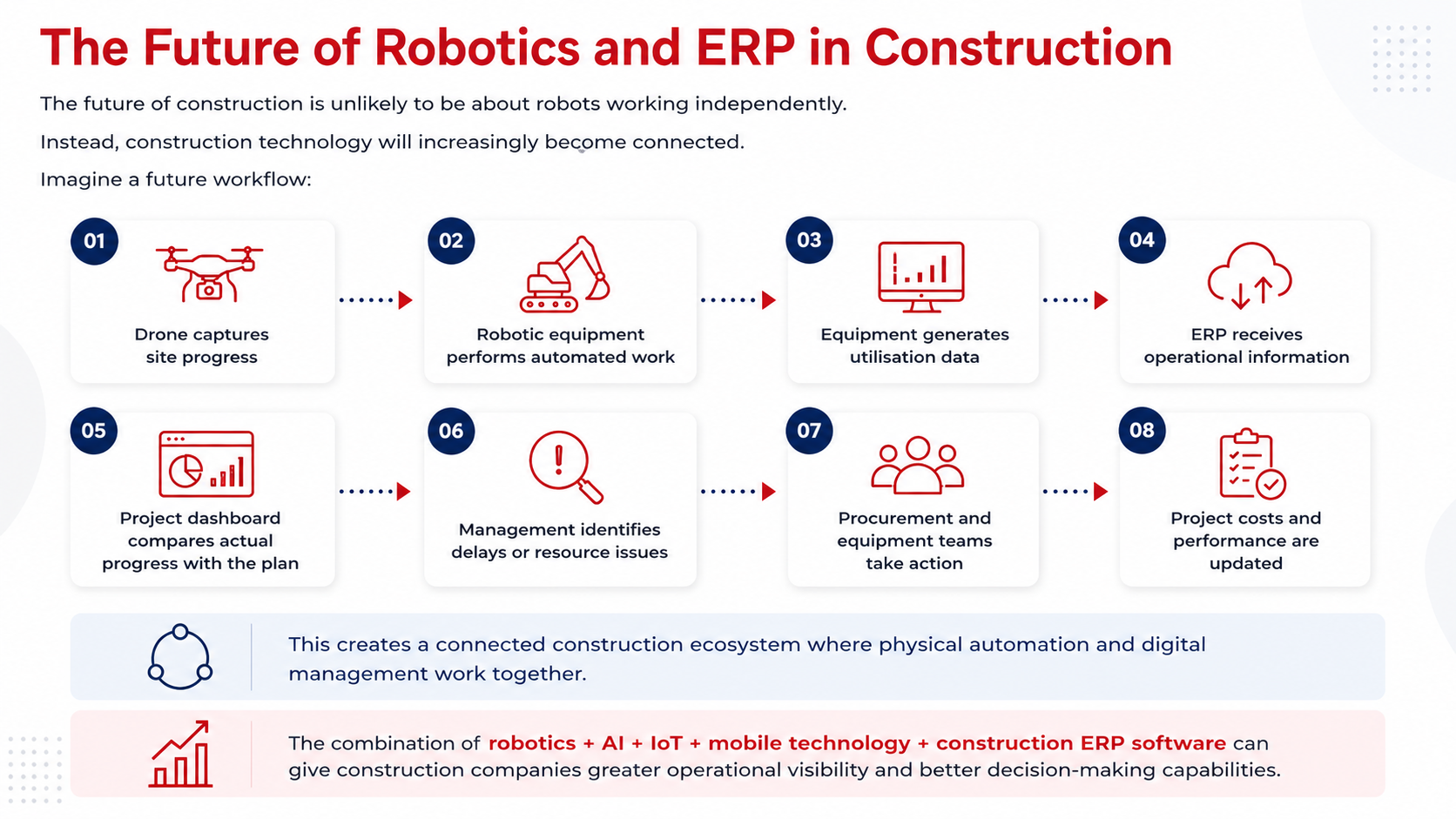
If you also need procurement, stores, labour and progress in the same system, our guide to construction ERP software in India explains the next step up.
How NWAY ERP handles construction accounting
NWAY ERP’s finance and accounts module for construction is built for Indian contractors. It gives you project-wise ledgers and P&L, RA billing with retention, GST and TDS handling, and payables linked to GRNs, measurements and attendance. It runs on the same database as your site, store, purchase and labour modules, so nothing is typed twice.
Want to see your own projects’ P&L side by side? Book a free demo and bring one month of data.
Conclusion
Construction companies have very unique needs when it comes to accounting software. If you’re managing a construction company, you must implement construction accounting software that meets your specific needs. You need an ERP system that can manage your accounts, payroll and, track your cash flow. With Nway ERP software, you’ll be able to track every asset, manage inventory, and keep track of your cash flow.