Common Challenges in Construction Management & How Nway ERP Solves Them

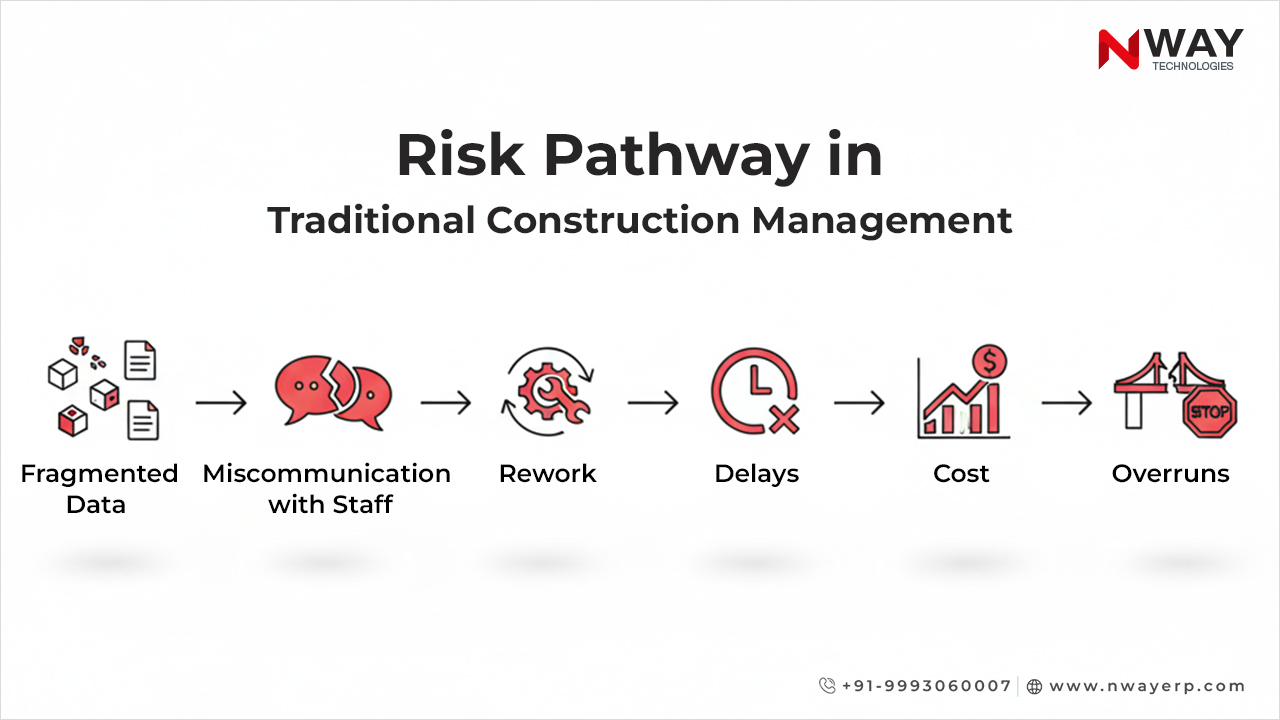
Managing a construction project requires clear coordination and consistent tracking. Without the right digital systems, teams often deal with construction project delays, construction scheduling issues, and budget overruns in construction. Outdated processes also make it harder to manage risks and subcontractors effectively, even when using separate construction risk management tools or subcontractor management software.

This is why more contractors, builders, and infrastructure companies are adopting construction management software that brings all project data together and supports better decision-making.

In this blog, we outline the key challenges construction companies face today and explain how Nway ERP – a complete construction ERP solution – helps address these challenges in a straightforward and practical way.

Table of Contents:

Project Delays That Start Small but Grow Fast

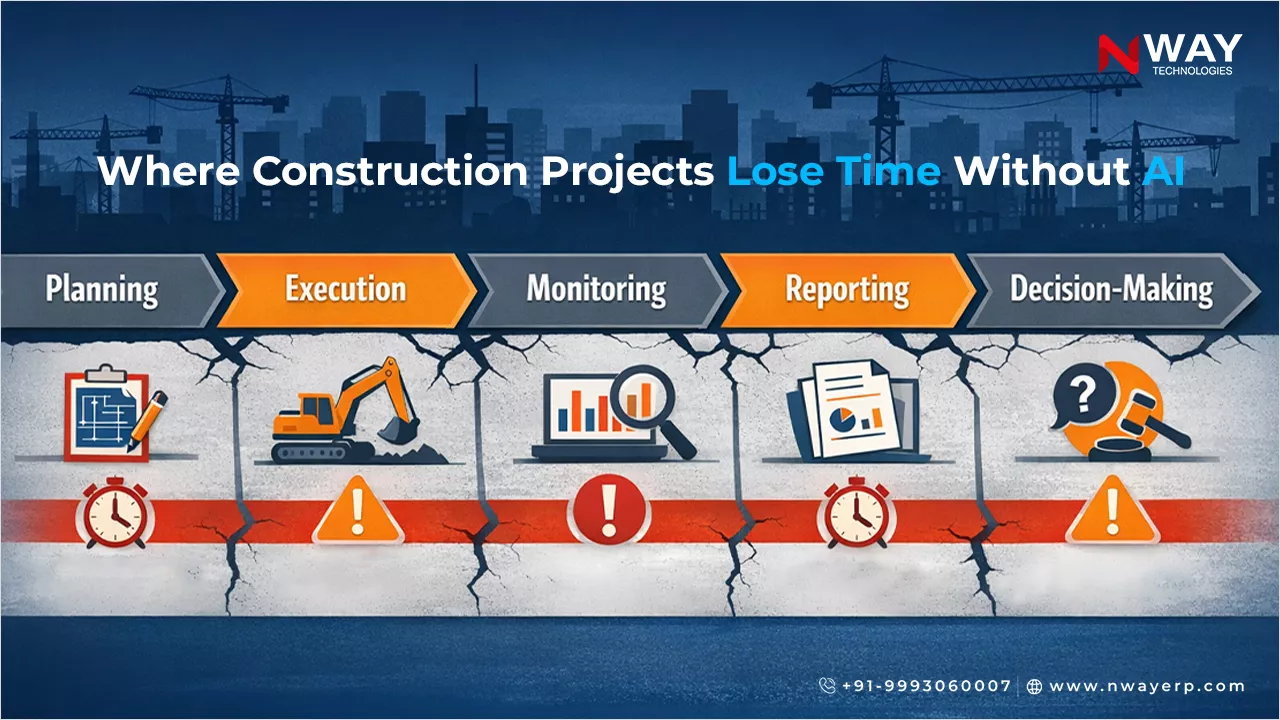
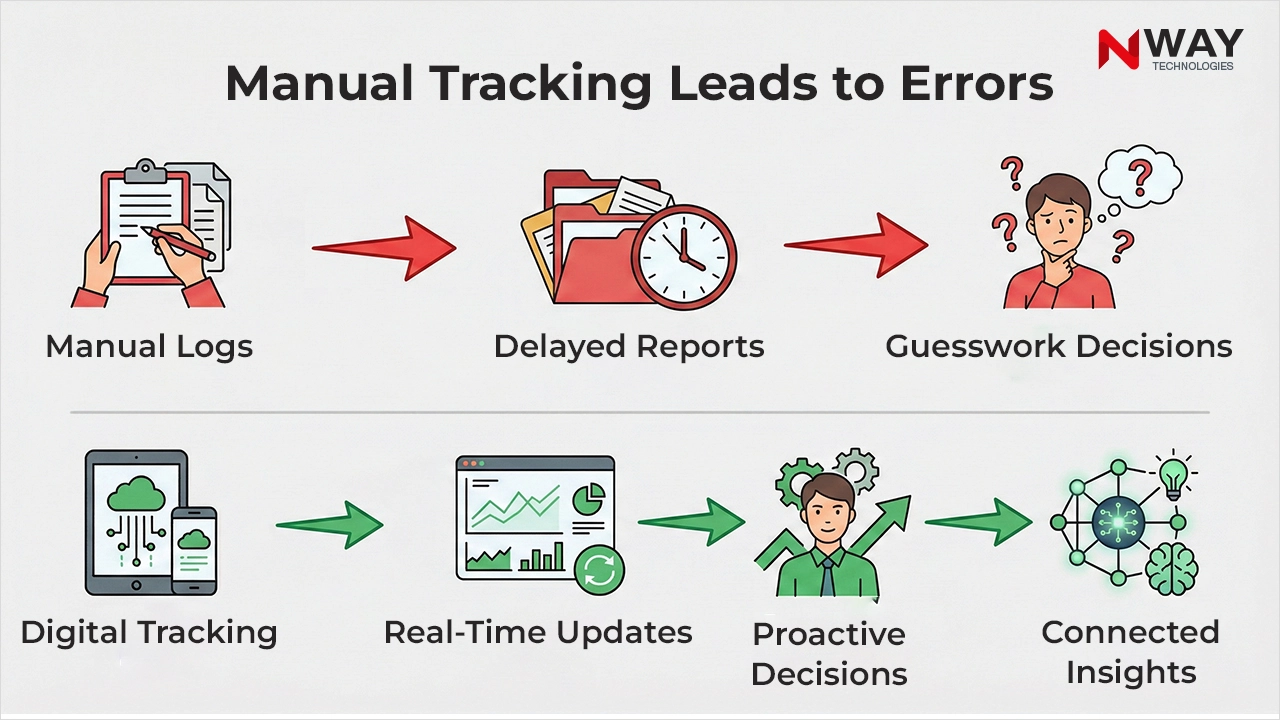
Anyone in construction knows that delays rarely happen overnight. They start with one missed update, one late material delivery, or one task that didn’t get completed on time. When progress tracking is done manually, these issues stay hidden until they become big enough to disrupt the entire schedule.

Without real-time visibility, site teams and management often work with outdated information. This leads to confusion, unplanned idle time, and ultimately – delayed project delivery.

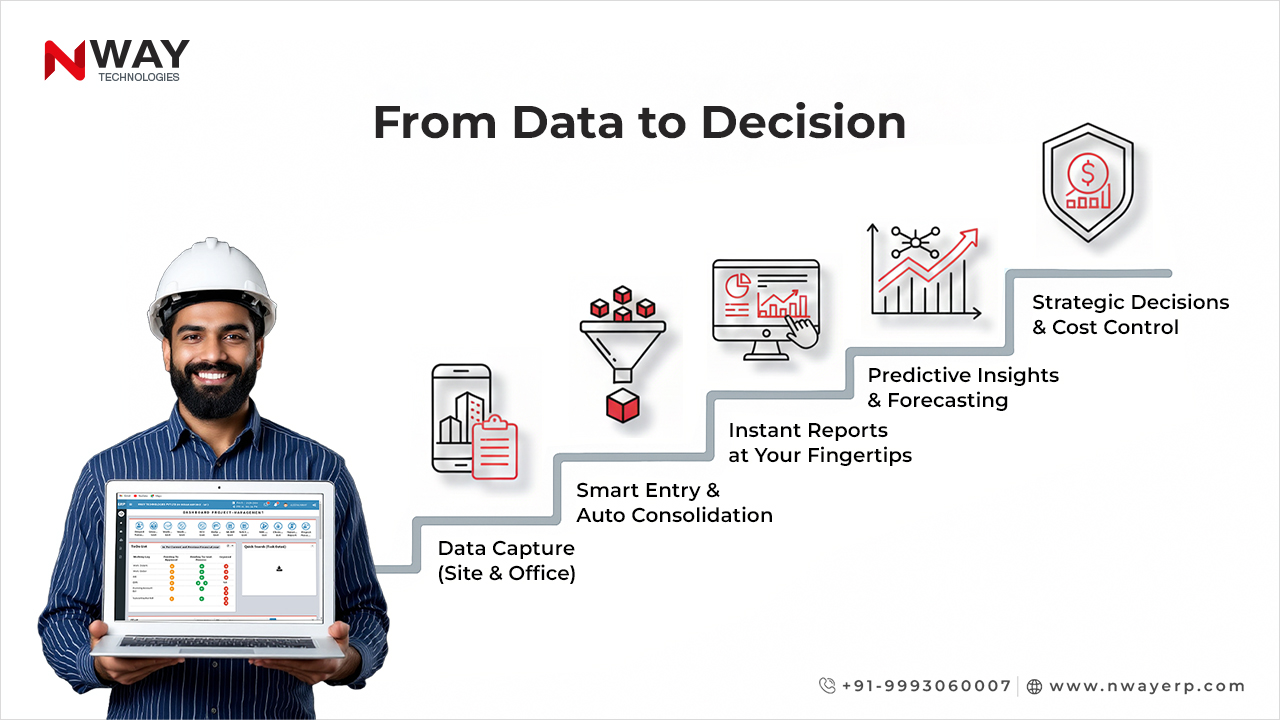
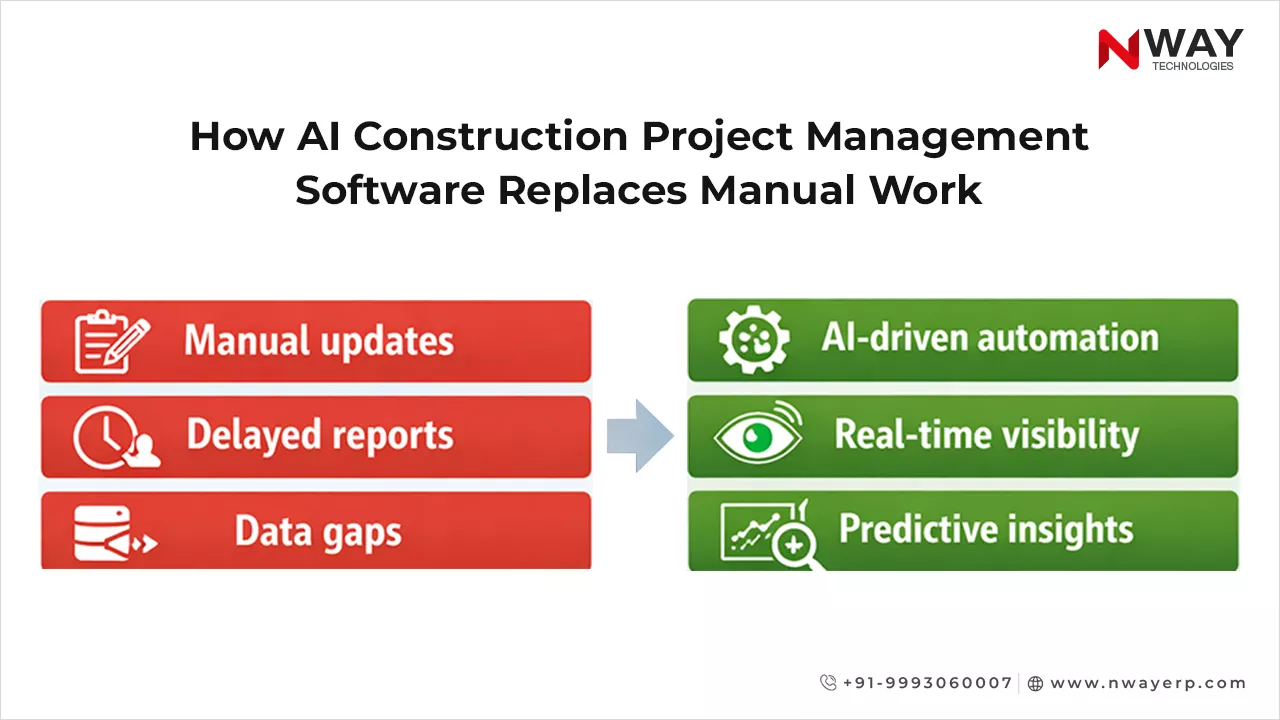
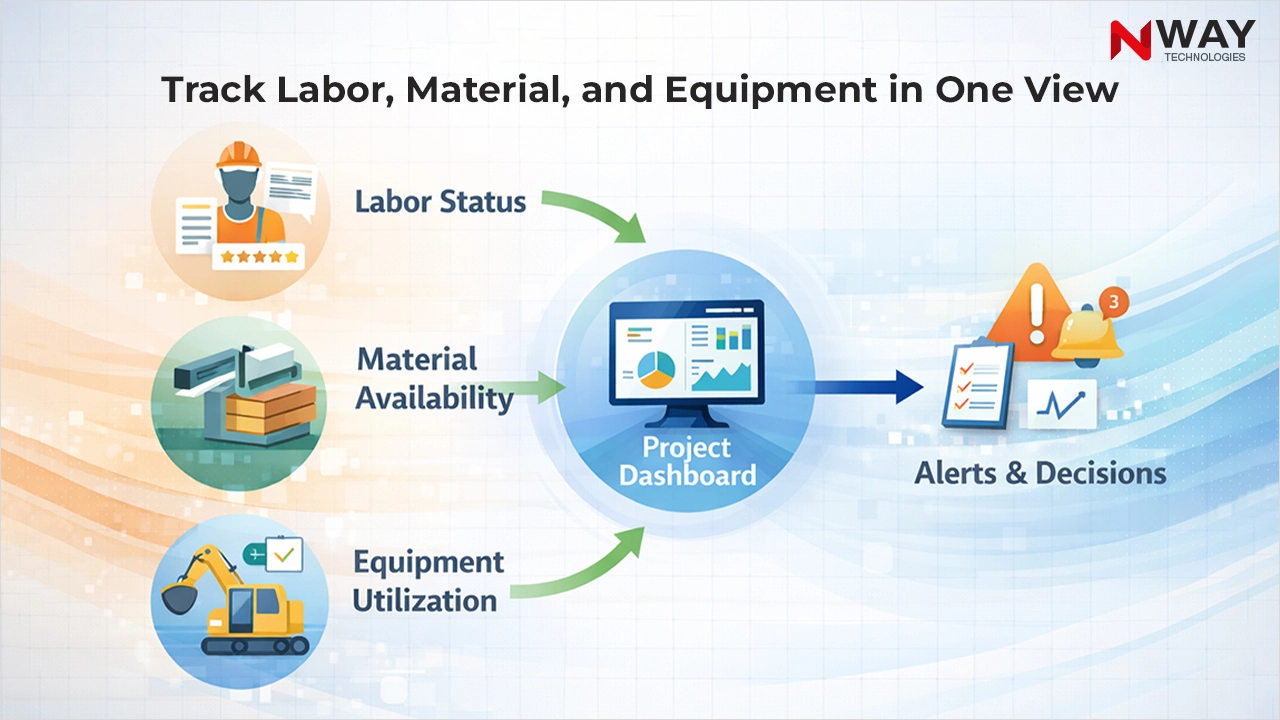
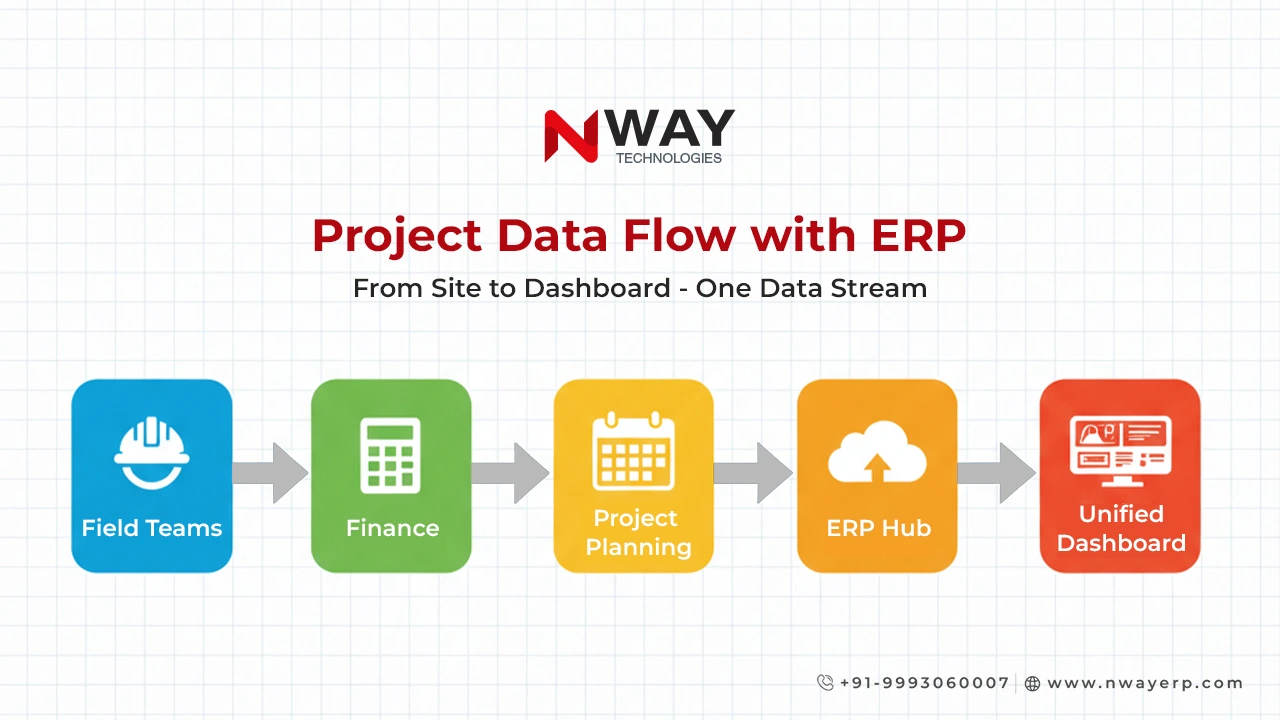
Nway ERP changes this by bringing every update into one real-time dashboard. Managers can instantly see what’s done, what’s pending, and what needs attention. Instead of discovering problems at the end of the week, they can act on them the moment they occur.

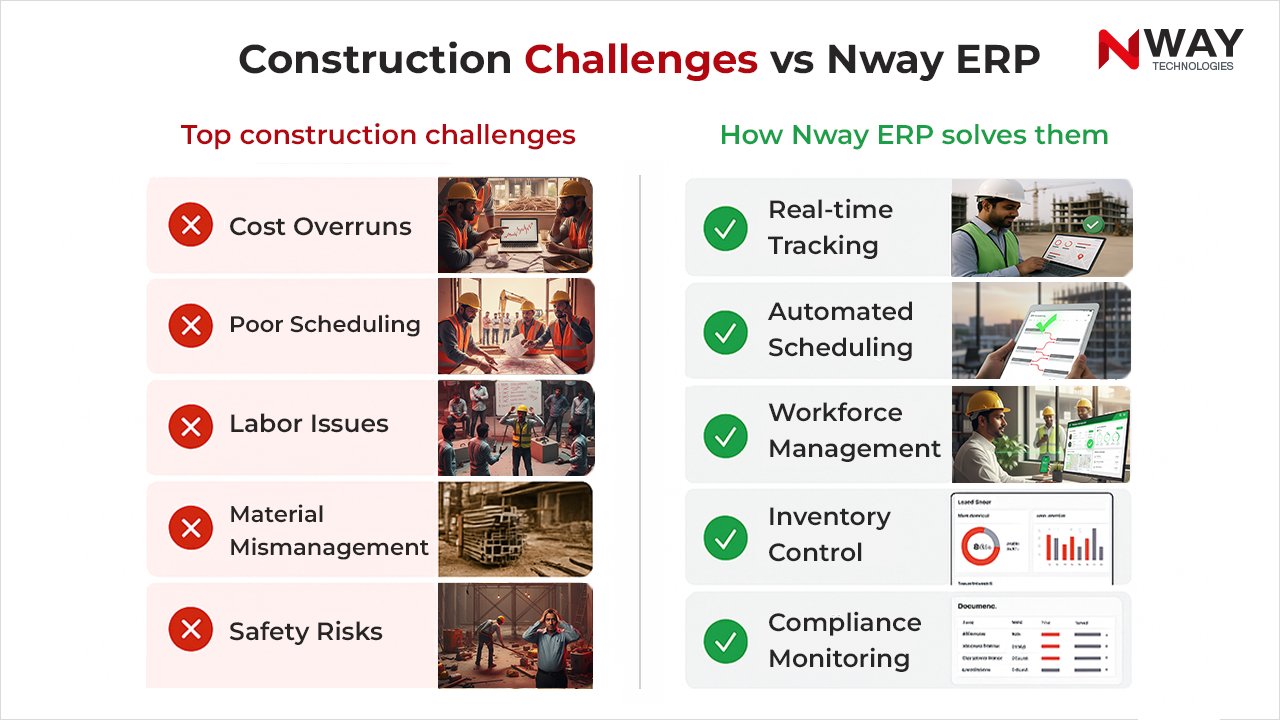
Construction Challenges vs Nway ERP

Budget Overruns and Cost Leakages

Many construction companies struggle with sudden cost jumps. Even small mistakes in estimation or manual data entry can result in major budget overruns in construction.

Typical cost challenges:

  • Inaccurate BOQ or budget planning
  • Poor tracking of labor and material usage
  • Manual accounting errors
  • No visibility into actual vs. planned spending

How Nway ERP Helps Control Costs

Nway ERP gives companies complete financial clarity. It ensures that every cost is tracked and recorded correctly.

  • Accurate cost estimation tools
  • Real-time budget monitoring
  • Automatic comparison of planned vs. actual cost
  • Transparent material consumption tracking

With smart financial reports, companies can make better decisions and avoid unnecessary expenses.

Resource Mismanagement Due to Uncoordinated Schedules

Construction schedules are living documents – they change constantly. But without a system that updates schedules dynamically, teams end up working with older versions.

That’s how resource misalignment happens: labour arrives before materials, machinery sits idle, or subcontractors wait around with no instructions.

Nway ERP brings schedules, resources, and execution into a single connected workflow. When one activity changes, everyone sees the updated version instantly – across departments and across sites. This prevents duplicate effort and keeps the project moving smoothly.

Subcontractor Monitoring That Depends on Memory

Managing subcontractors manually is challenging. Progress updates often come late, usage of materials is not recorded properly, and billing becomes a long back-and-forth process.

With Nway ERP, subcontractor activities become fully transparent. Work orders, attendance, labour output, material usage – everything gets recorded digitally. This reduces disputes, speeds up billing, and builds stronger working relationships.

Communication Gaps Between Site and Office

Most project challenges stem from one simple issue: teams aren’t aligned.

Updates take time to reach the office, and decisions take longer to return to the site. Miscommunication leads to rework, unnecessary delays, and frustration across teams.

Nway ERP bridges this gap with real-time mobile connectivity. Site teams can upload photos, update progress, and raise requests instantly – while office teams can respond in minutes rather than days. Everyone works with the same data, the same version, the same truth.

Too Many Tools, Too Many Data Silos

When companies rely on multiple software systems – one for accounting, one for inventory, one for HR, and so on – every team works in its own island. Data gets duplicated, lost, or mismatched.

Nway ERP replaces scattered tools with a single, connected system. Accounting, procurement, scheduling, inventory, payroll, assets – everything is synced. Teams waste less time searching for data and more time focusing on what matters: building.

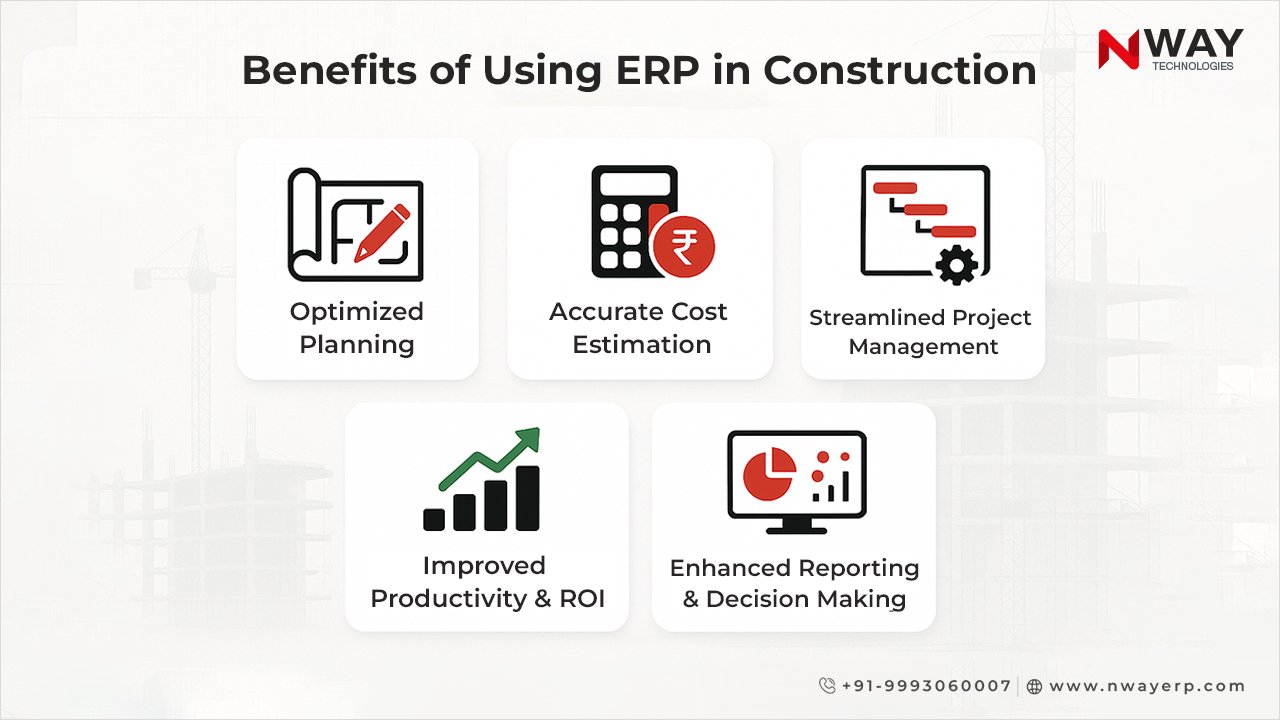
Benefits of Using ERP in Construction

Where Nway ERP Stands Out – Subtle but Powerful AI Capabilities

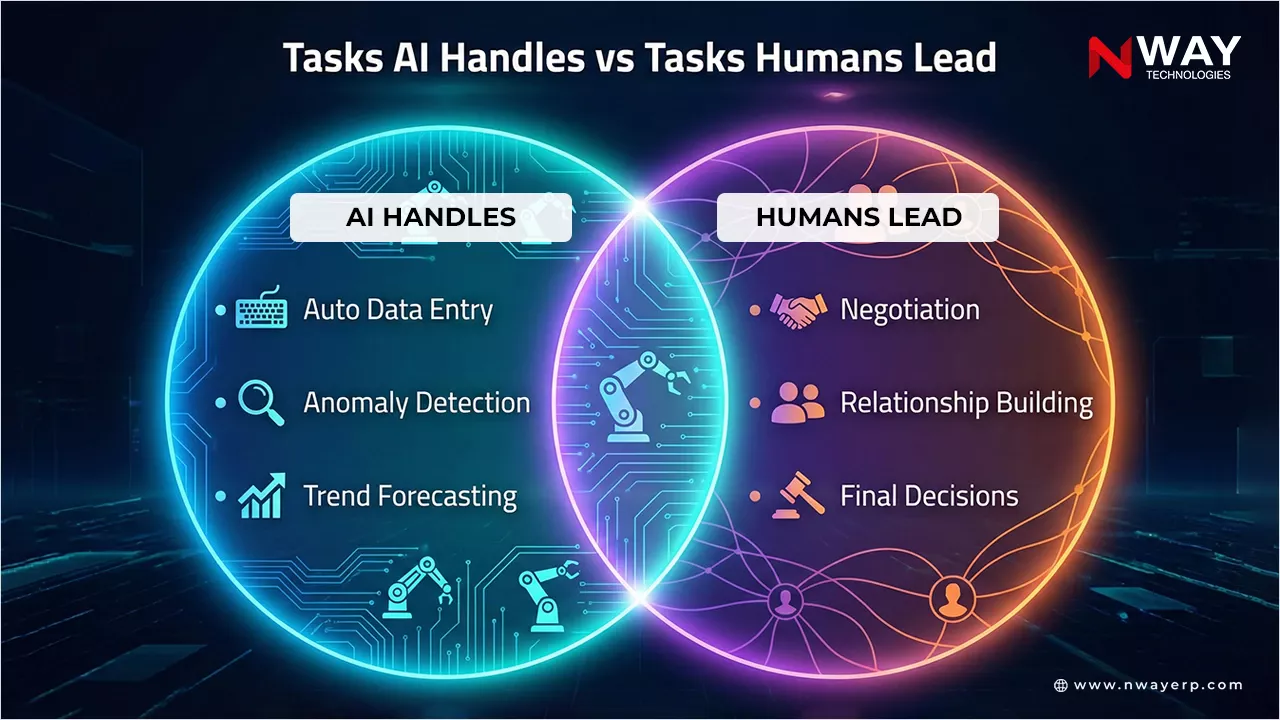
While many construction ERPs solve basic operational challenges, Nway ERP goes a step further by using AI in ways that feel natural, helpful, and non-intrusive.

It’s not about “AI hype” – it’s about making everyday work faster, cleaner, and more accurate.

Nway ERP enhances decision-making without forcing users to “learn AI.”

Here’s how:

1. AI Assistant for Instant Answers (No Training Needed)

Users can simply type questions like:
“Show me today’s labour cost”
or
“Generate a KPI report for Project A”

Our AI assistant pulls the right data, creates reports, and delivers insights instantly. It feels more like talking to an assistant than running software.

2. SmartEntry AI for Automatic Invoice & Document Entry

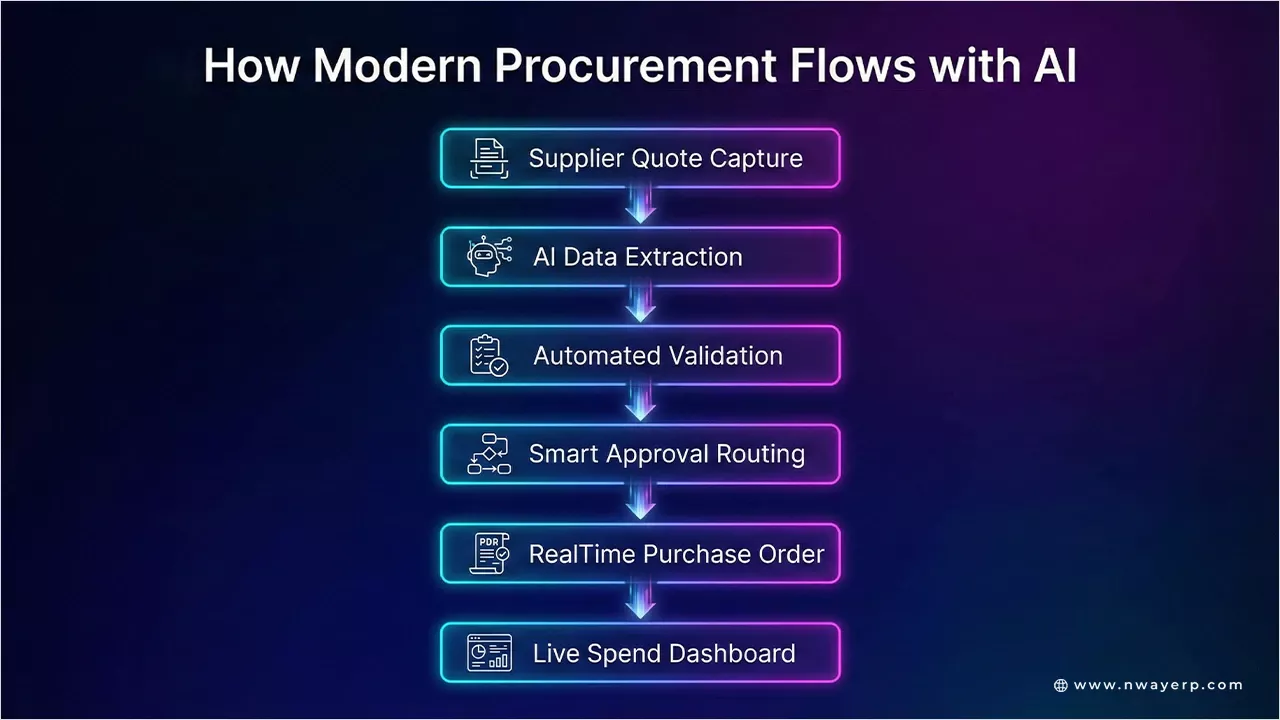
Instead of typing every detail manually, Nway ERP reads purchase bills, GRNs, quotations, and expense documents using intelligent OCR.

The system fills out the forms automatically – reducing manual error and saving hours of admin work.

3. Automated Weighbridge Integration

The AI engine can detect vehicle numbers, record weights automatically, and even predict the material being transported.

This makes material movement faster, more accurate, and tamper-proof.

These AI features are not the center of the product – but they quietly make work smoother, speed up tedious processes, and help teams get more done without extra effort.

Final Thoughts

Construction companies today face pressure from all sides – deadlines, compliance, rising costs, skilled labour shortages, and unpredictable project conditions. Manual processes simply cannot keep up.

Nway ERP brings structure to the chaos. It helps teams work in sync, keeps projects on track, and ensures decisions are backed by real data. And with subtle AI features woven in, everyday tasks become even easier – without adding complexity.

If you want faster execution, better control, and a truly connected construction ecosystem, Nway ERP is built for you.

FAQs

What is construction management software, and why do I need it?

Construction management software (such as an ERP) helps you manage every part of a construction project – budget, scheduling, subcontractors, materials, and more – from one central place. Without it, data remains in silos (spreadsheets, paper, or separate tools), making it hard to track budget overruns, prevent scheduling issues, or manage risk. With the right software, you get real-time visibility, better coordination, and stronger control over your construction operations.

How can construction management software reduce cost overruns in construction?

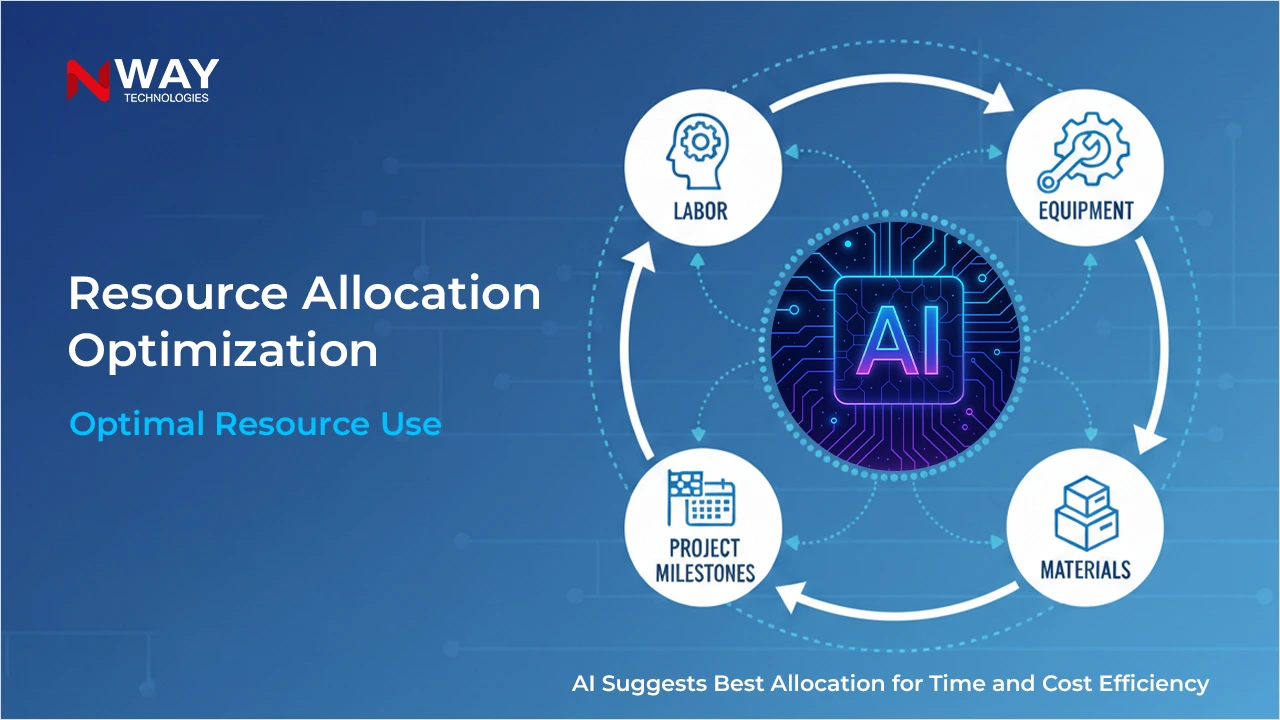
By providing live insights into costs and spending. A good ERP tracks all transactions – material orders, subcontractor billing, labor, and more – and compares them against your budget instantly. This early visibility prevents hidden cost leakages and keeps projects on track. Nway ERP goes further with analytics tools that help predict cost risks and optimize resource allocation.

Can construction management software help manage subcontractors?

Yes. Construction management software often includes subcontractor management tools that let you assign tasks, track their daily work, monitor how much material or labour they use, and manage their billing. This transparency reduces disputes, speeds up payments, and gives you a clear picture of subcontractor performance.

How does construction software improve risk management on construction sites?

Good ERP software provides risk management features like incident reporting, change-order tracking, and compliance monitoring. This helps identify safety or financial risks early and document all activities in one system. Nway ERP enhances risk oversight with centralized dashboards and reporting, allowing proactive decision-making before issues escalate.

Will using construction management software fix scheduling issues on my projects?

Yes – if you pick a software with real-time scheduling and resource tracking. A strong construction management software lets you update schedules dynamically, see resource allocation (people, machines, materials), and immediately notify teams if something changes. This reduces downtime, prevents resource clashes, and keeps your project on a reliable timeline. Nway ERP enables dynamic project scheduling and real-time adjustments, ensuring projects stay on time and resources are optimally utilized.

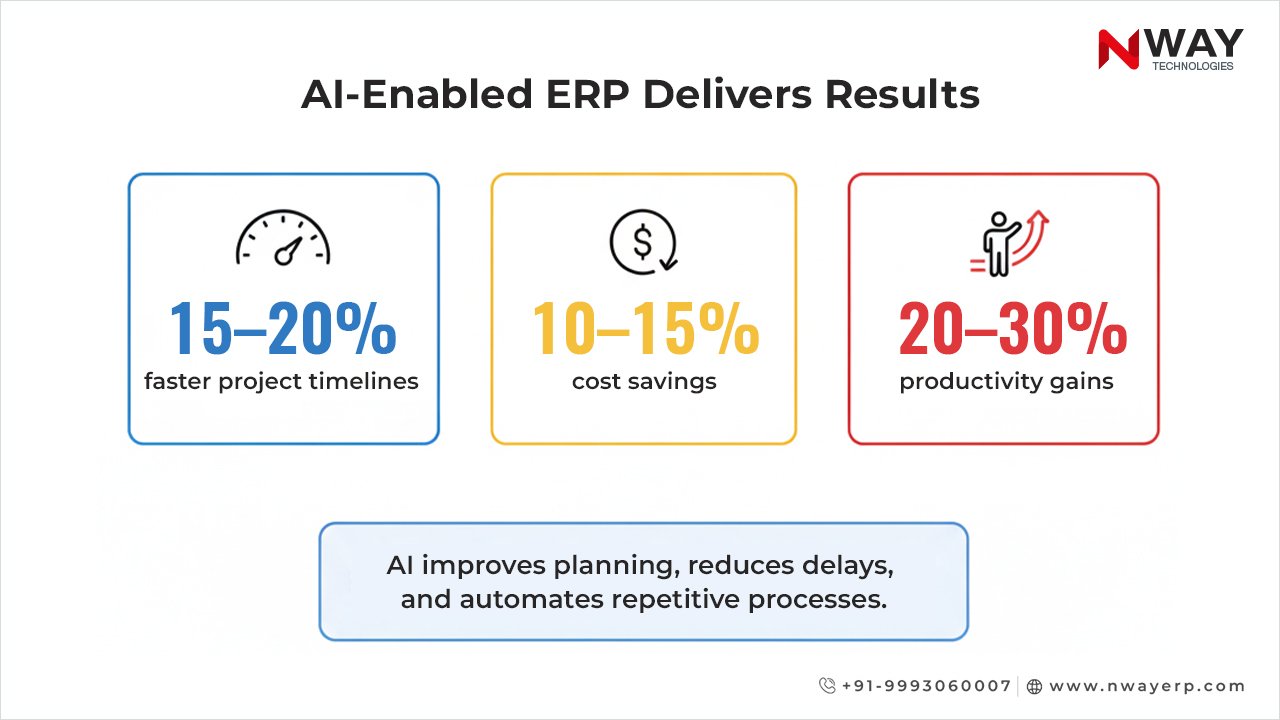
How AI-Enabled ERP Software Is Rebuilding the Construction Industry

The construction industry is changing faster than ever. Projects are bigger. Costs are higher. Deadlines are tighter. Teams are under pressure to deliver more work with fewer resources. In this environment, traditional tools and manual processes are no longer enough.

This is why an AI-enabled ERP software is becoming one of the most important technologies in construction today. AI is not just improving ERP systems – it is rebuilding how construction companies plan, manage, and deliver projects.

In this blog, we will explore why AI is becoming essential in construction and what the latest industry data tells us.

Table of Contents:

AI Adoption in Construction: What Today’s Data Shows

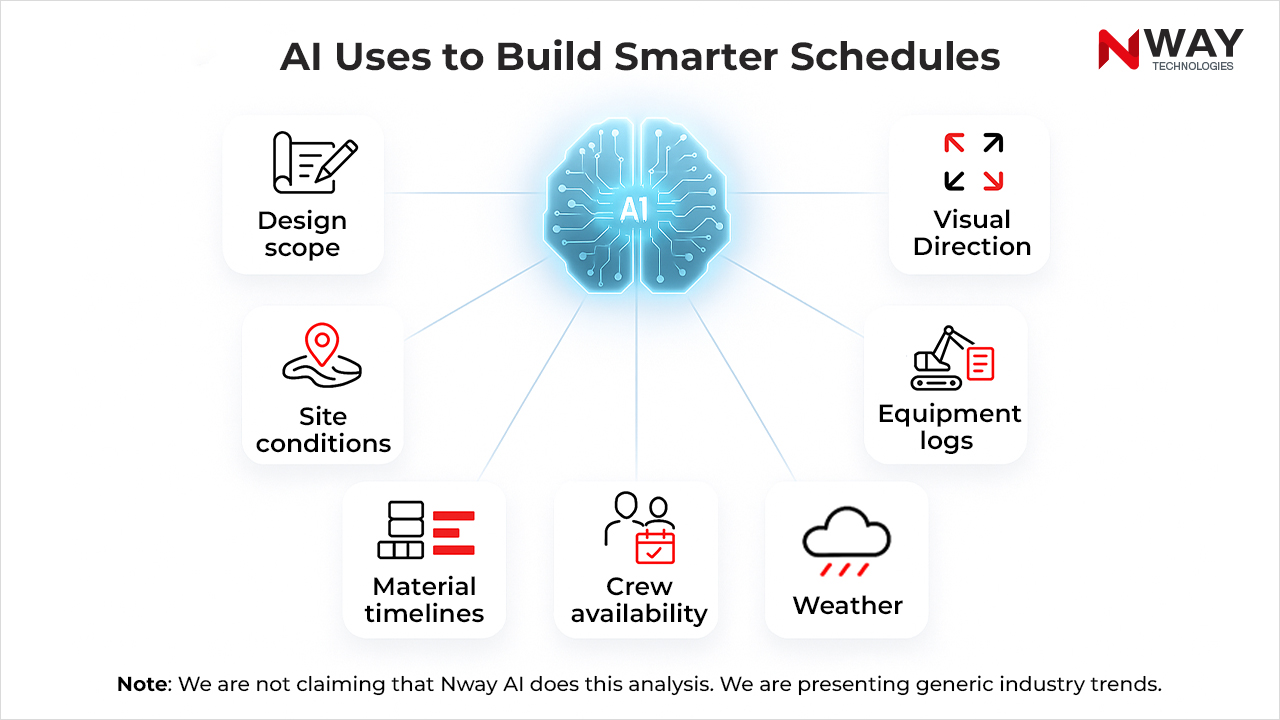
AI adoption in construction is still early – but growing fast. And this creates a major competitive advantage for companies that move now.

Most Construction Companies Still Have Little AI

  • According to RICS, about 45% of construction firms report no AI implementation. RICS
  • In the same survey, around 34% say they are in early pilot phases. RICS
  • Meanwhile, only ~1% of respondents report AI being embedded across multiple business processes. RICS

This means that while AI is getting attention, most construction firms are still exploring – so early adopters of AI-enabled ERP get a real first-mover advantage.

Interest and Investment in AI Is Growing

  • RICS also found that 56% of surveyed investors in construction plan to allocate more funds to AI in the year ahead. RICS
  • Autodesk’s 2025 State of Design & Make report shows that 66% of construction leaders believe AI will be essential in 2–3 years. Autodesk+1
  • According to the same Autodesk report, 68% of construction leaders believe AI will enhance their industry, even if they are cautious about fully implementing it today. Autodesk

AI Is Delivering Real Value, but Scaling Is Hard

  • Autodesk research suggests that while many companies are optimistic, only 40% say they are approaching or have reached their AI goals. construction.autodesk.com

What Is AI-Enabled ERP Software in Construction?

What Is AI-Enabled ERP Software in Construction?

A modern construction ERP software centralizes:

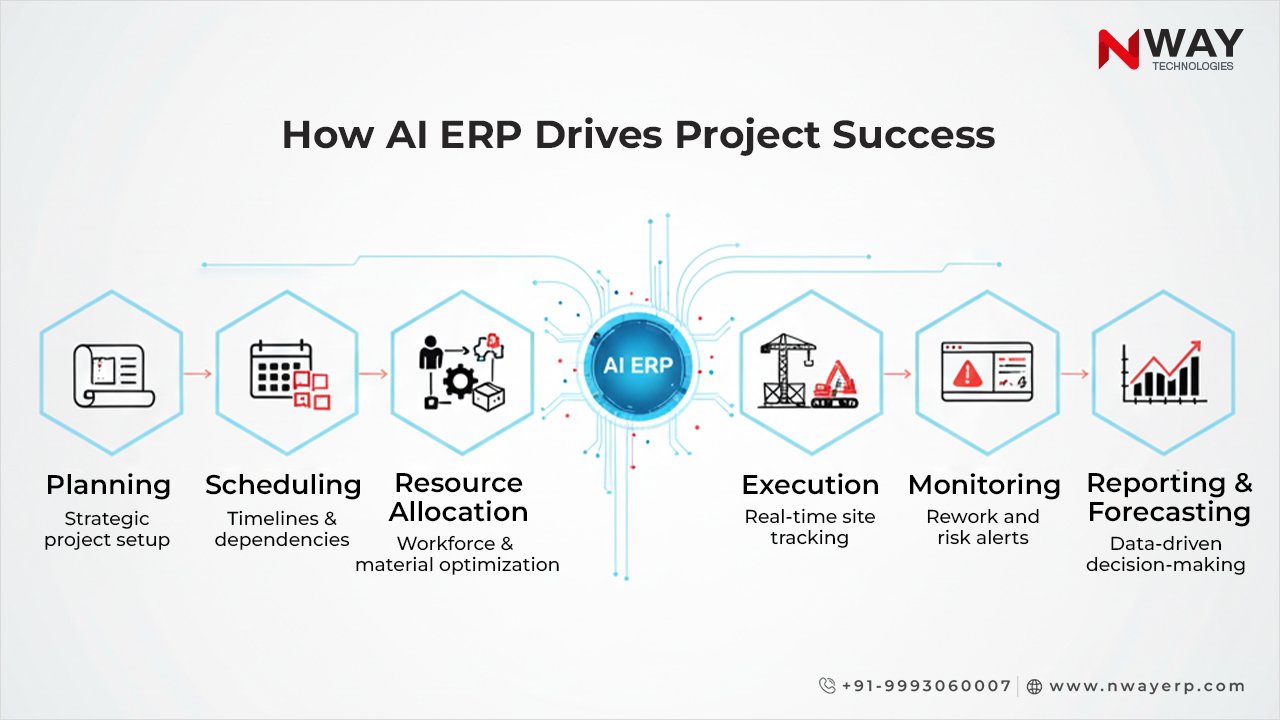
  • Planning
  • Procurement
  • Site operations
  • Inventory
  • Billing
  • Subcontracting
  • Finance
  • HR
  • Plant & machinery
  • Compliance

But an AI-enabled ERP software goes much further.

It adds:

  • Prediction
  • Automation
  • Real-time risk detection
  • Natural-language insights
  • Smart document understanding
  • Intelligent process optimization

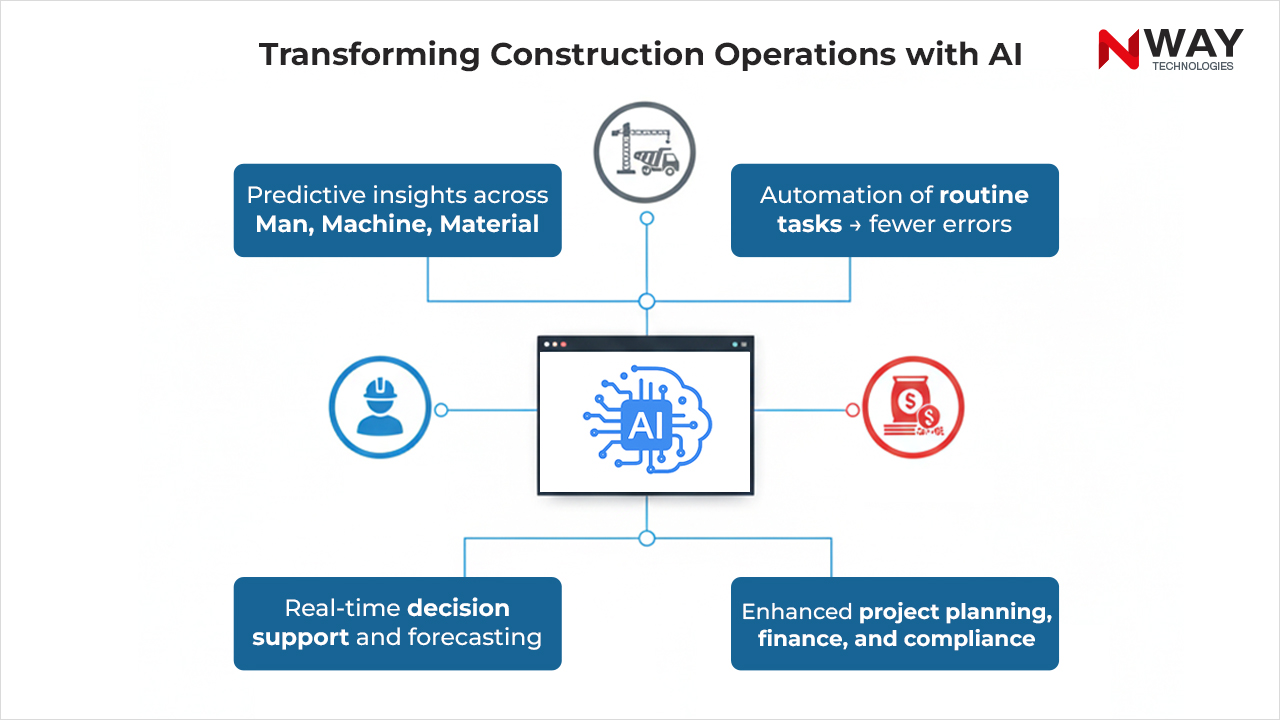
With AI, your ERP does not just store data – it thinks, predicts, and guides your team.

How AI Transforms Construction ERP Workflows

Below are the four biggest shifts happening because of AI in construction ERP.

1. AI Turns Raw Data Into Real-Time Answers

Construction companies generate huge amounts of data, but very little of it gets used. AI fixes this by converting scattered data into clear, instant insights.

With AI, you can ask:

  • “What is the project’s current cost overrun risk?”
  • “How many invoices are pending approval?”
  • “What is our material consumption trend?”

And get answers in seconds – without running reports.

This is where Nway ERP’s AI Assistant stands out. It helps site teams, finance teams, and project managers get:

  • KPIs
  • Reports
  • Variance data
  • Trends
  • Performance summaries

Simply by typing or speaking in natural language.

This is not a generic chatbot – it is an intelligence layer built into the ERP.

2. AI Removes Manual Work From Key Processes

Manual work slows down construction projects. AI eliminates these bottlenecks with automation.

SmartEntry AI (Nway’s AI Invoice System)

Nway’s SmartEntry AI uses OCR + machine learning to:

  • Read invoices
  • Auto-fill purchase bills
  • Auto-fill GRNs
  • Auto-fill general expenses
  • Validate data

This cuts invoice-processing time by up to 80%, reduces human errors, and speeds up cash-flow visibility.

For companies with high monthly invoice volumes, this is a major operational upgrade.

3. AI Strengthens Material Movement & Logistics

Material mismanagement is one of the biggest reasons for cost overruns.

Nway’s AI Weight Bridge Automation does three things:

  • Reads vehicle numbers automatically (no manual entry)
  • Records accurate material weight directly into the ERP
  • Predicts the item name using AI

This prevents:

  • Fraud
  • Weight manipulation
  • Duplicate entries
  • Reporting errors

Few construction ERPs offer this type of deep operational AI – and this is a major strength for Nway.

4. AI Predicts Problems Before They Happen

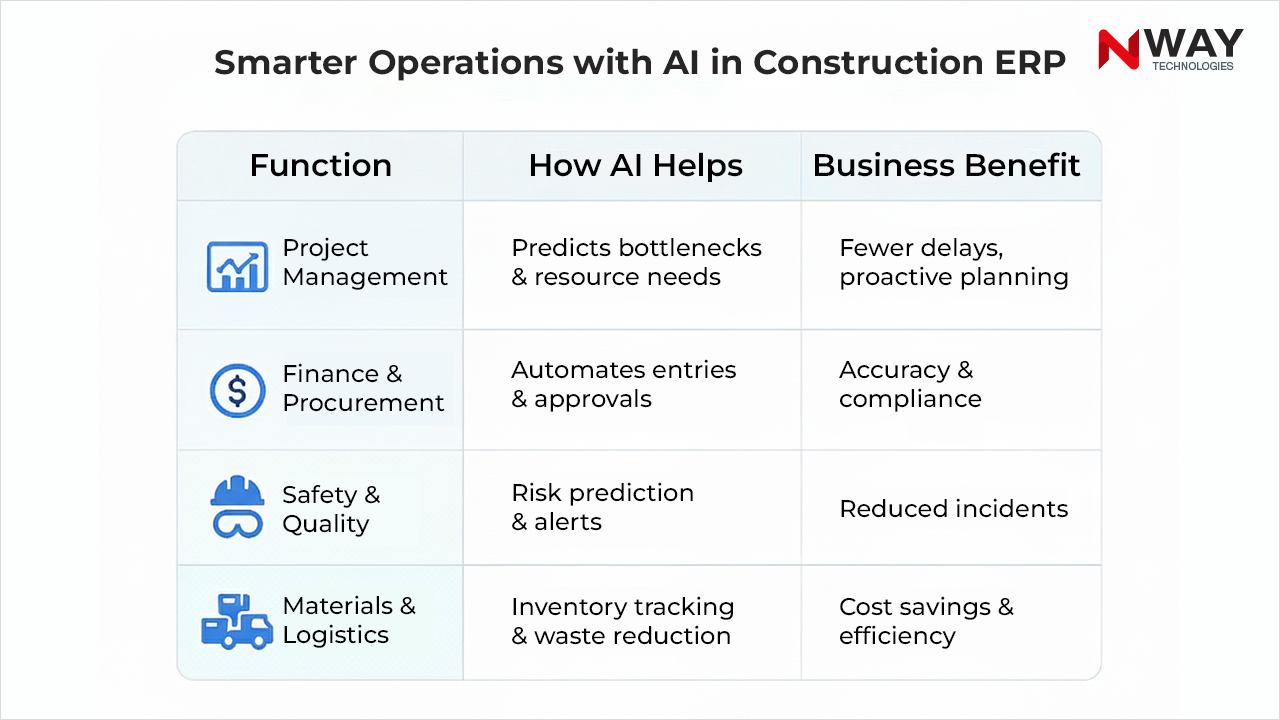
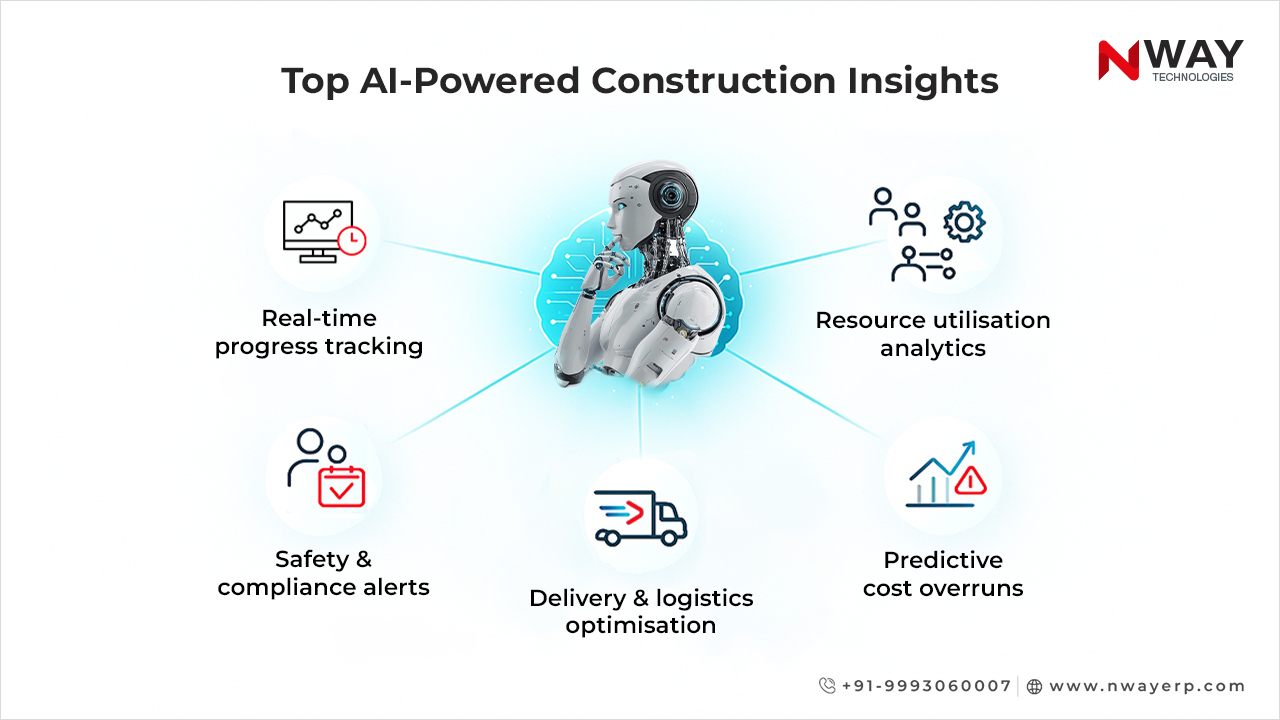
AI studies project history, timelines, budgets, labor performance, and site data to predict:

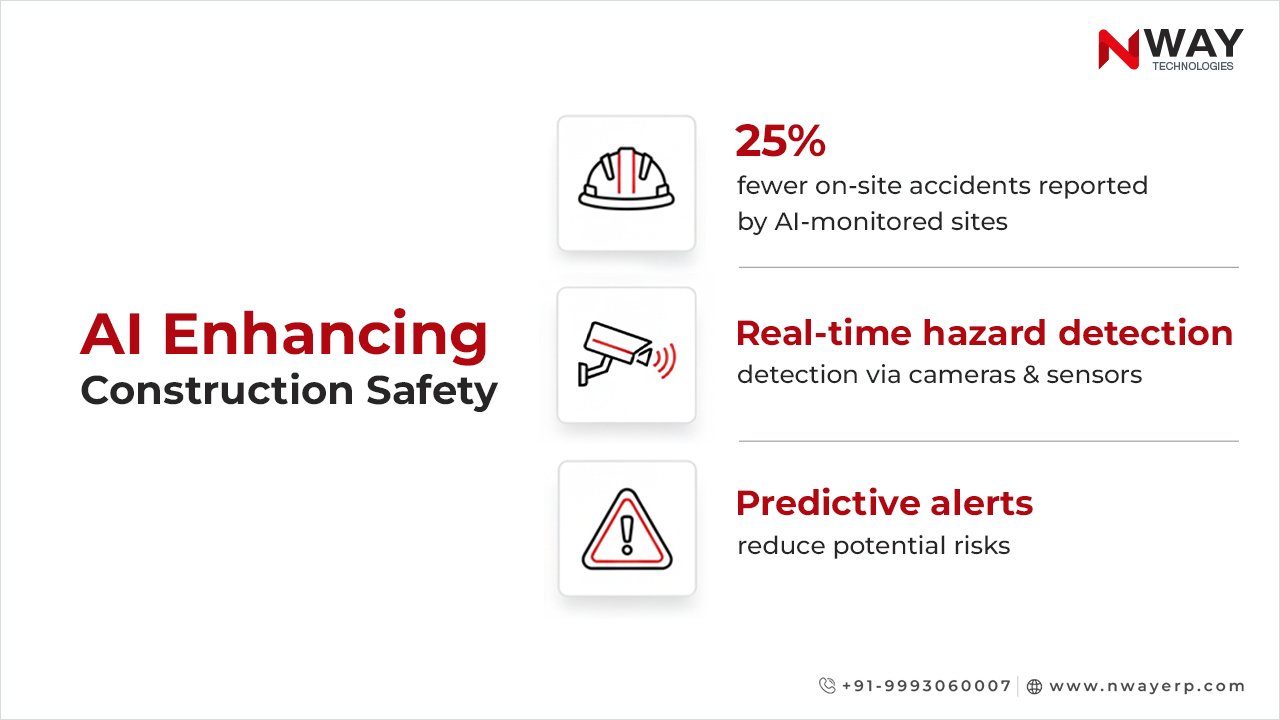
  • Safety risks
  • Material shortages
  • Project delays
  • Cost overruns
  • Vendor performance issues

This shifts management from reactive to proactive.

For example:

  • AI can warn you that a site will face a material shortage in 10 days.
  • AI can alert you that subcontractor productivity is dropping.
  • AI can predict if a project is likely to cross its budget threshold.

This level of foresight is exactly why companies adopting an AI ERP for construction gain a major competitive advantage.

AI Enhancing Construction Safety

Why Nway ERP Leads the AI Revolution in Construction

Many ERP vendors claim to “use AI.” But most offer basic automation – not true AI capabilities.

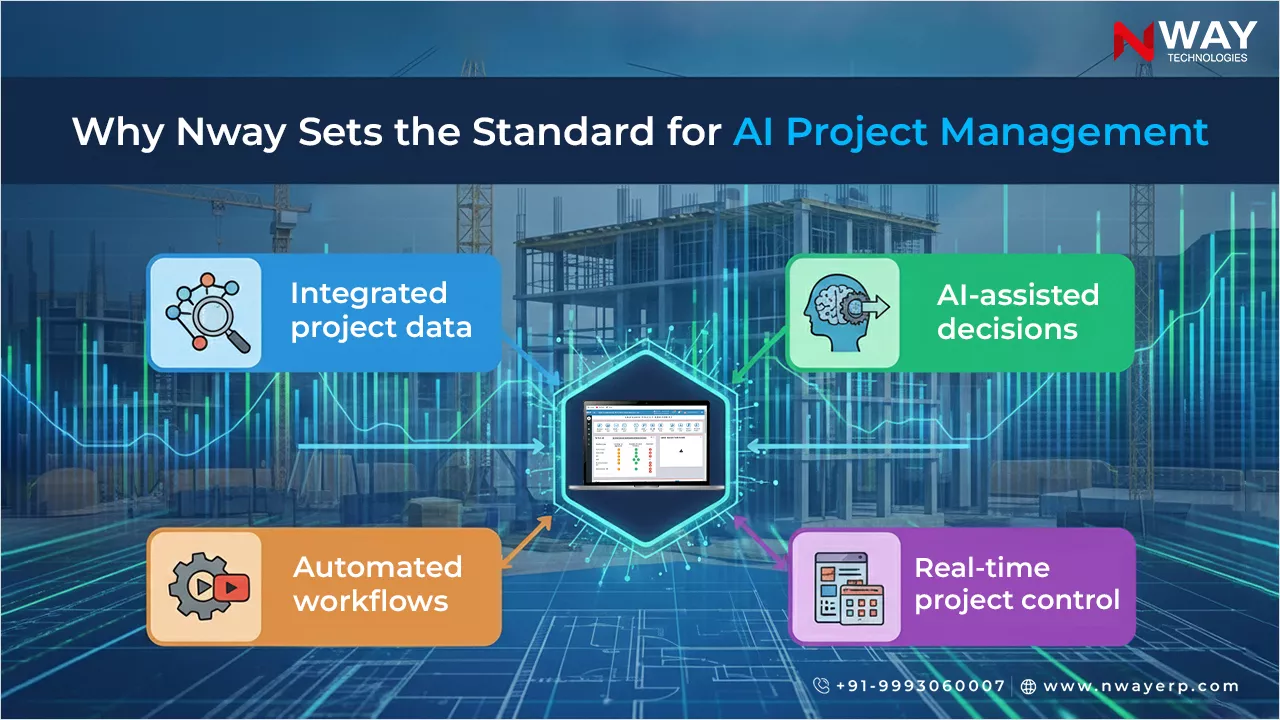
Nway ERP is different because AI is built directly into the core product, not as an add-on. Here is what makes Nway stand out:

1. Domain-Specific AI, Built for Real Construction Workflows

Every AI feature in Nway ERP is designed around actual construction needs:

  • Contractor workflows
  • Subcontractor billing
  • Store and inventory
  • Plant & machinery
  • R.A. bills
  • WBS-based planning
  • Material testing
  • Site execution tracking

Generic AI tools cannot handle these complexities – Nway’s AI can.

2. AI That Reduces Costs Immediately

Nway’s AI features reduce:

  • Manual processing time
  • Rework
  • Errors
  • Delays
  • Material wastage
  • Risks

This leads to measurable ROI within months – not years.

3. AI That Helps Field Teams, Not Just Office Teams

Many ERP systems fail at the site level. Nway ERP ensures that site engineers, project managers, and storekeepers get AI-powered help even on mobile.

This improves:

  • Data accuracy
  • Daily reporting
  • Material tracking
  • Site visibility

Where construction decisions actually happen – on the ground.

4. AI + ERP + Automation = A Complete Transformation Engine

With features like:

  • AI Chatbot
  • SmartEntry Invoice AI
  • Weight Bridge AI Automation
  • Predictive Analytics
  • Real-Time KPIs
  • Smart Alerts

Nway ERP becomes not just an ERP system – but an intelligent control center for construction operations.

Final Thoughts

AI is no longer optional for construction companies. Data from RICS, Threadgold, and AIQLabs shows clear trends:

  • AI is still early in construction – meaning huge competitive advantage for early adopters
  • AI in ERP is growing across industries
  • AI delivers real productivity, cost, and timeline benefits
  • Construction firms increasing AI investment will lead the next decade

This is why AI-enabled ERP software is becoming the foundation of modern construction management.

And this is why Nway ERP is built with deep AI at its core.

FAQs

What makes an AI-enabled ERP software different from a normal construction ERP?

An AI-enabled ERP software does more than store data. It studies patterns, gives clear insights, and warns teams about risks. This helps construction companies catch problems early and make faster decisions without digging through reports.

Nway ERP uses built-in AI for real-time insights, smart alerts, and natural-language answers, giving teams instant clarity without manual reporting.
How can AI ERP for construction help control project costs?

AI ERP tools track material use, labour output, and site delays in real time. They show cost changes early, so teams can act before budgets break. This makes cost control steady and predictable on every project.

Nway ERP’s predictive analytics and automated entries reduce waste, stop billing errors, and help projects stay within budget.

Is AI in construction ERP useful for small and mid-size contractors?

Yes. Small and mid-size firms gain the most because AI cuts manual work and reduces errors. Even with small teams, AI handles tasks like billing checks, material tracking, and daily reporting. This boosts productivity without hiring more staff.
Nway ERP gives smaller contractors AI tools like SmartEntry Invoice AI and mobile site reporting, helping them work faster with fewer resources.

How does AI-powered construction management improve site visibility?

AI brings live updates from the site to the ERP. It reads documents, tracks material movement, and highlights delays right away. This gives managers a full picture of site activity, even when they are not on location.

Nway ERP’s AI Weight Bridge Automation and on-site mobile tools give accurate, real-time visibility into materials, labour, and site status.

What should a company look for when choosing an AI-enabled ERP for construction?

Pick an ERP that uses AI in real workflows, not just in add-on tools. Look for features like predictive alerts, automated entries, invoice reading, and site-level support. These tools show that the system can handle real construction needs and deliver fast ROI.

Nway ERP offers deep, construction-specific AI built into every workflow- ensuring fast setup, quick ROI, and strong support for field and office teams.

How to Choose the Right Construction Management Software

In today’s building world, choosing the right construction management software is crucial. With many moving parts, many sites, and many people involved, you need a tool that brings everything together. In this blog, we’ll keep things simple.

We’ll help you pick up the right software, understand key features, and show how the right choice can help your business grow.

Table of Contents:

Why you need construction-specific tools

You might be tempted to use a generic project tool. But a construction business has special needs: many sites, heavy machines, labour, materials, cost tracking, schedules. A tool built for construction beats one built for any industry.

If you pick the wrong tool, you may end up creating more chaos than before.

Understanding your needs – questions to ask yourself

Before you dive into buying, ask yourself:

  • Do I need to track many sites at once?
  • Do I need to manage costs, labor, machines, and materials?
  • Do I want real-time updates from the site?
  • Will my finance team use the same system?
  • Do I want mobile apps for site staff?

With these answers, you’ll know what you need from a construction management software solution.

Understanding your needs – questions to ask yourself

Key features to look for in a construction management software

When comparing options, make sure the software includes the right construction management software features. Here are some of the most important:

1. Multi-site visibility & real-time data

You should be able to see what’s going on at every site in one view. With good construction site management software, you get real-time data about labour, equipment, materials, and costs. No more waiting days for updates.

2. Cost tracking & construction accounting software

Construction cost tracking is a big deal. The software should integrate budget, cost, invoices, payments, and link them to projects. It should support your accounting team, giving them real figures and comparisons between planned vs actual.

3. Workflows, approvals & mobile access

Site teams must update things while on the move. The tool needs mobile apps, approval of workflows (for materials, changes, etc). This is part of the core of strong construction management software features.

4. Resource & equipment management

From machines to materials to labour – your software must track it all. Idle equipment, material wastage, labour inefficiencies all cost money. The right system keeps an eye on these.

5. Scalability: growth and multiple projects

If you have one site now but plan many more, your solution must scale. It must not slow down with more projects. This is where choosing the right ERP for construction industry matters: you’ll want a solution built for scale.

6. Integration with finance/operations

Your construction software should talk about accounting, HR, and procurement. That way you don’t have separate silos: the finance team, project team, and site team all stay in sync. A good ERP for the construction industry will cover this.

7. Real-time project monitoring software capabilities

Finally, you want tools to monitor progress daily. Real-time dashboards that show status, alerts when sites fall behind; cost overruns. This kind of real-time project monitoring software functionality ensures you stay ahead.

Looking for construction software that actually works? Start with Top 10 Features Every Construction Management Software Must Have

How to compare your options

Here are some steps to compare and choose:

  • List your must-have (from above).
  • Check that each software supports your size (single site vs many).
  • Ask for a demo with your actual use case (e.g., you track 5 sites, heavy machines).
  • Check if the software is built for construction, or just generic. A generic tool may lack important workflows.
  • Compare cost vs value: sometimes generic is cheaper but will cost you time later.
  • Check support, training, mobile access, and offline access.
  • Ask current customers, use case studies. How are they doing after implementation?

Why a construction-specific system beats a generic tool

Generic tools (task managers, generic ERPs) may help, but they lack building-industry workflows. When you use software that is purpose-built for construction you get:

  • Modules designed for sites, materials, and machines.
  • Cost modules built for construction budgets.
  • Multiple site tracking.
  • Real-time field reporting.
  • Finance + project + operations in one place.

In short: a system made for your industry will give you better value, faster adoption, and fewer workarounds.

Why a construction-specific system beats a generic tool

Avoiding common mistakes

Here are things to watch out for:

  • Choosing software that has great features but is hard to use. If your users don’t adopt it, it fails.
  • Using one tool for everything, but it doesn’t scale or lacks site-reporting.
  • Ignoring mobile field access. Construction sites need mobile/remote updates.
  • Over customizing a generic tool to behave like construction software – high cost, slow rollout.
  • Not training your team. A good system + no training = low benefit.
  • Waiting too long to roll out across all sites. Better pilot first and then scales.

How this helps your business

With the right construction management software, your business will:

  • Finish projects on time, with fewer surprises.
  • Reduce cost overruns and waste.
  • Give your finance team accurate, real-time data.
  • Let site managers make decisions fast.
  • Scale operations without losing control.
  • Improve client satisfaction (you deliver on schedule).

A purpose-built Construction Management ERP isn’t the future- it’s now. Find out why in The Future of Construction: Leveraging ERP Software for Long-Term Success

How Nway ERP helps you

At Nway ERP, we specialize in delivering industry-specific solutions. We deliver an ERP for the construction industry that covers site tracking, cost control, multi-site management, mobile access and much more. With nearly 2 Decades of experience and hundreds of installations across India and the globe, we know what building companies need.

We help you choose the right construction management software by:

  • Providing a demo tailored to your business.
  • Aligning features like construction accounting software, construction site management software, and real-time project monitoring software.
  • Offering training and support so that your team uses it with confidence.
  • Enabling fast deployment so you see value quickly.

If you are ready to stop juggling spreadsheets, phone calls and delays – and start using the right software that truly supports your construction business – book a free demo with Nway ERP today.

FAQs

How do I know which Construction Management Software is right for my business?
Start by looking at your daily challenges. Do you struggle with cost tracking, site updates, or communication? The right construction management software should make all this easier – not more complex. Choose one that’s simple to use, has real-time dashboards, and fits your project size. Always ask for a demo so you can see how it works for your team before deciding.
Is it better to use ERP software made only for the construction industry?
Yes. A purpose-built ERP for the construction industry gives you modules for project management, accounting, site tracking, and material control – all in one place. Unlike generic ERP systems, it understands how construction businesses actually work, so you spend less time customizing and more time building.
Can Construction Management Software help me control costs better?
Absolutely. A good construction accounting software keeps your budgets, payments, and expenses in sync with your projects. You can track where every rupee or dollar is going, spot overspending early, and compare planned vs. actual costs. That’s how many contractors stop cost overruns before they happen.
What should I check before buying Construction Management Software?
Make sure the software includes core construction management software features like project scheduling, progress tracking, document sharing, mobile access, and financial integration. It should also act as a real-time project monitoring software, so you can view updates from every site instantly. And most importantly – check that it’s easy to use for your field and office teams.
How does Nway ERP make construction project management easier?
Nway ERP brings everything – project planning, cost control, site monitoring, and team collaboration – into one easy system. It’s a full construction site management software that gives you real-time visibility, smart reports, and complete financial control. Whether you run small projects or large multi-site operations, Nway ERP helps you save time, reduce errors, and deliver projects faster.

The ROI of Using ERP in Construction Projects

In construction, time is money – and profit margins are often razor-thin. A single misstep in scheduling, material procurement, or labour tracking can disturb a project’s budget and timeline. That’s why more contractors are looking at ERP for construction, not just as a nice-to-have tool, but as a strategic investment. When implemented smartly, the ROI of construction software goes far beyond cost savings. It becomes a tool to drive growth, control risks, and boost competitiveness.

In this blog, we’ll explore how adopting a construction-specific ERP system can sharpen construction cost control, enhance time tracking in construction, and deliver tangible returns through construction project automation. We’ll also outline how you can measure that ROI and maximise the value of your investment.

Table of Contents:

Why ROI Matters in Construction ERP?

When a construction firm invests in software, the boardroom will ask: “What’s the pay-back?” “How quickly will we see results?” The truth is, implementing a generic software suite won’t guarantee success. What matters is how well the solution supports the realities of construction: multi-site operations, mobile workforce, materials, machinery, labour shifts, and non-standard workflows.

Here are five reasons ROI deserves your attention:

  • Cost overruns are common in construction due to mis-planned budgets, idle machinery, or delayed labour.
  • Manual, disconnected systems struggle to keep up with multiple sites and mobile teams.
  • Lack of real-time time tracking in construction and resource visibility leads to hidden waste.
  • Delay in invoicing or inaccurate billing adds pressure on cash-flow and margins.
  • Firms that embrace construction project automation jump ahead by converting data-driven insights into action.

ROI isn’t an afterthought. It’s the reason you adopt an ERP in the first place.

Common Challenges That Impact Profitability

Construction companies face many challenges that make it hard to stay profitable:

  • Cost overruns & budget drift – Projects frequently exceed budget due to un-tracked labour hours, material wastage, and change orders.
  • Poor cost control & manual tracking – Without integrated tools, cost control becomes reactive rather than proactive.
  • Time tracking blind-spots – Site workers, subcontractors, machinery usage, and delays all need accurate tracking for smooth execution.
  • Fragmented communication & data silos – Multiple spreadsheets, isolated systems, and project info not linked to financials.
  • Complex multi-site operations – Construction firms may run many sites concurrently; lack of standardisation hurts visibility.

These pain points create financial losses that add up over time. An ERP system is designed to address exactly these challenges.

How ERP Improves ROI in Construction?

A modern ERP for construction integrates all your business functions – from budgeting to billing – into one platform. It connects field teams, site engineers, and management so that everyone works with the same real-time information.

Here’s how it drives ROI step by step:

1. Strong Construction Cost Control

ERP software gives you instant visibility into expenses. You can compare planned vs actual costs, track every material order, and catch overspending early. Real-time dashboards help project managers take quick corrective action.

This level of construction cost control means fewer surprises and better profit margins.

2. Accurate Time Tracking in Construction

With automated time tracking in construction, site teams can log work hours, equipment usage, and progress directly from the field. This ensures accurate payroll, fair billing, and fewer disputes – saving both time and money.

3. Construction Project Automation

ERP automates repetitive work like material requisitions, approvals, billing, and reporting. This construction project automation removes manual errors and gives teams more time to focus on actual project delivery.
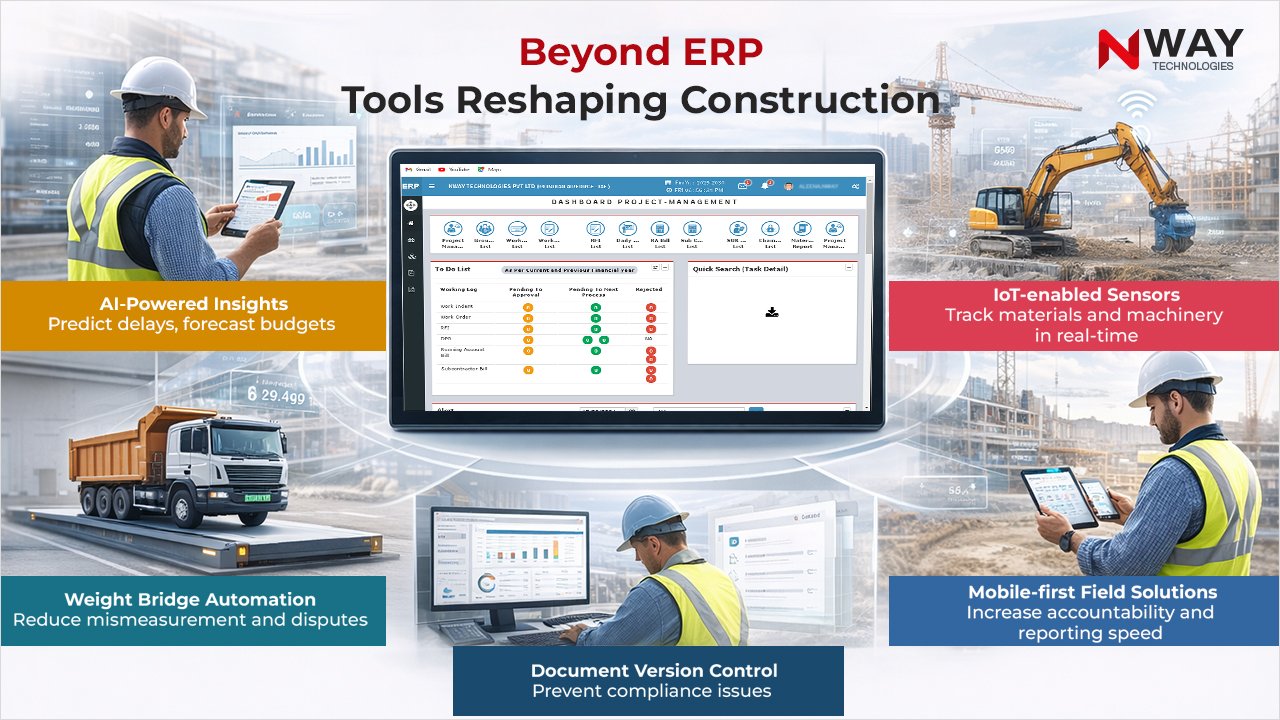
Automation also improves consistency and transparency — two key ingredients for higher ROI.

4. Better Decision-Making with Real-Time Data

ERP systems collect and analyse data from all departments — finance, procurement, HR, and projects. Managers can monitor KPIs, identify risks, and adjust strategies instantly. That agility helps avoid costly mistakes.

5. Improved Cash Flow

With automated billing and better forecasting, companies can manage invoices faster and maintain healthy cash flow. Smooth billing cycles mean less downtime and more liquidity for ongoing projects.

How ERP Improves ROI in Construction?

Measuring the ROI of Construction Software

Measuring ROI is often where companies struggle. Here’s a simple framework:

ROI = (Total Benefits – Total Costs) ÷ Total Costs × 100%

But in construction, benefits are both tangible (hard) and intangible (soft).

Hard benefits: reduced cost overruns, labour cost savings, less rework, faster billing, improved cash-flow.

Soft benefits: better client satisfaction, stronger bid-win rates, improved brand reputation, scalable operations.

Steps to measure ROI:

  • Set baseline metrics: average cost overruns per project, average labour hours wasted, average billing cycle length.
  • Estimate the improvements post-ERP (for example, cost overrun reduced by 20%).
  • Track the actuals post-implementation and compare to baseline.
  • Include both cost savings and revenue gains when calculating benefits.

For example, imagine a construction company that loses about ₹2 crore every year because of project delays and manual errors. After using an ERP system, it manages to save around ₹50 lakh in the first year. If the ERP costs ₹1 crore to implement, the return might look small at first. But as the savings continue each year, the company can recover the full cost and start seeing real profits within about 2-3 years.

Clear measurement supports your decision with all stakeholders and ensures the ERP implementation isn’t just deployed — it’s justified.

Maximising ROI: Best Practices

To make the most out of your ERP investment, keep these practices in mind:

    • Choose a construction-specific ERP: Generic systems miss the unique needs of this industry. A purpose-built ERP for construction ensures better alignment with your workflows.

Maximising ROI: Best Practices

  • Train your team: ROI grows only when users actually use the software well.
  • Set clear goals: Define what success looks like — fewer overruns, faster billing, or improved resource use.
  • Track KPIs continuously: Measure performance before and after ERP implementation to see clear results.
  • Start small, then scale: Begin with core modules like project and finance, then add more features as your team adapts.

Want to make sure your construction projects run smoothly and efficiently? Check out our detailed blog on the Top 10 Features Every Construction Management Software Must Have and see what tools can truly transform your workflow.

How Nway ERP Delivers Exceptional ROI

When it comes to choosing an ERP system, Nway ERP stands out for construction businesses. It’s built specifically for the construction sector — not a generic software adapted to it.

Here’s what makes Nway ERP different:

  • Real-time visibility: Track materials, labour, and costs across multiple sites instantly.
  • Automation tools: Simplify complex workflows and reduce manual effort.
  • Better cost control: Integrated budgeting and financial tracking help prevent overruns.
  • Cloud and mobile access: Manage projects anytime, anywhere.
  • Unlimited user model: Add teams without increasing software costs.
  • Indian compliance-ready: Handles GST, e-invoicing, and local regulations effortlessly.

With these features, Nway ERP helps construction companies achieve faster payback and long-term ROI.

Conclusion

When you ask, “Is ERP for construction worth it?”, the answer is yes — but only if you approach it strategically. It’s not about buying software and hoping for results. It’s about construction cost control, time tracking in construction, construction project automation and measuring the ROI of construction software in real terms.

With the right solution, one built for your industry, deployed with discipline, and aligned with your goals — you can turn ERP from a cost centre into a value driver. If you’re ready to move beyond spreadsheets, manual tracking and disconnected workflows, then take the step. In today’s fast-moving construction world, your technology can become your competitive edge.

Let’s build smarter, faster and with precision.

FAQs

What is an ERP for construction?
ERP for construction is a software system that helps construction companies manage their entire business – from project planning and budgeting to billing and reporting – in one place. It connects site teams, finance, and management so everyone works with the same real-time data.
How does ERP help with construction cost control?
An ERP system tracks every expense – materials, labour, equipment, and subcontractors – in real time. This helps managers compare planned costs with actual spending, spot overruns early, and take quick action. That’s how ERP improves construction cost control and keeps projects within budget.
What is the ROI of construction software?
The ROI of construction software means how much value a company gets compared to what it spends on the software. For example, savings from reduced delays, better planning, and faster billing all add up to a strong return on investment. In many cases, construction companies recover the cost of ERP within 2–3 years.
Can ERP really improve project profitability?
Yes. ERP systems reduce delays, automate billing, improve cost tracking, and give clear visibility into every project. When all these factors combine, projects finish faster and with fewer errors – directly boosting profits.
What are the main benefits of construction project automation?
Construction project automation removes repetitive manual work like approvals, purchase requests, and reporting. It saves time, reduces errors, and keeps everyone updated. This makes projects smoother, faster, and more profitable.
How does ERP help with time tracking in construction?
ERP software includes time tracking in construction features that let workers and managers log hours digitally from any site. It records attendance, shift timing, and productivity automatically. This ensures accurate payroll, fair billing, and better labour planning.
Is ERP only for large construction companies?
Not at all. Modern cloud-based ERP systems are designed for both small and large companies. Even small contractors benefit by improving cost control, automating reports, and managing multiple sites efficiently.
How can I measure the ROI of my construction ERP?
To measure ROI, compare your project performance before and after ERP implementation. Track cost overruns, project delays, billing speed, and labour productivity. Add up all the savings and divide them by your ERP cost – that gives your ROI percentage.
How long does it take to see results after using ERP?
Most construction companies start seeing benefits like better visibility and faster approvals within a few months. Full ROI, including financial returns, usually becomes clear within 18 to 36 months depending on project size and adoption.
Why choose Nway ERP for construction?
Nway ERP is built specifically for the construction industry. It helps with construction cost control, time tracking, automation, and budget management – all in one system. With real-time dashboards, mobile access, and unlimited users, it helps construction firms boost productivity and achieve faster ROI.

How Nway ERP Simplifies Construction Project Management

Imagine this: you are standing at a busy construction site. The sun is burning, machines are noisy, and workers are everywhere. You need updates – on material delivered, labour hours used, delays due to weather, cost overruns – all in real time. But right now, you rely on paper forms, phone calls, spreadsheets. It feels chaotic. Mistakes happen. Decisions are delayed. And profit margins shrink.

That’s the story of many construction firms today. But it doesn’t have to be this way. With good construction project management software, chaos becomes control.

This blog explains how Nway ERP, a strong ERP for construction, makes project management smoother. You will learn how our construction ERP software uses construction workflow automation and thoughtfully designed features to reduce waste, speed-up decisions, and bring clarity to every site.

Table of Contents:

What Is Construction Project Management Software?

Let’s break it down simply:

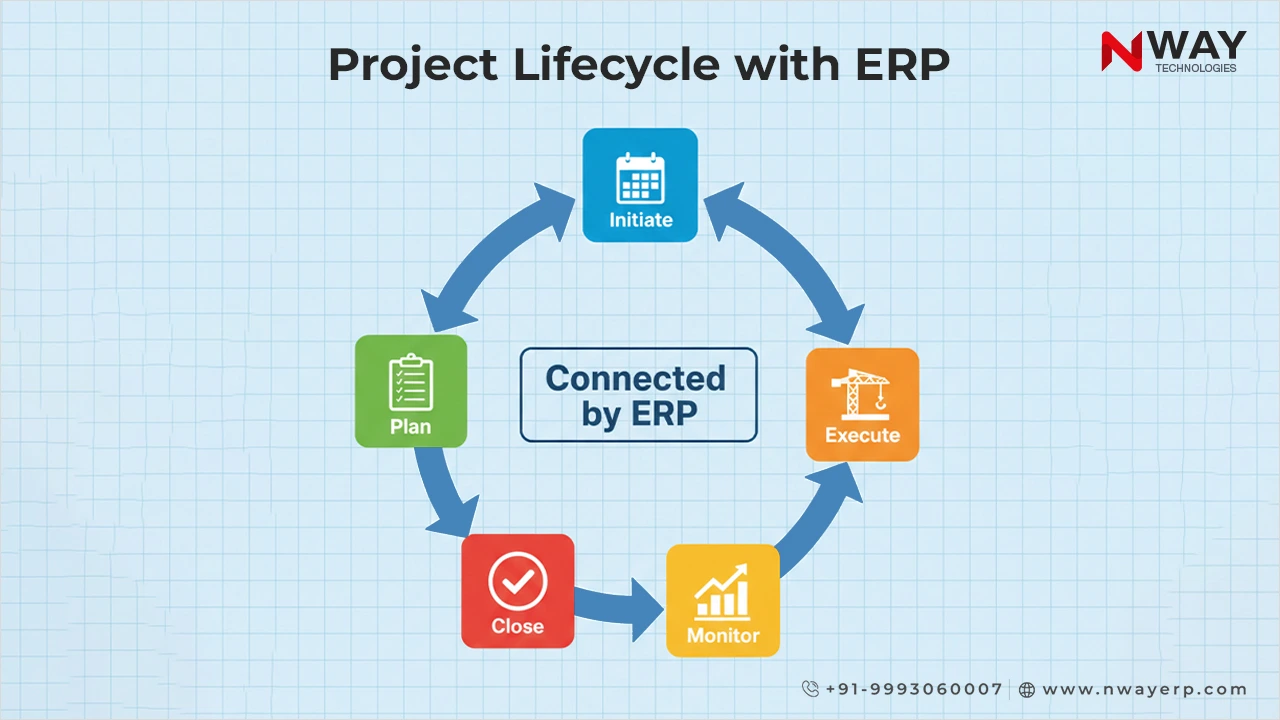
  • It’s a tool that helps you plan, execute, monitor, and close construction projects.
  • It tracks labour, materials, machines, timelines, costs.
  • It automates routine tasks. It ensures everyone (site, office, suppliers) sees the same info at same time.

When done well, construction project management software saves time, cuts costs, and keeps all your projects on time, everytime.

Why Construction Firms Desperately Need Better Tools in 2025

Between rising costs, labour shortages, supply delays, and climate‑impacts – managing projects has never been tougher.

Here are the trends forcing change:

  • Real‑time data matters. Managers want to see project status now, not at month end.
  • Cloud & mobile access are essential. Field work demands tools that work on phones or tablets.
  • Automation of workflows. Approvals, safety checks, material requests – all need to move without human delays.
  • Integration with IoT, BIM, analytics are becoming important so that decisions are data‑backed, not guesswork.What Is Construction Project Management Software?

How Nway ERP Makes Construction Project Management Simple

Managing construction projects is complex. It involves many people, tasks, and tools. A small mistake or delay can lead to big losses. This is where Nway ERP helps. It brings everything into one smart system.

Below are the features that make Nway ERP a strong construction ERP software designed to simplify and improve daily operations.

1. Unified Data and a Single Source of Truth

With Nway ERP, all teams work on one platform. Site workers, procurement teams, finance staff, and managers use the same data.

  • No more scattered spreadsheets
  • No missing updates
  • No duplicate entries

This keeps your project data clean, updated, and visible in real time. Everyone sees the same numbers. This is the core of good construction project management software.

2. Smart Planning and Accurate Estimation

Planning is key in construction. You need to know how much material, labour, and equipment is required.

Nway ERP, the most trusted ERP for construction, helps teams:

  • Forecast costs
  • Plan work schedules
  • Estimate labour and machine needs

When things change, it’s easy to adjust. You can re‑estimate in minutes. This prevents delays and keeps budgets under control.

3. Real-Time Field Reporting from Anywhere

Field teams often face delays when sending updates to the office. With Nway ERP, this problem is solved.

Using our mobile app, workers can:

  • Log work hours
  • Request materials
  • Report issues or delays

Everything updates instantly in the system. Office staff and managers can see real-time progress. This is a must-have feature in modern construction project management software.

Want to learn how ERP software can shape the future of your construction business and ensure long-term success? Check out our blog: The Future of Construction: Leveraging ERP Software for Long-Term Success

4. Automated Workflows and Approvals

Construction work includes many approval steps. Delays in approvals can stop the entire project.

Nway ERP uses construction workflow automation to make this faster. You can set rules for:

  • Purchase order approvals
  • Budget limits
  • Safety checks
  • Quality control forms

The system sends alerts. Approvals move forward automatically. No need to chase signatures. This saves time and reduces project delays.

5. Inventory and Equipment Management

Keeping track of materials and machines is hard without the right system. Many projects lose money due to:

  • Wasted materials
  • Idle equipment
  • Missing tools

Nway ERP, as a reliable construction ERP software, helps track:

  • Stock levels
  • Material usage
  • Equipment movement
  • Maintenance schedules

It ensures you use resources better and avoid extra costs.

6. Finance, Billing, and Cost Control

Construction businesses must manage money carefully. Without clear numbers, budgets can fail.

Nway ERP connects all financial activities:

  • Procurement
  • Payroll
  • Vendor payments
  • Budget tracking
  • Invoice approvals

You can compare planned vs actual costs. This helps spot overspending early. That’s why it’s one of the top features in a smart ERP for construction.

7. Role-Based Dashboards and Easy Reporting

Different people need different data. Site engineers, project managers, finance heads—they all have unique needs.

Nway ERP offers:

  • Custom dashboards
  • Role-based access
  • Clear charts and reports
  • Automated alerts

This makes reporting fast and useful. Everyone sees only what they need – no clutter, no confusion.

These features make Nway ERP more than just software. It’s a complete construction project management software that simplifies daily tasks, cuts errors, and improves decision-making. With built-in construction workflow automation, it helps construction companies save time, reduce costs, and grow faster.

What Makes Nway ERP Different from Other Construction ERP Software

Let’s compare. Many tools try to serve many industries. But Nway ERP is built for construction. It knows your pain points.

Tailored for construction workflows: material procurement, equipment tracking, labour hours, safety audits etc. Not generic features that you then adapt.

Strong automation: approvals, workflows, mobile updates, safety checks automated so you don’t chase paperwork.

Mobile‑first and cloud-first: field teams need it on devices, remote sites need sync. Nway ERP delivers everytime!

Local compliance built in: including Indian rules (GST, contract norms, etc.), so you don’t need to integrate external tools.

Ease of use & support: good training, simple UI, strong customer support. Because a feature‑rich tool doesn’t help if no one uses it.

What can you expect after adopting strong construction project management software like Nway ERP?

Here are the benefits of opting for an ERP built especially for the construction industry:

Benefit What Changes You’ll Notice
Faster decisions You’ll see delay, cost overspend, material shortages earlier so that you can act sooner.
Lower costs & less waste Better inventory control, less over‑ordering, fewer idle machines.
Boosted field productivity Site staff send updates live. Less rework, fewer lost documents.
Better accountability Everyone’s role, tasks, approvals are traceable. No finger‑pointing.
Improved safety & compliance Safety checklists, compliance forms submitted, tracked, audited.
Scalable growth When you add a new site or new project, you don’t double your chaos. Our system scales with you.

Impact of construction

Common Pitfalls & How Nway ERP Helps You Avoid Them

Even good tools can fail if not used well. Here’s what construction firms often mess up and how Nway ERP avoids them.

Resistance to change: Nway ERP offers intuitive interface + training. So workers and managers adapt more easily.
Poor internet/mobile access on site: Nway ERP works well in low bandwidth, offline where needed; mobile access is strong.
Over‑customization → complexity: Nway ERP balances flexible workflows with simplicity so you can customize but not get lost.

Data scattered in different systems: Nway ERP keeps finance, operations, inventory together. No jumping between tools.

Ignoring metrics: System gives real‑time dashboards. You track KPI’s: budget variance, schedule delay, machine idle time, etc.

Why Construction Workflow Automation Matters

Let’s zoom in: construction workflow automation is the hidden gear that keeps everything moving smoothly.

Approvals: Manual approvals slow everything. Automate so that cost estimates, vendor invoices, safety forms, etc. all go through predefined steps.
Notifications: If something is pending, people get alerts on mobile, email, and other channels that you choose.

Safety & Compliance: Digital safety checks, forms, audits. No paper forms lost, no compliance risk.

Material / Equipment Request: Field requests auto routed. Inventory updated live.

Role based permissions: Only authorised people approve cost items, handle finances, change estimates, etc.

When automation works, your project doesn’t pause. No more delays because someone forgot to sign. No more cost surprises. Nway ERP is redefining construction workflow automation for 250+ active clients as of 2025.

Having trouble migrating construction data during software upgrades? See how companies overcome these challenges: Data Migration Challenges Faced by Construction Companies

How To Get the Most Out of Your Construction Project Management Software

Maximizing the benefits of construction project management software like Nway ERP requires a clear plan and careful steps. When used correctly, this powerful ERP for construction transforms project workflows, improves team coordination, and boosts overall efficiency. Here’s how to get the best results:

1. Map Your Current Construction Processes in Detail

Start by documenting all key workflows: approvals, material ordering, safety inspections, labour tracking, and more. Understanding where delays, bottlenecks, or rework occur helps tailor the construction ERP software to your exact needs. A clear map ensures smooth implementation of construction workflow automation features that save time and reduce errors.

2. Define Roles and Permissions Clearly

Assign specific roles within the system. Decide who approves purchase orders, who inputs data, and who views reports, etc. Clear role definition minimizes confusion and ensures accountability.

3. Leverage Mobile Access and Train Field Teams

Equip your site teams with the mobile app. This allows real-time updates from anywhere – logging work hours, material requests, or safety checks. Training is critical. When workers and managers understand how to use the mobile features, it drives adoption and maximizes the power of construction workflow automation embedded in the software.

4. Pilot the Software on a Single Project First

Start small. Implement the software on one project to test workflows and gather insights. Use this pilot to identify challenges, adjust settings, and optimize automation rules. This phased approach minimizes risk and builds confidence before a full rollout across all sites.

5. Track Key Metrics that Matter to Your Business

Select and monitor critical metrics like cost overruns, schedule delays, equipment downtime, and labour productivity. The right construction project management software provides dashboards and reports to track these in real time. Continuous monitoring helps catch issues early and keeps projects on track.

6. Collect Regular Feedback from Your Team on Site

Your team’s experience is vital. Regularly ask if forms are easy to use, if the app functions well offline, and whether the workflows are efficient. Feedback helps fine-tune the system to fit real-world conditions. This ongoing improvement ensures the software truly supports daily construction operations.

Following these steps will unlock the full potential of your construction project management software. With Nway ERP, the power of specialized construction ERP software and construction workflow automation turns project challenges into smooth, manageable tasks – delivering stronger results on every site.

If you are reading this, you probably want to stop fighting delays, cost overruns, missing data, frustrated workers. You want control. You want predictability. You want your construction projects to finish stronger and more profitable.

That’s exactly what construction project management software is for. And Nway ERP is a powerful choice because it offers ERP for construction with strong construction workflow automation, built‑in mobile/cloud, real-time data, safety, compliance, and cost control.

Make the change. Move from reacting to being in control. Your next project doesn’t have to be harder. It can be better.

FAQs

What are the latest trends in construction project management software for 2025?
In 2025, modern construction project management software focuses on real-time data, mobile-first access, automation of routine tasks, and integration with AI and IoT. Companies are now choosing platforms that offer predictive insights, risk alerts, and streamlined collaboration between field and office teams.
Is construction ERP software suitable for infrastructure and road projects?
Yes, modern construction ERP software like Nway ERP is fully capable of handling large-scale infrastructure, road, and government projects. It supports multi-site operations, contract management, quality control, and compliance – all critical for infrastructure works.
What is construction workflow automation, and why is it important?
Construction workflow automation refers to using software to manage and streamline repetitive tasks like approvals, form submissions, scheduling, and alerts. It improves speed, reduces manual errors, and ensures every process follows the right steps, saving time and money on projects.
Can Nway ERP be integrated with other accounting or HR software?
Yes, Nway ERP supports seamless integration with popular accounting, HR, and payroll systems. This makes it easy for construction companies to sync financial data, streamline HR processes, and reduce manual data entry across different platforms.
Additionally, Nway ERP comes with built-in HR and payroll modules, allowing businesses to manage employee records, attendance, salary processing, and compliance – all within the same system. This eliminates the need for separate software and creates a fully connected construction management environment.
Does construction ERP software help with vendor and subcontractor management?
Absolutely. A good ERP for construction helps manage subcontractor agreements, monitor performance, track payments, and maintain compliance. Nway ERP includes features for vendor registration, RFQs, contracts, and billing, offering full visibility and control over external partners.
How does construction project management software improve client reporting?
Construction project management software offers real-time dashboards and automated reports that can be shared with clients. This builds trust by showing transparent updates on progress, costs, timelines, and risks without needing to manually compile reports every week.
Can construction ERP software help reduce project delays?
Yes. By centralizing data and automating workflows, construction ERP software like Nway ERP helps spot delays early, alerts teams in real time, and ensures faster decision-making. This proactive approach is key to delivering projects on time.
Is there a difference between general ERP and ERP for construction?
Yes. General ERP systems are built for multiple industries and often need heavy customization. An ERP for construction is built specifically for construction workflows like job costing, material tracking, site reporting, and subcontractor management. Nway ERP is designed with these exact needs in mind.
How do I choose the best construction project management software for my company?
Look for a platform that is built specifically for construction, offers real-time data access, includes construction workflow automation, supports mobile users, and allows easy integration with your existing tools. Consider scalability, local support, and ease of use as key decision factors.
Can Nway ERP be used by developers, contractors, and builders alike?
Yes, Nway ERP is flexible and built for all types of construction professionals – whether you’re a real estate developer, a general contractor, a subcontractor, or a government contractor. It supports project planning, budgeting, billing, labour management, and more – all in one platform.

Top 10 Features Every Construction Management Software Must Have

In today’s fast-paced construction industry, managing multiple projects, teams, and timelines without the right tools is a recipe for delays, budget overruns, and missed opportunities. That’s why more companies are turning to construction management software, not just to stay organized, but to stay competitive.

But here’s the challenge: with so many platforms out there, how do you know which one actually delivers?

Whether you’re a project manager, contractor, or decision-maker, choosing the right software means understanding the key construction ERP features that streamline site operations, improve communication, and keep your budgets under control. From intelligent project scheduling tools to real-time budget tracking software, the right feature set can save hours of manual work and thousands in project costs.

In this blog, we break down the 10 must-have features that every modern construction management software should include, so you can make an informed decision and lead your projects with confidence.

Table of Contents:

Project Scheduling & Planning Tools 

Why It Matters:

Every construction project starts with a plan. But planning alone isn’t enough. You need clear schedules, task timelines, and resource allocation to keep everything on track. Without a reliable system, delays and budget overruns are almost guaranteed.

That’s where great construction management software stands out. It gives project managers the tools they need to schedule tasks, assign resources, and manage dependencies, all in one place.

Modern project scheduling tools make it easy to break down large projects into smaller, manageable phases. They help construction teams see what’s next, who’s responsible, and when each task should be completed.

Key Features to Look For:

  • Gantt charts for visual project timelines
  • Milestone tracking for key deliverables
  • Task dependencies to manage workflow
  • Critical path analysis to prioritize tasks
  • Resource allocation for labor, materials, and equipment
  • Drag-and-drop schedule adjustments
  • Automated alerts and notifications for deadlines
  • Integration with calendar and mobile apps
  • Real-time progress updates and tracking
  • Collaboration tools for team scheduling


Project Scheduling & Planning Tools

Budget Tracking & Cost Control

Why It Matters:

Cost overruns can quickly ruin a construction project. Staying on budget is essential to keep the project profitable and avoid delays. Good construction management software includes strong budget tracking software to help managers monitor expenses and control costs in real time.

These tools give project teams clear visibility into spending compared to the plan. They help deal with issues early, so corrective actions can be taken before costs spiral out of control.

Key Features to Look For:

  • Budget estimation and forecasting
  • Real-time expense tracking against budget
  • Invoicing and payment processing
  • Alerts for cost overruns and variances
  • Integration with accounting and ERP systems
  • Purchase order management
  • Expense approval workflows
  • Detailed financial reporting and dashboards
  • Forecast adjustments based on actual costs
  • Multi-project budget tracking

With these construction ERP features, you get tighter financial control and greater project success.

Mobile Access & On-the-Go Functionality

Why It Matters:

Construction teams work on the move and often in locations with limited internet. Real-time access to project data from the field is critical for quick decisions and updates. The best construction management software offers mobile access so teams stay connected anytime, anywhere.

This ensures field staff can upload reports, track progress, and communicate without delay – boosting efficiency and reducing errors.

Key Features to Look For:

  • Dedicated mobile apps for iOS and Android
  • Offline access with automatic syncing
  • Upload photos, videos, and documents directly from the site
  • Instant communication and notifications
  • GPS location tracking and check-ins
  • Mobile-friendly dashboards and reports
  • Easy task updates and time tracking on the go
  • Secure data access and user permissions
  • Integration with desktop software for seamless updates

These construction ERP features and project scheduling tools make managing projects in real time simple and effective.

Procurement, Vendor & Supply Chain Management

Why It Matters:

Materials and supplies are the backbone of any construction project. When deliveries are late or vendors don’t perform, work stops. This causes delays, extra costs, and frustrated teams. Good construction management software helps you keep a close eye on every step of procurement- from ordering to delivery. It ensures you get the right materials on time, avoid shortages, and reduce waste.

Tracking vendor performance also helps you choose reliable partners for future projects. Without this control, projects risk falling behind and going over budget.

Key Features to Look For:

  • Vendor database with contact details
  • Purchase order creation and tracking
  • Material requisition workflows
  • Delivery status updates
  • Alerts for delayed or missing deliveries
  • Real-time inventory tracking
  • Integration with budget tracking software

These practical features in construction ERP tools help keep your supply chain smooth and your project moving.

Curious how you can manage procurement, improve vendor relationships, and cut costs by approximately 12%? Read our blog on Construction Procurement Management in 2025: Centralize, Automate, Optimize with ERP

Document & Contract Management

Why It Matters:

Construction management software plays a big role in keeping all your project documents organized. Construction projects generate many important files – contracts, drawings, RFIs, and change orders numerous important files, including contracts, drawings, RFIs, and change orders, that need to be easily accessible that need to be easy to find and up to date.

Without good document management, teams waste time searching, risk working with outdated information, and slow down project progress. Using construction ERP features that include document and contract management helps ensure everyone is on the same page and approvals happen faster.

Key Features to Look For:

  • Centralized and searchable document storage within construction management software
  • Version control to keep files updated and accurate
  • Easy approval workflows for contracts and change orders
  • Ability to store contracts, RFIs, change orders, and drawings in one place
  • Mobile access so field teams can view and upload documents on site

Analytics, Dashboards & Reporting

Why It Matters:

Good construction management software doesn’t just store data, it turns it into insight. With the right analytics and dashboards, project managers get a clear view of costs, schedules, and resources all in one place. This helps spot issues early and make smarter decisions before problems grow. Construction ERP features with live KPIs and automated reporting keep your team informed and your project on track.

Key Features to Look For:

  • Customizable dashboards showing key performance indicators (KPIs) in real time
  • Automated reporting that covers cost, schedule, and resource utilization
  • Predictive analytics that flag risks before they become costly issues
  • Drilled-down reports to understand root causes of problems
  • Export options for easy sharing with stakeholders
  • Visual charts and graphs for quick data interpretation
  • Integration with project scheduling software for seamless data flow
  • Mobile access to analytics for on-the-go decision-making


Analytics, Dashboards & Reporting

Construction firms across India rely on Nway ERP to optimize procurement. To explore cost-saving strategies, read our blog on how construction engineering software can cut your costs by 20%

Equipment, Inventory & Asset Management

Why It Matters:

In construction, delays often come down to one of two things – missing materials or unavailable equipment. When you don’t have real-time visibility into what’s on hand, what’s needed, or what’s under maintenance, the entire project can slow down or come to a halt.

This is where construction management software becomes essential. With built-in equipment tracking and inventory control, teams can avoid last-minute surprises, reduce downtime, and keep work moving without interruption. These tools also support construction ERP features like cost control and scheduling by ensuring that resources are available when planned.

By combining project scheduling tools, budget tracking software, and asset data, teams gain better control over usage, reduce waste, and increase site productivity.

Key Features to Look For:

  • Real-time tracking of material stock levels
  • Alerts for low inventory and restocking
  • Equipment availability calendar
  • Maintenance logs with service schedules
  • Asset tagging and QR/barcode scanning
  • Usage tracking to monitor productivity and downtime
  • Integration with construction scheduling software for resource planning
  • Reports on equipment costs and asset utilization
  • Centralized log for damaged or out-of-service tools

HR, Payroll & Workforce Management

Why It Matters:

Construction projects rely on a large, often shifting workforce – contractors, full-time staff, laborers, and specialists. Without proper tracking of work hours, roles, certifications, and payments, it’s easy for costs to spiral and productivity to drop.

Construction management software that includes HR and payroll tools helps streamline daily operations on-site. From attendance tracking to automated payroll processing, teams get clarity on who’s working, where, and for how long. This ensures timely payments, legal compliance, and better labor planning – all critical for staying on budget and schedule.

When connected with broader construction ERP features, workforce data can also support budget tracking, resource planning, and project scheduling tools. The result? Fewer delays, fewer errors, and smoother site operations.

Key Features to Look For:

  • Daily attendance tracking with geo-tagging
  • Labor hour logs for accurate job costing
  • Payroll automation with compliance-ready calculations
  • Worker database with skills, certifications, and ID proof
  • Shift scheduling and overtime tracking
  • Alerts for expired licenses or missing qualifications
  • Integration with budget tracking software for labor cost control
  • Reports on workforce productivity and allocation
  • Role-based access for site supervisors and HR teams

Integration & Customization Capabilities

Why It Matters:

Construction businesses use many tools – accounting software, BIM platforms, payroll systems, and more. If your construction management software doesn’t connect with these systems, teams end up duplicating work, switching between apps, and dealing with data mismatches.

That’s why integration is no longer optional. The best construction management software offers seamless connectivity with other tools your team already uses – whether it’s for budget tracking, project scheduling, or document sharing.

Customization is equally important. Every construction business runs differently. You need the flexibility to tailor modules, workflows, and permissions to match your team’s structure and project needs. With the right construction ERP features, you can build a system that fits, not fights your operations.

Key Features to Look For:

  • APIs for accounting tools, BIM, HRMS, and procurement systems
  • Construction scheduling software integration for real-time updates
  • Modular setup: activate only the features you need
  • Custom workflows and user dashboards
  • Role-based access to protect sensitive data
  • Single sign-on (SSO) and centralized user management
  • Real-time sync across integrated platforms
  • Easy export/import options for Excel, PDFs, or reports
  • Plug-in support for popular project scheduling tools

Safety, Compliance & Risk Management

Why It Matters:

Construction sites are high-risk environments. Accidents, regulatory violations, or untracked changes can lead to serious delays, legal penalties, or even shutdowns. That’s why proactive safety and compliance management is non-negotiable.

Modern construction management software helps teams stay compliant with industry standards while creating a safer work environment. It allows real-time tracking of incidents, audits, inspections, and risk factors, so issues are identified and resolved before they escalate.

When safety and compliance are integrated into your construction ERP features, they also support smarter scheduling and budget control. By tracking risks and regulatory requirements, you avoid unexpected costs, work stoppages, and timeline disruptions.

Key Features to Look For:

  • Incident logging with photo and video uploads
  • Safety inspection checklists and digital audits
  • Compliance alerts based on location-specific laws
  • Risk assessment tools for high-risk activities
  • Change order tracking with cost and schedule impact
  • Employee safety training and certification records
  • Role-based access for safety officers and auditors
  • Real-time notifications for safety violations or expired permits
  • Integration with project scheduling tools for compliance planning

Why Nway ERP Stands Out as the Best Construction Management Software

When choosing construction management software, you want a system that solves real problems, not just adds complexity.


Why Nway ERP Stands Out as the Best Construction Management Software

Here’s how Nway ERP delivers genuine value:

1. Built Specifically for Construction

Nway ERP isn’t a generic tool – it’s tailored to the construction industry. It integrates project planning, budgeting, procurement, HR, equipment management, and document control into a unified platform that understands your workflows. This domain-specific design means better fit, fewer workarounds, and faster adoption.

2. Simple, Cost-Effective, and Scalable

With unlimited user licenses and modular pricing, Nway ERP ensures you only pay for what you use, with no hidden fees. Its cloud-based, scalable layout allows businesses to grow without costly upgrades.

3. Strong Integration Capabilities

It syncs effortlessly with tools like BIM platforms, accounting systems, GPS assets, and mobile scheduling apps. This makes sure your project scheduling tools and budget tracking software all work together, eliminating data silos.

4. Real-Time Analytics and Mobile Access

Construction teams get instant visibility into costs, resource usage, and project timelines. The mobile apps (iOS & Android) with offline sync and push alerts mean field teams and site managers always stay up to date.

5. Proactive Maintenance and Asset Control

Nway includes preventive maintenance tools, inventory tracking, and equipment logs. This reduces downtime and supports smarter asset management, even across multiple locations.

6. Strong Support and Easy Customization

With 200+ implementation experts and 100+ trainers, Nway ERP offers hands-on support from setup to long-term use. It also allows workflow customizations to match your exact needs, no compromise.

7. Proven Results Across India

Trusted by over 250 clients in more than 480 cities, and now expanding globally, Nway ERP has a solid track record of boosting efficiency, cutting costs, and improving transparency for businesses of all sizes.

Choosing the right construction management software is no longer optional, it’s essential. From project scheduling tools to budget tracking software, modern platforms are built to simplify complex workflows and reduce costly delays.

Whether you’re managing a single site or multiple large-scale projects, investing in the right solution with robust construction ERP features ensures better control, real-time visibility, and long-term profitability. The right software doesn’t just help you manage projects; it helps you build smarter and faster.

FAQs

What is construction management software and why is it essential?
Construction management software helps plan, schedule, and control projects efficiently. It centralizes tools like project scheduling, budget tracking software, and document management to improve productivity and reduce delays on site.
How do construction ERP features improve project delivery?
Construction ERP features integrate core processes – such as procurement, budgeting, scheduling, and reporting – into one system. This reduces errors, improves communication, and provides real-time visibility into every project phase.
What are the must-have project scheduling tools in construction software?
Effective construction scheduling software should include Gantt charts, task dependencies, resource allocation, and real-time updates. These tools help managers keep projects on track and quickly adjust plans when needed.
How does budget tracking software help control costs in construction projects?
Budget tracking software monitors expenses against estimates in real time. It sends alerts for cost overruns and integrates with financial systems to automate invoicing and payments, ensuring projects stay within budget.
Can mobile access in construction management software improve field operations?
Yes, mobile access enables field teams to update progress, upload photos, and communicate instantly, even offline. This keeps project scheduling and budget tracking accurate, reducing miscommunication between office and site.
What role does procurement and supply chain management play in construction ERP?
Procurement features streamline vendor management, purchase orders, and material tracking. Efficient supply chain management reduces delays and wastage, keeping construction scheduling software effective.
How important is document and contract management in construction projects?
A centralized, searchable document repository with version control is critical. It helps teams quickly access contracts, drawings, and RFIs, reducing errors and speeding up approvals.
What types of analytics and reporting are valuable in construction management software?
Custom dashboards with live KPIs, automated cost and schedule reports, and predictive risk insights enable proactive decision-making. These analytics drive better project outcomes and financial control.
How does equipment and asset management benefit construction projects?
Tracking equipment usage, maintenance schedules, and inventory levels ensures resources are available and working efficiently, preventing costly downtime and supporting accurate budget tracking.
Why is integration and customization important in construction management software?
Integration with tools like BIM, accounting, and project scheduling software creates a seamless workflow. Customizable modules allow teams to enable only the construction ERP features they need, improving usability and efficiency.

Why DPR in Construction Matters More Than Ever in 2025

In 2025, construction projects are moving faster, budgets are tighter, and clients expect updates in real-time. This is why DPR in construction, also known as the daily progress report in construction, has become more important than ever.

A well-made DPR helps site engineers, project managers, and business owners track daily work, avoid delays, and stay in control. It acts as a daily snapshot of your project, showing what was done, by whom, and what problems came up.

But here’s the problem – many companies still manage DPRs using paper or Excel. These outdated methods often lead to errors, delays, and miscommunication.

In this blog, we’ll explain what is DPR in construction, why it matters, the components of a daily progress report, and how to write one easily. We’ll also show how an ERP module for DPR can help you save time, reduce mistakes, and stay audit-ready.

Let’s dive in and understand the real benefits of DPR in construction, and how to make it work better for you.

Table of Contents:

What is DPR in Construction?

DPR in construction stands for Daily Progress Report. It is a document prepared at the end of each working day on a construction site. It records all key activities completed during the day, resources used, and any issues faced. It gives project managers and senior management a clear view of daily site performance.

Many professionals search for “what is DPR in construction”, and the answer is simple: it’s a daily update on everything happening on site – people, machines, materials, and progress. It is one of the most important documents in construction project management.

The daily progress report in construction is usually created by the site engineer, project coordinator, or site supervisor. It is shared with the project manager, client, or headquarters. In large companies with ₹50 Cr+ turnover and multiple sites, DPRs help maintain transparency and control across all projects.

Why DPR Matters for Construction Teams


Why DPR Matters in Construction

Understanding ‘why DPR in construction’ is essential helps teams improve project delivery and avoid costly mistakes. The daily progress report in construction is not just paperwork – it is a powerful communication and management tool that directly impacts how smoothly a project runs.

Clear Communication Across Teams

Construction projects involve many people- site engineers, laborers, vendors, contractors, and managers. Without a clear and timely daily progress report in construction, these teams operate in silos. A DPR ensures everyone knows what happened that day, what tasks are pending, and where problems lie. By recording key details every day, the DPR becomes a source of truth for the entire team. This clarity reduces confusion and prevents repeated questions or conflicting instructions.

Real-Time Progress Tracking

For construction companies handling multiple sites or large projects, keeping track of progress is challenging. A DPR offers a daily snapshot of completed work, helping project managers compare planned vs actual progress. This helps in identifying delays early. When the components of a daily progress report are detailed and accurate, teams can act quickly to fix issues before they cause bigger problems.

Accountability and Transparency

One of the main benefits of DPR in construction is building accountability. Since the DPR records who did what and when, it discourages shortcuts and promotes responsibility among workers and supervisors. It also creates transparency for clients and stakeholders who want regular updates on the project’s health. Transparent reporting builds trust and reduces disputes.

Effective Resource Management

The DPR tracks material consumption, labor hours, and machinery use. This helps project managers avoid wastage, shortages, or overuse – common pain points in construction. By knowing exactly how resources were used each day, teams can plan better for the following days, improving efficiency and reducing costs.

Basis for Future Planning and Reporting

Beyond day-to-day management, the DPR serves as a record for audits, payments, and legal compliance. It helps prepare weekly or monthly progress reports and supports contract management. For teams learning how to write a daily progress report in construction, focusing on accuracy and detail is critical to making the DPR a reliable reference.

Integration with Technology

Modern construction companies use software to streamline DPR management. An ERP module for DPR can automate data entry, enforce standard formats, and allow real-time updates from the site. This reduces human error and speeds up communication, making the DPR even more effective for teams. Thus, the DPR is the backbone of construction site communication, control, and accountability. It empowers teams to stay on track, avoid costly errors, and deliver quality work.

Key Components of a Daily Progress Report

To fully understand DPR in construction, it is essential to know its core parts. The daily progress report in construction is a detailed document, and each of its components plays a critical role in tracking the project’s health. Knowing these components of daily progress report helps construction professionals create accurate, useful records every day.

1. Project Details and Date

Every DPR begins with basic information: the project name, site location, date, and report number. This section helps in organizing reports and makes it easy to retrieve records when needed. Clear project details prevent confusion when multiple projects run simultaneously.

2. Weather Conditions

Weather has a direct impact on construction progress. Recording the day’s weather, such as rain, extreme heat, or wind, explains any delays or safety precautions taken. This is a vital part of the DPR because weather-related interruptions are common and can affect timelines.

3. Work Performed

This is the heart of the DPR. It details the specific tasks completed on that day. This section answers the question: What work got done? For example, it might include excavation details, concrete pouring, masonry work, or installation of electrical systems. The more precise and quantitative this section is, the better. Use measurements, quantities, and location references.

4. Workforce Information

Knowing who worked on-site and how many laborers were present is important for accountability and resource planning. This section lists the number of workers, types of skilled labor, and any subcontractors present. This helps monitor labor efficiency and costs. It also explains if low manpower caused slow progress.

5. Equipment and Material Usage

Recording which machinery was used and which materials were consumed helps track inventory and costs. For example, noting the number of cement bags used or hours of crane operation helps control wastage and plan for supplies. Tracking equipment also supports maintenance schedules and prevents breakdown delays.

6. Delays and Issues

Construction projects rarely run without problems. This section captures reasons for delays such as equipment failure, lack of materials, design changes, or safety incidents. Documenting these challenges in the DPR is crucial for transparency and helps management address issues quickly.

7. Photos and Visual Evidence

Including photos of the work site or completed tasks adds credibility and clarity to the report. Visual evidence supports written data and helps stakeholders verify progress remotely.

8. Safety and Compliance Checks

Safety is a top priority on construction sites. The DPR should record any safety incidents, inspections conducted, or compliance checks performed that day. This information is critical for risk management and maintaining workplace safety standards.

9. Signatures and Approvals

Finally, the report should be signed or approved by the site engineer or project manager responsible for accuracy. This confirms the report’s authenticity and readiness for further use in project tracking or audits.


Key Components of a Daily Progress Report (DPR)

How DPR Helps Beyond Just Reporting

When you hear DPR in construction, you might think it’s just paperwork or routine updates. But a well-prepared daily progress report in construction is far more powerful. It’s a tool that helps site managers, project teams, and stakeholders make smart decisions every single day.

Imagine you are a site manager. Here’s how DPR transforms your work:

Spot Delays Early

Weather changes or unexpected site conditions can slow work. For example, if rain delays concrete pouring, the DPR highlights this immediately. You can adjust labor schedules or equipment use to avoid wasting money or causing cascading delays. Instead of discovering problems weeks later, you act right away.

Share Clarity with Stakeholders

Clients, consultants, and project owners want clear, honest updates. DPRs include photos and detailed notes that make progress visible and credible. When everyone sees the same facts, trust builds. This clarity reduces confusion and unnecessary follow-ups.

Avoid Billing Disputes

Payment delays and disagreements often happen when bills don’t match actual work done. The daily progress report in construction ties resource use and completed tasks directly to RA (Running Account) bills. This connection means less time spent resolving payment issues and more confidence in invoicing.

Identify Safety Gaps

Safety on site is non-negotiable. DPRs record observations such as missing helmets, blocked exits, or unsafe practices. These daily reminders help teams fix problems before accidents happen. Over time, this promotes a culture of safety awareness.

Gauge Resource Use Efficiently

Are workers or machines sitting idle? DPRs reveal when resources are underused or overstretched. This insight helps managers allocate manpower and equipment smartly, improving productivity and reducing costs.

Why Manual DPRs are no longer effective for construction businesses in 2025

Managing a daily progress report in construction manually may work on small projects. But as projects grow, manual DPRs often become inefficient and prone to errors. Understanding why manual DPRs fail helps construction teams see the need for smarter solutions.

According to research from LetsBuild, project managers spend up to 40% of their day writing reports, chasing updates, and handling paperwork when DPRs are managed manually. This is time lost that could be used for managing resources, safety, and quality on site.

Here are the main reasons manual DPRs struggle:

1. Errors and Missing Information

Manual entry leads to typos, missed fields, and incomplete data. This lowers the reliability of reports and causes confusion during project reviews.

2. Reporting Delays

Manual DPRs are often filled out late or the next day, causing delays in sharing critical site updates. This slows approvals, billing, and problem-solving.

3. Inconsistent Formats Across Teams

Different teams or sites use various reporting formats, making it difficult to combine data or get a clear project overview.

4. Risks of Lost or Damaged Paperwork

Physical DPRs are vulnerable to loss or damage, risking important records and causing gaps in documentation.

5. Resistance to Standardized Reporting

Field staff may resist strict templates, leading to incomplete or inconsistent reports and missing vital information.

6. Difficulty Handling Complex Projects

As projects become larger or more complex, manual DPR management becomes inefficient and creates bottlenecks.


Impact Of Manual DPRs On Construction Projects

Going Fully Digital: How ERP Supercharges Your Daily Progress Reporting

Managing DPR in construction manually – on paper or Excel – is slow, error-prone, and tough to store securely. Digital DPRs revolutionize how daily progress gets tracked, shared, and acted on. Here’s how digitizing your DPR, especially via an ERP module for DPR, elevates everyday site management:

1. Faster Data Entry with Smart Tools

Digital DPRs offer dropdown menus, templates, and auto-fill features that make data entry a breeze. This reduces manual typing, speeds up entries, and ensures consistency across reports.

2. Instant Site-to-HQ Sync

Every update, from work done to materials used, syncs instantly to the dashboard. This real-time visibility helps project managers stay informed no matter where they are.

3. Built-in Approval Workflows

Role-based flows automatically route the report for sign-off—from site engineer to PM to finance. No chasing. No waiting. Just seamless approvals.

4. Error-Free and Complete

Digital systems include built-in validity checks and mandatory fields. That means no typos, no omissions, and fewer errors compared to manual entries.

5. Secure, Cloud-Based Storage

Say goodbye to lost or damaged paper. All DPRs are safely stored in the cloud, always backed up, and accessible whenever needed.

6. Insightful Dashboards and Analytics

Automated dashboards turn daily data into insights – highlighting productivity, delays, resource usage, and more, helping teams act proactively.

Broader ERP Benefits That Amplify DPR Value


Why is an ERP Module for DPR In Construction Important?

ERP isn’t just for DPR – it elevates your entire construction process:
  • Centralized Project Management: Plan, track, and adjust tasks, timelines, and assignments – all in one place.
  • Cost Control and Budget Tracking: Compare estimates vs actual spend daily. Spot variances early and act fast.
  • Efficient Resource Allocation: Track labor, material, and equipment usage to avoid shortages or idle time.
  • Proactive Risk Management: Identify potential delays, shortages, or compliance issues before they escalate.
  • Improved Team Collaboration: Everyone, from site crew to finance, sees the same live data, reducing communication gaps.
  • Scalability and Predictability: As projects grow, ERP adapts – standardizing DPRs, templates, and workflows across sites.
  • Data-Driven Decisions: Historical DPR data feeds predictive analytics, helping teams forecast bottlenecks and allocate resources wisely.

How to Write a Daily Progress Report the Smart Way with ERP

In modern construction management, writing a daily progress report doesn’t need to be slow or complex. With a well-designed ERP module for DPR, site teams can record work progress quickly, accurately, and in real time – without relying on outdated methods like handwritten notes or Excel files. Here’s how an ERP-based approach makes DPR in construction simpler, faster, and more reliable.

1. Use Pre-Built DPR Templates That Follow Industry Standards

A good ERP module for DPR comes with standard templates tailored for construction:

  • Auto-filled fields for project name, date, weather, shift
  • Structured sections for work completed, resources used, and site issues
  • Space for uploading site photos or documents

Templates ensure consistency across all projects, reducing the chances of missing key data.

2. Capture Details on Site, in Real Time

Instead of end-of-day recollection, modern ERP apps let site engineers update DPRs directly from the site:

  • Record tasks completed (e.g., “Shuttering completed for 2nd floor slab”)
  • Upload images and geo-tag them
  • Log observations like material delays or unsafe conditions

Real-time updates lead to better accuracy and faster decision-making.

3. Automate Labor and Machinery Logs

Well-built ERP systems offer dropdowns and auto-suggestions to log:

  • Labor count by category (skilled, unskilled, subcontracted)
  • Equipment usage hours, fuel, and idle times

This automation reduces manual data entry and ensures that key resource usage is tracked daily.

4. Track Materials Easily

ERP-supported DPRs prompt users to fill in:

  • Material delivered (e.g., 200 bags of cement)
  • Quantity used (e.g., 120 bags consumed)
  • Opening and closing balance

With this, material stock levels stay accurate and procurement teams can plan proactively.

5. Log Issues Before They Escalate

A well-structured daily progress report in construction includes dedicated sections to report:

  • Delays (weather, vendor, manpower shortage)
  • Safety observations
  • Coordination gaps between teams

This early visibility helps project managers act quickly before small issues become costly delays.

6. Route for Review in One Click

With ERP-enabled workflows:

  • DPRs can be submitted with mandatory fields checked automatically
  • Reports are routed to project managers or consultants digitally
  • Status (submitted, pending review, approved) is visible to all stakeholders

This improves transparency and avoids back-and-forth emails or phone follow-ups.

7. Store Reports Securely in the Cloud

Unlike paper reports or offline files, ERP-based DPRs are:

  • Automatically stored with backups
  • Organized by project, date, or site location
  • Accessible from anywhere – site, office, or mobile

There’s no risk of reports being lost, damaged, or corrupted.

8. Turn Daily Data Into Insights

An ERP designed for construction helps convert daily reports into useful dashboards:

  • View daily vs. planned progress
  • Track idle resources or productivity bottlenecks
  • Flag repeated delays or material shortages

These insights help project managers and business heads make better decisions, faster.

Why Construction Teams Should Digitise DPRs Now

Still writing DPRs manually? Here’s why that’s a risk:

  • Manual reports often lead to data gaps, typos, or submission delays
  • Paper reports are hard to share and often lost
  • Without digital data, you miss the chance to track trends or predict issues

Switching to an ERP module for DPR in Construction gives you real-time control, better accuracy, and complete visibility across all your sites.

Why Nway ERP Leads the Way in Construction DPR Excellence

When it comes to DPR in construction, having the right tool makes all the difference. Nway ERP stands out as a comprehensive solution tailored to the unique needs of the construction industry. Here’s why:

1. Integrated Daily Progress Reporting

Nway ERP offers a centralized platform where site engineers can input daily progress data, including work completed, materials used, labor deployed, and equipment status. This integration ensures that all stakeholders have real-time access to accurate information, facilitating timely decision-making and reducing the chances of errors.

2. Real-Time Data Synchronization

With Nway ERP, data entered on-site is instantly synchronized with the central system. This real-time synchronization ensures that project managers and other stakeholders have up-to-date information, enabling them to address issues promptly and keep the project on track.

3. Customizable Templates for Daily Reports

Understanding that each project may have unique requirements, Nway ERP provides customizable templates for daily progress reports. This flexibility allows construction teams to capture all necessary details specific to their projects, ensuring comprehensive documentation.

4. Mobile Accessibility

Nway ERP’s mobile capabilities empower site engineers to update daily progress reports directly from the field. This mobility ensures that data is captured promptly and accurately, even in remote locations, enhancing the overall efficiency of the reporting process.

5. Comprehensive Project Management Modules

Beyond daily reporting, Nway ERP encompasses various modules such as project planning, procurement management, inventory control, and financial management. This holistic approach ensures that all aspects of the construction project are seamlessly integrated, leading to better coordination and execution.

6. Enhanced Collaboration and Communication

The centralized nature of Nway ERP fosters improved collaboration among project teams, subcontractors, and clients. With shared access to real-time data, communication is streamlined, leading to fewer misunderstandings and more efficient project execution.

7. Robust Analytics and Reporting Tools

Nway ERP’s advanced analytics tools allow construction teams to generate detailed reports and insights from the daily progress data. These insights can be used to identify trends, forecast potential issues, and make informed decisions to keep the project on schedule and within budget.

By leveraging Nway ERP, construction teams can elevate their daily progress reporting processes, ensuring accuracy, efficiency, and enhanced project outcomes.

Choosing the right digital tools can transform how you write and use daily progress reports.

With smart solutions like Nway ERP, construction teams can take full advantage of the benefits of DPR in construction. This leads to smoother projects, happier clients, and stronger business growth.

Start making your daily progress reports work for you today – because every day counts on a construction site!

FAQs

What is Important in a DPR Report in Construction?
A well-prepared daily progress report in construction should include key components like work completed, manpower and equipment used, weather conditions, safety observations, and any delays or issues. These details ensure clear communication and help track the project accurately.
How Does DPR Improve Project Management?
DPRs provide real-time updates on site activities, helping project managers spot delays early, allocate resources efficiently, and maintain quality control. This leads to better decision-making, improved coordination, and smoother project execution.
How Can a Construction Company Make Use of DPR?
Construction companies use DPRs to monitor daily progress, communicate with clients and consultants, track resource usage, and support billing and approvals. Integrating DPRs with an ERP module for DPR like Nway ERP can streamline this process and reduce errors.
What Tools and Technologies Are Used in Preparing a DPR?
Preparing a daily progress report often involves project management software, CAD tools for design, and GIS technology for site analysis. These tools help create detailed plans, accurate visualizations, and assess project feasibility effectively. Digital DPR solutions in modern ERPs simplify data entry and reporting.
What Are the Environmental and Social Considerations in a DPR?
DPRs assess potential environmental impacts such as resource use and ecosystem disruption. They also cover social factors, including effects on local communities and compliance with regulations. Reporting these ensures sustainable construction practices and stakeholder engagement.
What Are the Financial Aspects Covered in a DPR?
Financial details in a DPR include cost estimates, budget tracking, funding requirements, and revenue projections. The report also identifies financial risks and helps ensure the project remains economically viable and attractive to investors.
Why Are Digital DPRs Better Than Manual Ones?
Digital DPRs reduce errors, speed up data entry, and allow real-time updates accessible from anywhere. They also support better data storage and reporting, unlike manual reports that can be lost or delayed. Well-designed ERPs like Nway ERP offer features like automatic workflows and analytics.
How Do DPRs Help in Managing Safety on Site?
DPRs include safety observations, helping to track and resolve hazards quickly. This ensures compliance with safety regulations and creates a safer work environment by highlighting missing protective equipment or unsafe practices daily.
Can DPRs Help Prevent Billing Disputes?
Yes. Since DPRs record actual daily work and resources used, they provide clear evidence to support progress billing or RA bills. This transparency reduces disputes between contractors, clients, and consultants.
How Does an ERP Module for DPR Improve Construction Efficiency?
An ERP module designed for DPR simplifies report creation with templates, dropdowns, and automatic data syncing. It ensures consistency across sites, speeds up approvals, and generates useful analytics to improve project planning and cost control.
Are DPRs Useful for Stakeholder Communication?
Absolutely. DPRs give clients, consultants, and project managers clear and regular updates. Digital DPRs can include photos and dashboards, making progress more transparent and trustworthy.
What Challenges Do Construction Teams Face Without DPRs?
Without DPRs, teams struggle with poor communication, untracked delays, resource wastage, and billing errors. Manual reporting often leads to incomplete data, which affects project control and decision-making.
How Often Should DPRs Be Prepared and Reviewed?
DPRs are prepared daily on site, ideally at the end of each workday. They should be reviewed promptly by project managers to take timely corrective actions and ensure smooth project progress.
What Role Does DPR Play in Labour Management?
Daily reports capture labor attendance, hours worked, and productivity. This helps optimize workforce allocation and ensures fair wage payments.

Why Top Contractors Use Construction Procurement ERP for Vendor Management

Construction projects need close coordination, especially for procurement and vendor management. But handling many suppliers, keeping deliveries on time, and following India’s complex GST rules can be overwhelming, even for experienced contractors. That’s why having a dedicated Vendor Management Software built into a Construction Procurement ERP is so important for large-scale management.

Table of Contents:

What is Vendor Management in Construction?

Vendor management in construction means choosing, checking, and managing suppliers who provide the materials, machines, and services needed to complete a project.It includes tracking their results, making sure they follow rules, handling contracts, and building good relationships to keep quality high, costs low, and deliveries on time.

Understanding the Vendor Management Challenge in Construction

Managing vendors in construction isn’t just about placing orders. It’s about building a smooth process that ensures good materials, on-time delivery, and rule-following. Contractors often face these common problems:

  • Manual Processes and Errors: Many construction companies still use paper, emails, or WhatsApp to manage buying. These manual steps often lead to mistakes, confusion, delays in approval, and poor follow-up with vendors.

  • GST Compliance Complexity: India’s GST rules need exact matching of vendor GST details with invoices. If not done right, this can lead to heavy fines, blocked input tax credit, and audit trouble.

  • Lack of Visibility: Without a central construction procurement system, it’s hard to follow stock levels, supplier performance, or site-specific buying status. This causes shortages, extra stock, and bad decisions.

  • Unreliable Vendor Performance: Late deliveries or poor materials can delay projects and raise costs.

  • Payment and Audit Challenges: Slow billing processes hurt vendor relationships, and scattered records make audits harder.

These issues show that vendor management in construction is more than just buying items. It needs a smart, automatic process that saves time, lowers risks, and helps keep projects profitable.

What are the KPIs for Vendor Management?

To check how well vendors are working and if buying processes are successful, contractors use key performance indicators (KPIs), such as:

  • On-Time Delivery Rate: Over 95% of deliveries should arrive on time to avoid delays.
  • Quality Compliance: At least 98% of materials must meet the right standards to avoid rework.
  • Cost Variance: Buying costs should stay within 5% of what was agreed in quotes.
  • Response Time: Vendors should reply to questions or problems within 24 hours.
  • Compliance Rate: 100% of vendors must follow GST and other rules.
  • Invoice Accuracy: Over 95% of bills should match buying orders and item receipts.

Construction Vendor KPIs That Matter

A strong construction vendor management software tracks these KPIs and gives each vendor a score—L1 for top vendors, L2 for reliable ones, and L3 for those needing improvement. This helps contractors choose suppliers wisely.

What is Construction Vendor Management Software?

Construction Vendor Management Software is a digital platform used to manage all vendor-related tasks in construction. It replaces manual work with automated tools to make vendor control faster, easier, and more accurate.

Contractors use this software to:

  • Add and approve vendors easily (onboarding),
  • Track vendor performance with built-in KPIs,
  • Store and manage all documents like contracts, GST details, and certificates,
  • Send and compare RFQs to multiple vendors,
  • Ensure GST and legal compliance,
  • Track deliveries in real time across project sites.

When this Construction Vendor Management Software is connected to a Construction Procurement ERP, it becomes a complete system. It helps contractors handle the full procurement process — from planning to payment — with better speed, accuracy, and control.

Benefits of Construction Vendor Management Software

A good vendor management system for construction is more than just a list of suppliers. It plays a key role in making procurement smoother, cutting risks, and managing costs better. Here are its main benefits:

1. Centralized Vendor Data

No more scattered Excel files or paper records. A construction ERP stores all vendor details — like contact info, compliance papers, contracts, PAN/GST numbers, past orders, and payment history — in one safe place. This helps you:

  • Quickly find verified vendor info across all sites
  • Speed up vendor onboarding and approvals
  • Make audits and checks faster and easier
2. Automated Procurement Workflows

Every step — from RFQs to payments — is handled digitally. Manual work is slow and leads to mistakes. Construction Vendor Management Software helps you:

  • Send RFQs to many vendors at once
  • Auto-create purchase orders after approvals
  • Match bills with deliveries and quality checks
  • Send payment reminders and credit notes

This cuts manual work, speeds up procurement, and keeps everyone updated in real time.

3. Vendor Performance Monitoring

Keep track of how your vendors are doing — and hold them accountable. Construction success depends on timely, quality supplies. Vendor management tools offer built-in performance checks like:

  • On-time delivery rates
  • Quality acceptance or rejection records
  • Price trends over time
  • Speed of response to quotes or issues

This data helps you rank vendors (L1, L2, L3) and choose the ones who meet your standards.

4. Data-Driven Vendor Selection

Choose vendors based on real facts, not guesswork. Construction Vendor Management Software lets you:

  • Compare vendor quotes side by side
  • Check past vendor results
  • View price changes and material cost history

This helps you negotiate smarter, cut costs, and make better buying decisions using solid data.

5. Improved GST Compliance

Always be ready for audits. Manual GST entry is risky and often leads to mistakes. With ERP-based vendor management:

  • GSTINs are checked when vendors are added
  • Tax details are filled in and linked to POs and GRNs
  • Any mismatches are flagged before payments are made

This helps you stay compliant with Indian GST rules, makes audits easier, and protects your input credits.

Why Manual Vendor Management Fails in Construction Procurement

Many contractors still handle procurement by hand or use basic tools. This might work for small jobs, but it quickly becomes slow, risky, and unmanageable as the project size grows.

Data Silos and Visibility Gaps

Without proper software, information is scattered across spreadsheets, emails, and paper files. This makes it hard to follow vendor performance, track stock, or know what’s happening at each site in real time.

Slow Procurement Cycles

Manually creating purchase requests, comparing vendor quotes, and processing payments takes a lot of time. This adds days or even weeks to your procurement timeline.

GST Mismatches

Manual data entry often causes GST errors. These mistakes can lead to fines, blocked input tax credits, and compliance issues.

Poor Vendor Accountability

Without automatic tracking of KPIs or vendor rankings, it's hard to know which vendors are doing well or to demand better performance or pricing.

These problems show why construction procurement automation isn’t just a nice-to-have — it's a must. It helps contractors stay fast, competitive, and profitable in today’s demanding construction environment.

Challenges in Construction Vendor Management & How Construction Procurement ERP Software Can Help

Vendor management in construction is not just about finding suppliers. It’s about working with many vendors across different project sites, making sure materials arrive on time, checking quality, staying GST-compliant, and syncing buying timelines with project schedules. If these tasks are done by hand or using basic tools, they can slow down the project and raise costs.

One major issue is scattered vendor data. Contractors often deal with different vendors at each site. This leads to duplicate entries, different pricing, and no way to check vendor performance in one place. Without a central system, it’s hard to trust vendors or create company-wide standards for procurement.

Material verification is another big problem. Contractors often get the wrong quantity or poor-quality items. If there’s no way to check deliveries properly, these issues show up only after work starts. That leads to delays, rework, and disputes. Matching deliveries with purchase orders on time is critical — but almost impossible with manual logs.

GST compliance adds more stress. Manual checks often miss errors in vendor GST details or invoice mismatches. This can lead to fines and blocked input tax credits — which hurts businesses already working with tight margins.

Timely procurement is also a challenge. Materials must reach the site exactly when needed — not too early, not too late. If approvals, indent requests, and order tracking are done by hand, delays are very likely, especially when multiple sites are involved.

Top 6 Vendor Management Challenges in Construction

This is where a construction-specific procurement ERP like Nway ERP makes a big difference. It solves these problems by:

  • Automating procurement steps
  • Keeping all vendor data in one place
  • Checking GST details in real time
  • Tracking vendor performance and stock levels using dashboards

It turns slow, manual work into a smart, automated system that helps projects stay on schedule and within budget.

How Nway ERP Solves Construction Procurement and Vendor Management Challenges

Nway ERP’s construction procurement system is built specifically for Indian contractors. It’s made to solve real problems faced in vendor management and procurement across construction sites. Here’s how it helps:

1. Weighbridge and Boom Barrier Integration

Nway ERP connects with weighbridge machines and boom barrier systems to confirm deliveries at the gate. It:

  • Captures truck weight and time, with auto-logged images
  • Compares actual weight with the purchase order to stop fraud or mistakes
  • Uses RFID or ANPR systems to allow only approved trucks inside
  • Speeds up material checks by 30%, saving manual inspection time
2. Automated GST Validation and Compliance

Nway ERP checks GST numbers, tax rates, and invoice amounts automatically. It lowers the risk of fines and errors. It also saves all GST-related papers digitally, so audits become easier and rules are always followed.

3. Vendor Scorecards and Ranking

The software tracks vendor KPIs all the time and ranks them:

  • L1 (top vendors),
  • L2 (reliable),
  • L3 (needs work)

This helps you:

  • Use L1 vendors for critical needs
  • Get better prices and terms using performance data
  • Save 15–20% on procurement through smart vendor choices
4. Real-Time Dashboards, Analytics, & Alerts

Nway ERP gives you clear dashboards and alerts. You can check:

  • Stock levels
  • Vendor results
  • Procurement costs
  • Budget limits

This works across all your sites, helping you make faster and better decisions.

5. Procurement Process Automation

The ERP automates everything — from material requests to final payments. It covers:

  • Indent creation
  • RFQ sending
  • Purchase orders
  • Item receipts
  • Invoice matching
  • Payment processing

This cuts buying cycle time by up to 40%, reduces errors, and keeps vendor relations strong with on-time payments.

6. Multi-Site Coordination and Mobile Access

Nway ERP works for multiple sites. All your procurement data is stored in one place. The mobile-friendly design lets teams request materials, approve orders, and track deliveries from anywhere — reducing delays and improving response time.

Manual vs ERP-Based Vendor Management

Learn More: How Does Construction ERP Software Help in Resource Management?

What To Look For In A Vendor Management Software Solution

Choosing the right vendor management software is key to improving construction procurement and controlling your suppliers. The best tool should handle compliance, track performance, manage documents, and help you make better decisions. Since construction in India has its own challenges, the software must fit these needs and still be easy to use, flexible, and ready to grow with your business.

Indian Construction-Specific Features

Look for features made for India’s construction space. This includes:

  • GST validation to check vendor tax details
  • Weighbridge and boom barrier integration for delivery checks
  • Project-wise procurement tracking
  • L1–L3 vendor rankings to score suppliers by performance
Vendor Performance Tracking

The software should track:

  • Delivery timelines
  • Material quality
  • Pricing consistency
  • Response time
  • Compliance with rules

You’ll get real-time KPIs and scorecards to see which vendors are reliable.

Vendor Comparison & Analytics

You should be able to compare vendors side by side. Look for:

  • Cost data
  • Performance scores
  • Reliability metrics

This helps you choose the best vendors using facts, not guesswork.

Centralized Vendor Data & Document Management

The system must keep all vendor data — contacts, contracts, GST records, compliance papers, and history — in one place. This makes audits and daily work much easier.

Procurement Workflow Automation

The tool should automate key steps like:

  • RFQs
  • Purchase orders
  • Approvals
  • Invoice matching
  • Payments

This cuts errors and speeds up procurement.

Ease of Use & Mobile Access

Make sure the software is simple to use. It should work on phones too, so your site teams and managers can use it from anywhere.

Customization & Flexibility

You should be able to adjust:

  • Workflows
  • Approval steps
  • Vendor rating rules
  • Reports

This helps match the software to your way of working.

Real-Time Dashboards & Reporting

You need clear dashboards that show:

  • Procurement status
  • Vendor performance
  • Stock levels
  • Budget use across sites

This helps you stay in control at all times.

GST Compliance & Audit Support

GST checks must be built-in. The software should also save tax documents digitally. This reduces errors and makes audits stress-free.

Scalability & Reliable Support

Pick a system that can grow with your business — with strong support to fix issues quickly.

Learn More: Choosing the Best ERP Software For Your Business: A Complete Guide

Why Every Construction Business Needs Vendor Management Software

Whether you’re a mid-sized builder or a large contractor, weak vendor management can cause serious problems. It can delay your project, raise costs, and shrink your profits. In today’s competitive and rule-heavy construction world, manual methods or generic tools are no longer enough for procurement management in construction.

This is where dedicated Vendor Management Software built into a Construction Procurement ERP makes a big impact.

With a specialized construction vendor management software like Nway ERP’s construction procurement, you get full control over the entire buying process. This type of construction purchase management system keeps all vendor data in one place, automates communication, and lets you track delivery status and material quality in real time. This keeps projects moving and budgets safe.

ROI of Construction Vendor Management Software

The software also improves vendor accountability. You can monitor supplier performance, give feedback, and build stronger vendor relationships by paying on time and staying transparent. With the right procurement tools for construction projects, you avoid delays caused by material shortages, poor supplies, or missed rules.

Also, built-in construction procurement automation helps your company stay GST-compliant, makes audits easier, and lowers the chance of fines. This gives you confidence in every purchase, backed by complete documentation and vendor scorecards.

In today’s fast-moving construction industry, using a dedicated construction procurement system in Indi

a helps you stay efficient and competitive. It brings everything under control — from vendor communication to order tracking — and turns messy processes into a smooth, cost-saving system.

In short, any construction business — big or small — can benefit from using a smart Construction Procurement Management system with vendor management features. It helps you cut risk, get better vendor results, and deliver projects on time and on budget.

Learn more: How Construction Engineering Software Can Cut Your Costs by 20%

Why Contractors Choose Nway ERP for Construction Procurement Management

Contractors trust Nway ERP’s construction procurement system in India because it’s built to meet real needs in the construction industry. Here’s why it stands out:

  • Tailored for Indian construction Nway ERP includes features like GST validation, weighbridge integration, and boom barrier control — all designed for the way Indian contractors work.
  • Affordable and scalable It works for both small and large companies. Whether you’re an SME or a pan-India contractor, the system grows with your business.
  • User-friendly The interface is simple and easy to learn. Teams across departments and sites can start using it quickly, with no heavy training needed.
  • Comprehensive Nway ERP covers every step of procurement — from adding vendors to making final payments. Everything is connected in one system.
  • Supportive You get the smoothest customer support and full customization options, so the software fits your exact needs.

Nway ERP isn’t just a tool — it’s a strong partner for construction businesses. It helps you manage vendors better, simplify procurement, and deliver projects on time and within budget.

In Conclusion

Managing vendors well is key to successful construction procurement. With tight deadlines and strict GST rules, using manual processes or basic ERPs can lead to delays, higher costs, and compliance issues.

A dedicated Construction Procurement ERP like Nway ERP changes this. It automates procurement, checks GST compliance, connects with tools like weighbridges, and gives useful data through dashboards and vendor scorecards.

If you’re a contractor looking for construction vendor management software or procurement tools for construction projects, Nway ERP is the smart, affordable solution — made for India’s construction needs.

FAQs

What is Vendor Management in Construction?
Vendor Management in construction means handling everything related to choosing, checking, and managing suppliers. It helps make sure you get quality materials on time and at the right cost. Using a construction vendor management software makes this easier by automating communication and storing vendor data in one place.
Why is Vendor Management Software important for construction businesses?
This software helps streamline procurement management in construction. It automates workflows, ensures GST compliance, and tracks supplier performance. As a result, you avoid errors, speed up buying, and keep costs and timelines under control — all within your construction procurement system in India.
How does Construction Procurement ERP improve vendor control?
A system like Nway ERP combines procurement, vendor tracking, GST checks, and field tools like weighbridge integration. It helps you follow materials, monitor vendors in real time, and replace slow manual steps with fast, automated ones.
What features should I look for in Construction Vendor Management Software?
Look for features like GST checks, vendor KPIs, L1-L3 rankings, weighbridge integration, multi-site access, automation, dashboards, mobile use, and custom reports — all key for a good construction purchase management system.
Can Construction Procurement ERP handle GST compliance automatically?
Yes. Good construction procurement solutions auto-check GST numbers and link them to invoices. They also store GST files, helping you avoid errors and making audits much easier.
How does vendor performance tracking benefit construction projects?
It shows you which vendors deliver on time, offer good prices, and provide quality items. This lets you reduce delays, avoid rework, and pick better suppliers — a big win from using vendor management software in construction.
Is Nway ERP suitable for small and large construction companies?
Yes. Nway ERP’s construction procurement system in India is scalable and flexible. It works for both small builders and large national contractors, with tools that help at every site and scale.
How does Construction Procurement Automation reduce procurement cycle time?
By automating requests, approvals, RFQs, billing, and payments, construction procurement automation removes slow manual steps. This cuts buying time by up to 40%, helping projects stay on schedule.
What makes Nway ERP a preferred construction procurement system in India?
It’s built for Indian construction. Features like GST checks, L1-L3 vendor rankings, weighbridge tools, mobile access, and great support make Nway ERP the preferred choice for smart construction procurement management.
Can vendor management software improve audit readiness for construction companies?
Absolutely. With all data in one system and full GST compliance, your audits become easier and more transparent. That’s a big benefit of using trusted vendor management software in construction.

Construction Procurement Management in 2025: Centralize, Automate, Optimize with ERP

Construction Procurement Management Made Easy: ERP That Works in 2025

Imagine you’re overseeing a construction project, and a late delivery of some important materials like steel or concrete halts work for days.

Or, a miscommunication with a supplier leads to unexpected cost increases, forcing you to juggle your routine and go out of the way to stay within budget.

These are real challenges in construction procurement management that can derail even the best-planned projects.

The solution you need is a construction management software like an ERP designed for the construction business, which simplifies the construction procurement process, minimizes errors, cuts costs, and strengthens supplier relationships.

In this blog, we’ll explore how a Construction ERP transforms procurement with practical strategies, along with actionable insights to help you deliver projects on time, within budget, and with confidence.

Table of Contents:

What is Construction Procurement Management?

Construction procurement management is the process of sourcing materials, equipment, and services for a construction project. It involves identifying reliable suppliers, negotiating prices, placing orders, and ensuring deliveries arrive on time while meeting quality standards and staying within budget. This process is essential to keep projects on track.

Procurement represents a significant portion of construction project costs. For instance, when building a commercial office, you need to secure enough concrete for the foundation without overordering to avoid wastage.

In 2023, McKinsey reported that procurement accounts for 40 to 70 percent of a construction project’s total cost.

Poor procurement practices can lead to delays, higher expenses, or materials that fail inspections. Effective procurement management ensures timely delivery, cost savings, and quality outcomes.

Importance of Procurement in Construction

Procurement plays a central role in a construction project’s success. Without timely materials, work stops. Paying too much for supplies reduces profits. Well managed procurement processes and systems ensure you have the right resources at the right time to maintain progress and profitability.

Here’s why procurement is critical:

  • Keeps Projects on Schedule: Late deliveries cause delays. Reports confirm that procurement accounts for over 50% of the total importance in EPC [Engineering, Procurement, & Construction] projects, with 90% of the cash flow relying on the timely delivery of materials and associated processes.
  • Manages Costs: Securing competitive prices prevents overspending.
  • Maintains Quality: High-quality materials reduce defects and rework costs.
  • Supports Complex Projects: Large projects with multiple suppliers need clear coordination to avoid mistakes.

For example, during a bridge construction project, procurement ensures steel beams arrive when assembly begins, avoiding costly downtime.Construction management software streamlines these tasks for better efficiency.

Is Procurement the Most Important Element in Construction Management?

Procurement is a vital component of construction management, influencing schedules, budgets, and quality. Timely material orders keep workers productive, and competitive pricing boosts profitability. Deloitte found that companies with robust procurement processes complete projects 20 percent faster and save up to 15 percent on costs.

However, procurement relies on other elements like planning, labor management, and budgeting. A strong procurement process can’t overcome a poorly designed schedule. A well-designed ERP for construction integrates these areas, ensuring streamlined procurement that enhances overall project performance.

What Are the Procurement Systems in Construction?

Construction projects rely on various procurement systems to organize purchasing. Each system determines how you contract and acquire materials and services, and the best choice depends on your project’s scope, whether it’s a small renovation or a large infrastructure development.

The main systems include:

  • Design-Bid-Build (DBB): A designer creates the plans, then contractors bid to build. It’s cost-effective but slower due to sequential phases.
  • Design-Build (DB): A single team handles the design and construction, accelerating work but limiting owner control.
  • Management Contracting: A contractor manages subcontractors, providing flexibility but requiring stronger oversight.
  • Construction Management at Risk (CMAR): The manager guarantees costs, reducing risks but needing early collaboration.

Common Issues with Traditional Procurement Systems

Despite their widespread use, traditional procurement systems come with limitations:

  • Lack of Coordination: Each phase (design, bidding, construction) is often handled by different stakeholders using siloed tools. This disconnect leads to miscommunication, project delays, and budget overruns.
  • Manual Processes: Many construction companies still rely on spreadsheets or paper-based documentation, increasing the risk of human error and slowing down approvals or supplier communication.
  • Limited Visibility: Without centralized, real-time data, it becomes difficult to track supplier performance, monitor inventory, or manage budgets proactively.

Construction management software like Nway ERP centralizes data and automates tasks. For more on real-time insights, read our blog on managing procurement efficiently to achieve better project success rates.

Is it Possible to Use Both Management and Integrated Procurement Methods for a Construction Project?

Yes, combining management systems like ‘Management Contracting’ with integrated systems like ‘Design-Build’ is effective for complex projects. This hybrid approach balances speed, quality, and flexibility. For instance, a university campus project might use Design-Build for lecture halls to save time and Management Contracting for specialized labs to ensure precision.

How ERP Supports Hybrid Procurement Approaches

ERP software enhances this hybrid method by streamlining collaboration across diverse procurement models — a core challenge in construction procurement management.

Here’s how it helps:

  • Centralized Data Sharing: All stakeholders — designers, contractors, procurement managers — access the same data in real time, reducing friction between different workflows.
  • Automated Approvals: ERP automates procurement workflows, regardless of which method is used, ensuring consistency even when managing multiple suppliers and contract types.
  • Project-Wide Visibility: Real-time dashboards and reports offer clarity across all procurement tracks, so timelines and budgets remain under control.

This hybrid approach to construction procurement management becomes scalable, flexible, and far less error-prone with a powerful ERP system in place.

Challenges in the Construction Procurement Process

The construction procurement process often presents challenges that can delay projects and increase costs. These challenges affect projects of all sizes, from residential builds to major infrastructure. For example, a project manager might struggle to coordinate multiple suppliers, while unexpected price hikes can strain budgets.

Key challenges include:

  • Manual Errors: Handwritten orders or spreadsheets lead to mistakes, such as incorrect quantities, causing delays and added costs.
  • Communication Gaps: Without a centralized system, approvals are delayed, and suppliers receive wrong information.
  • Supplier Management Issues: Tracking performance and contracts for numerous vendors is difficult without streamlined tools.
  • Cost Overruns: Price fluctuations or unplanned purchases increase expenses.
  • Compliance Hurdles: Ensuring suppliers meet safety and environmental regulations is complex without automation.

A procurement ERP solution resolves these issues, keeping projects on track and within budget.

Top Challenges in Construction Procurement

How Is Automation Used in the Construction Industry?

Automation is transforming construction by streamlining tasks and reducing errors. Procurement automation is particularly impactful, saving time and improving accuracy for companies of all sizes in 2025.

Automation is applied in these ways:

  • E-Tendering: Online platforms collect bids quickly, cutting bidding time by roughly 30 percent.
  • Smart Contracts: Automatically verify contract terms for compliance and faster approvals.
  • Supplier Evaluation: AI assesses vendors based on price, reliability, and performance history.
  • Automated Orders: Systems generate purchase orders when inventory is low, eliminating manual work.

Construction management software integrates these tools for seamless procurement. Learn more in our blog on Why Construction ERP Software is a Game-Changer for Your Projects

How ERP Software Simplifies the Construction Procurement Process

ERP software plays a vital role in optimizing the construction procurement process by reducing manual work, consolidating data, and improving accuracy across departments. Rather than relying on scattered spreadsheets, emails, and siloed tools, construction teams can manage all procurement activities through a unified platform.

For example, ERP systems can automatically reorder critical materials like cement or gravel when stock levels drop, while simultaneously checking against budget limits — preventing costly delays and overspending.

Key ways ERP simplifies the construction procurement process include:

  • Automated Purchase Orders: Automatically generate and route purchase orders based on inventory thresholds and project timelines.
  • Centralized Supplier Management: Store vendor contracts, performance history, certifications, and communication in one accessible system.
  • Real-Time Budget Control: Instantly flag discrepancies between procurement costs and allocated budgets to avoid financial overruns.
  • Inventory Integration: Connect procurement decisions directly to real-time stock data, reducing shortages and eliminating waste.
  • Regulatory Compliance: Ensure all vendors meet required safety, environmental, and legal standards through automated tracking.

How ERP Streamlines Construction Procurement

By digitizing the procurement workflow, ERP helps construction companies speed up execution, reduce costly errors, and build stronger, more reliable supplier relationships- all while keeping projects on track and under budget.

What Are the Key Features and Procurement Benefits of Implementing Construction ERP Software?

Construction management software equips teams with tools to enhance procurement and project management efficiency. By centralizing data and automating processes, ERP for construction helps improve decision-making, reduce costs, and provide better control across single-site and multi-project operations.

Key Features:
  • Real-Time Dashboards: Track orders, deliveries, and budget usage instantly.
  • Vendor Management: Monitor supplier performance, contracts, and communications in one platform.
  • Mobile Access: Approve orders and review procurement needs from anywhere.
  • Automated Reporting: Generate real-time reports on spending, compliance, and procurement activities.
Benefits:
  • Time Savings: Reduces manual processes, freeing up time for strategic tasks.
  • Cost Savings: Automates budget tracking and prevents overspending.
  • Error Reduction: Minimizes human errors through automation.
  • Improved Supplier Relationships: Strengthens supplier communication and performance.
  • Scalability: Grows with your business, adapting to projects of any size.

Implementing Construction ERP Software can significantly streamline the construction procurement process, improving efficiency, vendor management, and overall project outcomes

How to Choose the Right ERP for Construction Procurement

Selecting the right procurement ERP solution is crucial to optimizing your construction procurement process. The ideal software should align with your project needs and streamline your workflow. With numerous options available, it’s essential to prioritize features that specifically address the challenges faced in the construction industry.

Consider these factors when evaluating a procurement ERP solution:

  • Construction-Specific Design: Opt for software built specifically for construction projects, providing tools tailored to job-site complexities.
  • Scalability: Choose an ERP that can scale with your business, whether you’re managing a single project or multiple, without compromising performance.
  • Customizability: Ensure the solution can adapt to your specific procurement processes and workflows.
  • Reliable Support: Select a solution offering 24/7 support and training to ensure smooth implementation and ongoing assistance.
  • Cost-Effectiveness: Cloud-based ERP systems are more affordable and flexible compared to traditional on-premise solutions, offering better ROI.
  • Compatibility: Ensure the ERP integrates smoothly with your existing tools, such as accounting software or project management platforms, for seamless data flow.

Choosing the right procurement ERP solution is a critical step in improving procurement efficiency, reducing errors, and enhancing collaboration across your construction projects.

Choosing the Right ERP for Construction Procurement

Can ERP Software Replace Traditional Procurement Systems?

ERP for construction surpasses traditional procurement systems in most scenarios. Traditional methods, relying on spreadsheets, paper orders, and emails, are slow and error-prone. A well-designed Construction ERP automates processes, delivers real-time data, and connects project teams.

For example, a traditional system might delay a project due to a missed order, while ERP ensures timely delivery through automation. For complex projects, ERP is superior- though small, simple jobs can still use traditional methods.

What Is a Procurement ERP Solution and Why Do You Need One?

A procurement ERP solution is a module within a ConstructionERP software that manages purchasing tasks, including suppliers, orders, inventory, and compliance. It consolidates these functions into one platform, integrating and simplifying foolproof procurement automation for construction projects.

This solution saves time, reduces costs, and improves control. In 2025, GM Insights noted that the construction procurement software market is growing at 8.5 percent CAGR through 2032, highlighting its importance.

Here’s why you need it:

  • Time Efficiency: Automates repetitive tasks.
  • Cost Reduction: Identifies savings through spending analysis.
  • Enhanced Visibility: Offers real-time data on orders and suppliers.
  • Regulatory Compliance: Ensures suppliers meet standards.
  • Competitive Advantage: Faster procurement improves bid success.

Why NWAY ERP Is the Best Choice for Construction Procurement

At NWAY ERP, we know procurement challenges- late deliveries, rising costs, and supplier missteps- can disrupt your projects. Our cloud-based, mobile-friendly ERP is designed to simplify construction procurement management for contractors and developers working on projects of all sizes.

And this is just the tip of the iceberg-

  • Efficient Orders: Create and approve orders quickly, reducing processing time by up to 40 percent.
  • Real-Time Insights: Track inventory, budgets, and suppliers with user-friendly dashboards.
  • Supplier Management: Monitor performance, manage contracts, and communicate seamlessly.
  • Compliance Automation: Ensure suppliers meet safety and environmental standards effortlessly.
  • Scalable Solutions: Customize features for any project size, backed by 24/7 support.

Construction firms across India rely on Nway ERP to optimize procurement. To explore cost-saving strategies, read our blog on how construction engineering software can cut your costs by 20%

Conclusion: The Future of Construction Procurement Is Smarter and More Efficient with Nway ERP

Construction procurement management is all about simplifying the process. With our ERP for construction, managing procurement becomes seamless, boosting efficiency, reducing errors, and enhancing collaboration across teams. By centralizing data and automating tasks, you can improve the accuracy of your purchases, streamline workflows, and maintain better control over your budget- all without the usual hassles.

Procurement ERP solutions are more than just tools; they are catalysts for change. When you implement a solution like Nway ERP, you’re not just upgrading software- you’re improving the way your business handles procurement, from order to delivery.

By embracing our construction management software that works with your processes, you can elevate your construction procurement process to new levels of efficiency and reliability.

FAQs

What is construction procurement management?
It’s the process of sourcing materials, equipment, and services for construction projects, ensuring timely delivery, budget compliance, and quality standards.
How does ERP improve the construction procurement process?
ERP automates orders, tracks budgets, manages suppliers, and ensures compliance, cutting errors and speeding tasks by up to 40 percent.
What features should I look for in a procurement ERP solution?
Prioritize real-time tracking, supplier management, mobile access, spending analysis, and integration with existing tools.
Can small construction companies afford ERP software?
Yes, solutions like NWAY ERP are cost-effective and scalable for small firms.
How do I know if an ERP is right for my procurement needs?
Request a demo to test features, usability, and support. NWAY ERP offers free demos to guide your decision.

Construction Estimating Software: What It Is and Why Your Business Needs It in 2025

Construction Estimating Software What It Is and Why Your Business Needs It in 2025

In the fast-paced construction world, estimating the construction expenses to target productivity and ROI is essential. An estimating software for contractors provides the real difference in handling large commercial development projects. It can accurately estimate the critical challenge for construction businesses.

It is even noticed that companies using Construction estimating software in India can win more bids than those relying on traditional methods. However, choosing the right software for your specific project can be overwhelming, especially with the rapid development in technology and improvements in construction needs in the year 2025.

Read this blog to learn everything about selecting and implementing the best construction estimating software for your business.

Table of Contents:

What is Construction Estimating Software?

The best Construction estimating software is a digital tool designed to streamline and automate the process of calculating construction costs. It also helps contractors, builders, and project managers estimate the total cost of a construction project. It will also help in material management, labor management, equipment management, subcontractor expenses, permits, overhead, and more.

Depending on multiple spreadsheets or manual entry, construction estimating software helps in relying on a centralized platform with built-in cost databases, customizable templates, and integration capabilities that help with faster and more accurate bid preparation.

Why Construction Estimating Matters?

In construction, companies can estimate the form of the foundation of every successful project. An accurate estimate helps in:

Why Construction Estimating Matters

Whether you are dealing with residential homes, commercial buildings, or large-scale infrastructure projects, accurate estimation is your blueprint for success.

The Shift From Traditional Methods

Material Shortages and Procurement Delays

Gone are the days when construction companies relied solely on spreadsheets or manual calculations. These methods can be highly inefficient and prone to errors, time-consuming, and lack scalability.

A modern construction budgeting software in 2025 offers a streamlined, automated, and data-driven approach. It can also significantly reduce manual effort and ensure your numbers are consistent, transparent, and reliable.

Benefits of Using Construction Estimating Software

Here’s how the best construction estimating software can revolutionize your project planning and execution:

01. Improved Accuracy

By using built-in cost databases and real-time data, the software also reduces the chances of human error and ensures precise calculations for every project.

02. Time Efficiency

Automated workflows mean faster quote generation, quicker approvals, and less time spent manually inputting or double-checking data.

03. Consistency Across Projects

Templates and standard formats help maintain consistent estimating practices across all your projects and teams.

04. Increased Bid Wins

With more accurate and competitive bids, companies are more likely to win projects without compromising quality and margins.

05. Integration with Project Management Tools

Many software solutions integrate seamlessly with scheduling, procurement, accounting, and ERP systems. It will also help smooth the data flow and better project control.

06. Better Reporting & Forecasting

Effective reports and historical data enable smarter forecasting. It also helps in making proactive decisions and financial and operational decisions.

Key Benefits:

Centralized compliance documentation for easy audits.

Automated alerts for regulatory compliance and requirements.

Risk assessment tools for proactive issue resolution.

Choosing the Right Construction Estimating Software

With so many options available, selecting the right software can feel overwhelming. Here are some key features to look for:

Upgrades: Recent and updated software according to the construction needs in 2025.

User-Friendly Interface: Easy to navigate and learn, even for non-technical users.

Cloud-based Access: Enable real-time collaboration and collaboration and accessibility from anywhere.

Customization: Ability to tailor templates and reports to fit your unique needs.

Integration Capabilities: Compatibility with other tools like accounting, ERP, and scheduling systems.

Scalability: Suitable for both small businesses and large organizations.

Implementation Tips for Construction Estimating Software

Successfully implementing a construction ERP software requires a mix of good technology and strategy:

Create a good ERP system with an effective implementation process.

Involve your team during the selection and onboarding process.

Train staff thoroughly to ensure smooth implementation and adoption.

Start small, perhaps with a pilot project, and scale up.

Evaluate regularly to track progress and ROI.

Read our latest blog to learn more about implementation challenges and risks for construction companies.

Conclusion

Investing in the best construction estimating software is more than just a tech upgrade in 2025. It’s a strategic move toward better business efficiency and profitability. With improved accuracy, faster bidding, and smarter resource management. This will also win more bids, but also deliver better results on every project.

So, how are you managing your work? If you still rely on traditional methods, now is the time to make the switch. The right software can be a competitive advantage, managing your construction business needs in today’s evolving market. You can also opt for the right technology for your business. Contact us now and make your first move.

FAQs

What is Construction Estimating Software Used For?
Construction estimating software is used to calculate the total cost of a construction project. It helps builders and contractors determine material costs, labor, equipment, subcontractor charges, and other expenses to create accurate project bids and estimates.
Is Construction Estimating Software Better Than Excel?
Excel is flexible, but it requires manual data entry and is prone to human errors. Estimating software is purpose-built for the construction industry with features such as databases, templates, integration capabilities, and automation, making it more reliable and efficient.
How Does Construction Estimating Software Help Win More Bids?
By providing fast, accurate, and competitive estimates, the software helps in improving the bid quality and helps contractors submit proposals that are both attractive and profitable, leading to a higher success rate in winning projects.
What Features Should I Look for in Construction Estimating Software?
A good construction estimating software should provide:
01. Pre-loaded cost databases
02. Customizable templates
03. Cloud accessibility
04. Integration with project management
05. Reporting and forecasting tools
06. User-friendly interface
Why Prefer NWAY Construction Estimating Software?
NWAY construction estimating software is designed specifically for the construction industry with robust features that go beyond basic cost estimation.
It includes
01. Real-time project data syncing
02. Easy-to-use dashboards and templates
03. Cloud accessibility for on-site and remote collaboration
04. In-depth reporting and analytics for strategic decision-making
Its end-to-end solution empowers contractors to not only estimate costs effectively but also manage resources, monitor progress, and optimize profits. It also helps make a smart choice for construction projects aiming to scale efficiently.

How Construction Supply Chain ERP Software Eliminates Disruptions

How-ERP-Software-Eliminates-Supply-Chain-Disruptions-in-Construction

The construction industry is highly dependent on a smooth and efficient supply chain to ensure timely project completion. However, supply chain disruptions range from material shortages and fluctuating costs to logistical and regulatory issues. It can also severely impact productivity and profitability. Traditional supply chain management methods often fall short of addressing these complexities, leading to project delays, budget overruns, and resource misallocation. This is where the construction supply chain ERP software  solution for the supply chain comes into play.

ERP software helps integrate various business processes into a centralized system, It also provides real-time data, automation, and enhanced collaboration. Leveraging ERP software can significantly reduce Construction supply chain disruptions and maintain seamless operations.

Read this blog to explore how ERP software tackles key supply chain issues in construction and manages cost efficiency, cost savings, and project success.

Table of Contents:

Common Supply Chain Challenges in Construction

01. Material Shortages and Procurement Delays

Construction projects involve different categories of items in the supply chain. However, procurement inefficiencies, supplier issues, and market fluctuations often cause delays.

02. Lack of Real-Time Visibility

Traditional supply chain management in construction lacks real-time monitoring, making tracking inventory, shipments, and resource allocation difficult. This lack of visibility leads to mismanagement and project delays.

03. Vendor Management Complexities

Construction companies rely on multiple vendors for materials, equipment, and services. Managing multiple projects and suppliers simultaneously without a streamlined system leads to coordination failures and increased costs.

04. Logistics and Transportation Issues

Timely material delivery is crucial for uninterrupted construction. However, transportation delays due to inefficient scheduling, weather conditions, or traffic congestion can impact project timelines.

05. Cost Fluctuations and Budget Constraints

Market price volatility and fluctuating supply costs make budgeting challenging. Without a centralized cost-tracking system, construction firms struggle to maintain financial control.

06. Compliance and Regulatory Hurdles

Construction companies need to comply with various safety and environmental regulations. Non-compliance can lead to project shutdowns, penalties, and reputational damage.

How Construction ERP Software Eliminates Supply Chain Disruptions?

How ERP Software Eliminates Supply Chain Disruptions?

01. Effective Procurement and Inventory Management

ERP software streamlines the procurement process, creating purchase orders, tracking real-time inventory in construction, and forecasting material requirements. This also helps in preventing stock outs, over-purchasing, and managing a steady supply of essential materials.

Key Benefits:

Effective generation of supplier communication for faster order processing.

Real-time stock-level monitoring to avoid shortages.

Demand forecasting to plan procurement efficiently.

02. Real-Time Data and Visibility

ERP provides real-time insights into the construction supply chain, allowing project managers to track shipments, monitor supplier performance, and make future predictions. This transparency activates proactive decision-making, reducing disruptions.

Key Benefits:

Centralized dashboard for end-to-end supply chain visibility.

Prompt notifications for updates and inventory changes.

Data-driven decision-making for improved planning.

Read our latest blog on Real-Time Project Tracking and Reporting with ERP for Road Construction and learn more about real-time project management, data, and visibility.

03. Vendor and Supplier Relationship Management

An ERP system helps construction companies manage supplier contracts, assess vendor performance, and ensure compliance with agreed terms and conditions. This improves vendor performance and strengthens supplier relationships.

Key Benefits:

Vendor rating and performance tracking.

Effective contract management and compliance tracking.

Supplier collaboration for better coordination and timely deliveries.

04. Efficient Logistics and Transportation Management

ERP software helps optimize transportation routes and schedule deliveries.

Key Benefits:

Route optimization for reduced transportation costs.

Real-time tracking of material shipments.

Communication with third-party logistics providers for streamlined delivery.

05. Cost Control and Budget Optimization

ERP software helps construction companies track expenses, manage purchase orders, and analyze cost trends. This also helps ensure that material procurement aligns with budget constraints, preventing cost overruns.

Key Benefits:

Real-time expense tracking for financial control.

Cost comparison and vendor selection tools.

Automated financial reporting for improved budget management.

06. Regulatory Compliance and Risk Management

ERP systems help construction companies adhere to safety, labor, and environmental regulations by maintaining compliance records and managing documentation processes.

Key Benefits:

Centralized compliance documentation for easy audits.

Automated alerts for regulatory compliance and requirements.

Risk assessment tools for proactive issue resolution.

Conclusion

Construction supply chain management in various disruptions that can significantly impact project timelines, budgets, and overall efficiency. ERP software provides effective solutions to these challenges by streamlining procurement, enhancing visibility, improving vendor relationships, optimizing logistics, controlling costs, and ensuring regulatory compliance

By improving a robust construction ERP, companies can mitigate supply chain risks, enhance operational efficiency, and complete projects on time within budget. Investing in ERP technology is no longer a luxury but a necessity for construction companies aiming for long-term success in an increasingly competitive industry. So, how are you managing the supply chain in construction operations? Do you think ERP software can enhance your operations? If so, we can help you. Request a demo now, and one of our experts will get back to explain your industry challenges with an efficient solution.

FAQs

How Does ERP Improve Supply Chain Efficiency in Construction?
ERP streamlines procurement, inventory management, and logistics, ensuring real-time visibility and automated workflows, reducing delays and inefficiencies.
Can ERP Software Help in Cost Control for Construction Projects?
Yes, ERP provides budget tracking, automated expense reports, and supplier cost analysis to prevent cost overruns.
How Does ERP Assist in Vendor Management?
An ERP software is used to evaluate vendor performance, automate contract management, and ensure compliance with supplier agreements.
Is ERP Software Beneficial for Small Construction Firms?
Absolutely! Cloud-based ERP solutions are scalable and customizable to suit the needs of small businesses and mid-sized construction companies.
How does ERP Ensure Compliance with Regulations?
ERP maintains compliance records, automates documentation, and provides alerts for regulatory compliance, reducing legal risks.

The Future of Construction: Leveraging ERP Software for Long-Term Success

The Future of Construction

Enterprise Resource Planning (ERP) software has become the backbone of construction businesses, helping organizations streamline their operations, improve efficiency, and enhance decision-making. However, implementing an ERP system is just the beginning. To ensure continuous and seamless operations and adapt to evolving business needs, ongoing ERP support is essential. Without proper support, companies risk inefficiencies, downtime, and operational disruptions.

The blog will explore why continuous ERP support is crucial and how it benefits businesses, especially in the construction industry.

Table of Contents:

What is an ERP System?

Enterprise Resource Planning (ERP) is a comprehensive software that integrates core business functions such as finance, human resources, supply chain management, project planning, and customer relationship management. ERP for the construction industry provides a centralized database, real-time analytics, and efficient workflows to improve decision-making and operational efficiency. It also helps manage project timelines, material procurement, workforce allocation, compliance requirements, and financial reporting, reducing redundancies and minimizing errors.

Scaling the Key Challenges in Construction

Scaling the Key Challenges in Construction

The construction industry is vast and involves various operations in multiple departments. It faces several hurdles that hinder smooth operations and long-term growth. Some of the major challenges include:

01. Project Delays

Inaccurate planning, poor coordination, and any unforeseen circumstances lead to delays in project completion.

02. Cost Overruns

Budget mismanagement, material usage, and unexpected expenses cause delays to exceed their allocated budgets.

03. Inefficient Resource Management

Labor, equipment, and materials must be managed effectively to prevent shortages or excesses.

04. Compliance and Safety Issues

Construction projects must adhere to regulatory requirements and ensure worker safety.

05. Data Silos and Lack of Integration

Disjointed systems can lead to inefficiencies and errors, hampering productivity.

06. Client Expectations and Market Competition

Companies need to meet client expectations while staying competitive in an evolving industry.

How ERP Solves These Challenges?

ERP software is designed to tackle these pain points by offering integrated solutions:

01. Enhanced Project Management

An ERP for Construction Industry provides real-time visibility into project timelines, helping managers track progress and mitigate delays.

02. Financial Control and Budgeting

Cost estimation, expense tracking, and financial forecasting tools within ERP ensure better budget management.

03. Resource Optimization

Optimized scheduling and inventory management prevent overstocking or resource shortages.

04. Regulatory Compliance & Safety Management

ERP ensures adherence to legal requirements through built-in compliance tracking and risk management features.

05. Data Integration and Centralized Information

By eliminating data silos, ERP fosters seamless collaboration across departments.

06. Improved Decision-Making

Advanced reporting and analytics provide insights that help stakeholders make informed choices.

Long-Term Benefits of ERP in Construction

Long-Term Benefits of ERP in Construction

Investing in ERP for Construction Industry helps deliver long-term advantages that can propel a construction company toward sustainable growth and profitability:

Some of the key benefits are:

01. Scalability

ERP systems grow with your business, accommodating expanding operations and increasing workloads.

02. Operational Efficiency

Optimized workflows and minimized manual interventions enhancing productivity.

03. Cost Savings

Efficient budgeting and resource allocation lead to reduced waste and optimized expenses.

04. Increased Competitiveness

Companies using ERP can make data-driven decisions, improving market positioning.

05. Better Collaboration

Unified data fosters coordination among stakeholders, including contractors, suppliers, and clients.

06. Customer Satisfaction

Effective project management and transparency enhance client relationships and trust.

Effective Implementation of ERP in Construction

While Construction Management Software offers extensive benefits, its implementation requires strategic planning to maximize success. Some of its best practices are:

01. Access Business Needs

Conduct a thorough evaluation of current challenges and identify what features are required.

02. Choose the Right ERP Solution

Choose an ERP software that aligns with your company’s size, operations, and future goals.

03. Engage Key Stakeholders

Include project managers, engineers, financial teams, and IT staff in the decision-making process.

04. Ensure Proper Training

Employees can receive adequate training to improve their performance and maximize their capabilities.

05. Seamless Data Migration

Transitioning from existing systems should be planned carefully to avoid data loss or discrepancies.

06. Monitor and Optimize

Post-implementation, continuously evaluate system performance and refine processes as needed.

Also, read our latest blog on 7 key ERP implementation challenges and risks.

Conclusion

The future of the construction Industry lies in digital transformation, and ERP software is at the heart of this evolution. By integrating all critical functions into a unified platform, an ERP for the Construction Industry can ensure long-term success. From improving efficiency and reducing costs to enhancing compliance and project execution, an ERP can be a game-changer for construction companies. It can help embrace sustained growth, increased profitability, and a competitive edge in the dynamic construction industry. So how are you managing your construction operations and what are your long-term goals? If you are thinking of leveraging ERP software for success, NWAY can be the one, contact us now, and one of our experts will help you understand more.

FAQs

What is ERP Software, and How Does it Benefit the Construction Industry?
An ERP system is an integrated system that helps construction companies manage projects, finances, procurement, inventory, HR, and compliance. It improves efficiency, reduces costs, and enhances decision-making by providing real-time insights.
Why is ERP Essential for the Future of Construction?
The construction industry is evolving with digital transformation, sustainability goals, and increasing project complexity. With an ERP system, companies can adapt by streamlining workflows, enhancing collaboration, and improving risk management.
How Does ERP Software Improve Project Management in Construction?
ERP centralizes project data, automates scheduling, tracks resources, and ensures real-time communication among team members, reducing delays and cost overruns.
Can ERP Help Construction Companies with Regulatory Compliance?
Yes, an ERP system ensures compliance by tracking industry regulations, managing documentation, and automating reporting for safety, environmental, and financial standards.
How Does an ERP System Enhance Data-Driven Decision-Making in Construction Projects?
An effective ERP system should provide real-time analytics and reporting, enabling better forecasting and risk management.

How Clear Communication Drives Efficiency in Construction?

How-Clear-Communication-Drives-Efficiency-in-Construction

Clear communication is crucial in the construction industry, where projects involve multiple stakeholders. Whether between project managers, architects, engineers, contractors, or suppliers, effective communication ensures efficiency, reduces costly errors and enhances
overall project success. Poor communication in construction, on the other hand, can lead to delays, budget overruns, safety issues, and misappropriation of goals.

In this blog, we will discuss the impact of poor communication in construction, the benefits of clear communication, the role of ERP systems in streamlining communication, why NWAY stands out, and how improving communication can drive efficiency in construction projects.

Table of Contents:

Key Takeaways

Poor communication in construction leads to delays, cost overruns, and safety risks.

Clear communication helps in driving efficiency, collaboration, and decision-making.

Construction ERP software streamlines communication by centralizing data and optimizing reporting.

NWAY ERP is the ideal solution for construction companies enhancing communication and optimizing operational efficiency.

Investing in better communication strategies today ensures long-term success in construction projects.

Reasons for Poor Communication in Construction

Communication is often one of the most important aspects in the construction industry for smooth functioning, but various construction projects face significant challenges due to ineffective tools and the construction industry:

1. Lack of a Centralized Information System

Many construction companies still rely on fragmented systems, manual documentation, and email chains, which can lead to miscommunication and loss of important project details.

2. Complexity of Construction Projects

Large-scale construction projects involve multiple teams, including architects, engineers, contractors, and suppliers. Lack of effective communication makes it difficult to align project goals and objectives.

3. Misinterpretation of Data and Instructions

Construction plans, drawings, and specifications can be complex. Without effective communication, they can create difficulty and misunderstandings, leading to errors, rework, and project delays.

4. Delayed Reporting and Updates

Without a system for real-time communication, delays in reporting progress, safety issues, or material requirements can slow down project execution and increase costs.

5. Language Barriers and Cultural Differences

Construction projects often involve a diverse workforce with different languages and cultural backgrounds. A lack of a clear communication strategy can lead to misunderstandings.

6. Resistance to Technology Adoption

Many construction companies resist adopting digital tools, relying on traditional methods instead. This resistance creates inefficiencies and limits the ability to share and create project information effectively.

7. Lack of Standardization

Without standardization and communication protocols, different teams may use varying methods to relay information, leading to inconsistent communication.

Why Clear Communication Matters in Construction?

How-Clear-Communication-Drives-Efficiency-in-Constructionr

Clear communication is the key to a successful construction business. Here are a few reasons why effective communication is necessary:

1. Reduces Errors and Reworks

When instructions and project details are communicated accurately, the likelihood of errors is significantly reduced. This also minimizes rework and saves both time and money.

2. Enhances Collaboration Across Teams

Construction projects involve collaboration between multiple teams. It also helps ensure that everyone stays on the same page, improving coordination and efficiency.

3. Improves Safety Compliance

Construction sites have strict safety protocols. Clear communication about safety measures helps prevent accidents and ensures compliance with regulatory standards.

4. Optimizes Resource Management

It helps accurate and timely communication, construction managers can better allocate materials, labor, and equipment, reducing waste and enhancing safety and productivity.

5. Speeds Up Decision-Making

Construction projects often require quick decisions to address unexpected challenges. With effective communication, project managers can access real-time data to make informed decisions quickly.

6. Enhances Client Satisfaction

When stakeholders are well-informed about project progress, potential delays, and changes, it builds trust and leads to higher client satisfaction.

7. Prevents Legal Disputes

Clear documentation and well-communicated contracts reduce the chances of disputes arising from misunderstandings, scope changes, or contractual disagreements.

Role of Construction ERP in Improving Communication

An ERP system is vital in improving clear communication in construction. It integrates all
project-related information into a single platform. It also streamlines information flow and improves collaboration.

A few of the reasons why ERP improves communication:

  • Centralized Data Management: An ERP system consolidates all project information, ensuring that everyone has access to accurate and up-to-date data.
  • Real-Time Project Updates: With ERP, teams receive real-time updates on project progress, material requirements, labor allocation, and financial status, reducing delays and misunderstandings.
  • Enhanced Document Management: ERP software provides a secure and organized way to store and share information, and project documents, such as blueprints, contracts, compliance reports, and documents. It helps maintain transparency, accountability, and accessibility.
  • Optimized Reporting and Notifications: Effective ERP can help generate optimized reports and notifications, keeping stakeholders informed about project progress, deadlines, and potential risks.
  • Seamless Communication Across Departments: By integrating different construction processes, an ERP system facilitates smooth communication between procurement, finance, project management, and field teams.
  • Mobile Accessibility: With mobile-friendly interfaces, site workers and managers can access project data and updates from anywhere in the world, ensuring real-time communication and responsiveness.
  • Improved Collaboration with Subcontractors and Project Managers: Construction ERP software helps subcontractors and project managers stay connected, have clear communication in construction, and reduce miscommunication and project disruptions.

Why Choose NWAY ERP for Construction Communication?

Why-Choose-NWAY-ERP-for-Construction-Communication

While many ERP solutions exist, NWAY ERP stands out as the best choice for construction businesses. Being India’s leading construction ERP software, it provides services like:

  • Industry-Specific Features: NWAY ERP is designed specifically for the construction industry, it helps address the unique challenges of project management, procurement, and workforce management.
  • User-Friendly Interface: NWAY ERP offers an intuitive interface that helps companies ensure ease of use with effective communication and collaboration.
  • Customizable Modules: Construction ERP software provides modules tailored to fit the specific needs of construction companies, ensuring flexibility and efficiency.
  • Cloud-based Accessibility: With cloud-based deployment, NWAY ERP allows teams to access project data from anywhere. It also helps ensure seamless communication in remote locations.
  • Comprehensive Integration: NWAY ERP integrates with accounting, inventory, HR, and procurement systems, ensuring coordination between multiple departments.
  • Advanced Data Security: With robust security protocols, NWAY ERP maintains project data, keeping it protected from unauthorized access.
  • AI-Powered Insights: NWAY ERP provides AI-driven analytics to forecast potential delays, optimize resources, and provide actionable insights for better decision-making.

Read more in our latest blog on Impact of ERP Software on the Construction Industry.

Conclusion

In the construction industry, projects are complex and require seamless communication and collaboration. Poor communication leads to delays, cost overruns, and safety risks. It is important to ensure smooth coordination, with better resource management, and timely decision-making.

By adopting NWAY ERP, businesses can enhance communication, reduce inefficiencies, and achieve greater efficiency. Prioritizing clear communication in construction today will lead to improved productivity, project outcomes, reduced costs, and higher profitability in the long run. Contact us now to learn how NWAY ERP can help improve communication and optimize processes.

FAQs

Why is Communication Important in the Construction Industry?
Effective communication ensures that all stakeholders, project managers, engineers, contractors, and suppliers. Stay aligned, reducing errors, delays, and cost overruns while enhancing safety and efficiency.
What are the Common Causes of Poor Communication in Construction?
Poor communication can result from a lack of centralized information, project complexity, misinterpretation of data, delayed reporting, language barriers, resistance to technology, and a lack of standardization of communication processes.
How does Poor Communication Impact Construction Projects?
Miscommunication can lead to errors, rework, project delays, budget overruns, safety risks, and even legal disputes. It also reduces productivity and creates inefficiencies in resource allocation.
How can Clear Communication Improve Project Efficiency?
Clear communication minimizes misunderstandings, speeds up decision-making, optimizes resource allocation, improves communication, and helps safety compliance, it also improves overall project execution.
Can NWAY ERP be accessed remotely?
Yes, NWAY ERP is cloud-based, allowing users to access project data, reports, and updates from anywhere, ensuring seamless collaboration even in remote locations

Impact of ERP Software on the Construction Industry

Impact of ERP Software on the Construction Industry

Key Takeaways:

Construction ERP enhances efficiency, productivity, and cost management.

It helps streamline procurement, compliance, and reporting.

With efficient ERP software for construction, companies can solve problems like budget overruns, resource mismanagement, and regulatory compliance issues.

Successful implementation needs efficient planning and stakeholder management.

The overall impact of construction ERP helps improve decision-making, reduce operational costs, and improve project management and execution.

The Necessity of Construction ERP

The construction industry is one of the most efficient, dynamic, and complex sectors involving multiple stakeholders, vast resources, and extensive project timelines. Traditional management methods often fail to address the increasing demands for efficiency and cost-effectiveness. ERP software for construction serves as a comprehensive system; it also helps integrate various business processes into a centralized system, ensuring seamless workflow and data-driven decision-making. By utilizing construction management, companies can centralize data, automate processes, and enhance communication among stakeholders, leading to improved project management and profitability.

Complex Challenges in the Construction Sector

Budget Overruns and Cost Management

Projects often exceed budget due to poor financial management, planning, fluctuating material costs, and unforeseen expenses. Construction companies often struggle to maintain cost without real-time tracking, leading to significant financial losses.

Resource Allocation and Workforce Management

Inefficient allocation of manpower, machinery, and materials leads to project delays and increased costs. Construction companies suffer from labor shortages, equipment downtime, and supply chain disruptions.

Compliance and Regulatory Challenges

Construction companies must adhere to various safety regulations, tax laws, and environmental standards. Failing to comply can result in penalties, project delays, and reputational damage.

Lack of Real-Time Data and Reporting

Traditional methods rely on manual reporting, causing delays in identifying risks and making informed decisions. Project managers find it difficult to track progress, monitor risks, and maintain transparency and accountability without real-time visibility.

Procurement and Supply Chain Complexities

Managing vendors, tracking materials, and ensuring timely deliveries is a cumbersome process. Inefficiencies in procurement lead to project bottlenecks and cost escalations.

How Can ERP Solve These Challenges?

ERP Software for Construction provides real-time insights, automation, and integration of all construction-related processes, addressing the sector’s pain points.

Financial Management and Budget Control

ERP provides real-time financial tracking, effective cost control, and predictive analytics to control budget overruns. It also helps project managers to update realistic budgets, track spending, and compare project performance and actual costs. Additionally, financial modules within ERP help manage accounts payable, receivable, and tax compliance effectively.

Efficient Resource Planning

An efficient ERP allocates labor, machinery, and materials. It also helps prevent wastage and improve efficiency. Through data-driven insights, construction companies can plan work schedules effectively and allocate resources and machinery where needed. It also ensures that manpower is utilized optimally, reducing idle time.

Compliance and Risk Management

Effective compliance tracking and document management, reducing the risk of penalties and legal issues. ERP systems can generate audit reports, maintain digital records of contracts, and send compliance reports, activating regulations seamlessly and minimizing legal risks.

Real-Time Project Tracking and Reporting

Construction Management Software offers dashboards and analytics to project managers with real-time updates, improving decision-making. It also leverages AI-driven insights in project management, tracks deadlines, identifies risks early, and takes corrective actions before minor issues escalate.

Streamlined Procurement and Vendor Management

ERP software centralizes procurement data and optimizes purchase orders, ensuring smooth supply chain operations. It enhances supplier relationship management, improving timely payments and reducing procurement costs and unwanted errors.

Read our latest blog to learn more about key ERP Implementation Challengesand how construction ERP software can solve these challenges.

Benefits of ERP in Construction

Benefits of ERP in the Construction Industry

01. Centralized Project Management

Centralized control over project schedules, milestones, and timelines, reducing delays and improving coordination.

02. Improved Financial Management

Cost estimation, budgeting, invoicing, revenue tracking, financial reporting, and forecasting for better decision-making.

03. Optimized Procurement & Inventory Management

Vendor tracking, purchase orders, stock management, and supplier evaluation to optimize procurement.

04. Efficient Resource Management

Optimal workforce and equipment allocation, reducing operational costs and other inefficiencies.

05. Real-time Compliance and Safety

Efficient documentation, real-time monitoring of safety protocols, and adherence to industry regulations.

06. Effective Reporting & Analytics

Real-time dashboards, monitoring, AI-driven insights, and custom reports for informed decision-making.

07. Automated Collaboration & Communication

Integration with mobile applications, cloud-based documentation, and automated notifications to improve team communication.

Factors to Keep in Mind While ERP Implementation

01. Choosing the Right Vendor

Evaluate the ERP provider based on industry experience, customization options, and support services. Look for a vendor that understands construction-specific challenges and offers scalable solutions.

02. Defining Clear Business Objectives

Identifying the key points and establishing clear goals for ERP implementation. This ensures the ERP system aligns with business objectives and delivers measurable benefits.

03. Employee Training and Change Management

Ensure proper training for employees to adapt to the new system effectively. Resistance to change can hinder ERP adoption, so involving employees early in the process and offering training programs are crucial.

04. Data Migration and Integration

Seamless integration with existing systems and accurate data migration is crucial for successful implementation. Effective data cleansing and validation prevent errors and ensure a smooth transition.

05. Scalability and Customization

An effective ERP system helps scale your business to grow and meet specific requirements. It is flexible and allows you to check future expansions and adapt to evolving business needs.

Impact of Construction ERP – A Broader Overview

The adoption of ERP in the construction industry has significantly improved project efficiency, reduced costs, and enhanced decision-making. With better control over financials, procurement, and project timelines, construction companies can achieve higher profitability and client satisfaction. With better control over financials, procurement, and project timelines, construction companies can achieve higher profitability and client satisfaction. With all these, it can provide real-time data access and improve compliance, reduce risks, and streamline workflows. ERP Software for Construction not only improves operational efficiency but also encourages transparency, ensuring that stakeholders remain informed and aligned.

Conclusion

The construction industry faces numerous challenges in its day-to-day operations that can hinder growth and profitability. It is necessary to implement good ERP software and check the impact of ERP on the Construction Industry. It leads the construction industry to stay competitive, reduce risks, and drive long-term success. Investing in ERP is no longer a luxury but a necessity. Businesses can navigate industry complexities with confidence and build a solid foundation for sustained growth. So, are you thinking of knowing more about construction ERP software and its impact on the construction world? Contact us now, and one of our experts from the team will reach out to you and discuss all your challenges, their solutions, the scope of customization, and more.

7 Key ERP Implementation Challenges and Risks

7 Key ERP Implementation Challenges and Risks

Companies worldwide are adopting technologies that can drive success. In this regard, construction companies are also growing immensely by adopting technologies like Enterprise Resource Planning (ERP). ERP helps companies increase efficiency, streamline operations, and enhance productivity. However, selecting robust construction ERP software that includes efficient features and implementation strategies can be daunting. Read this blog to learn about ERP implementation challenges and risks and the solutions to overcome them.

Before jumping into the common ERP implementation challenges, let’s look into the role of ERP in the construction industry.

What is ERP in Construction?

Enterprise Resource Planning (ERP) is a comprehensive software platform that integrates and manages core business processes such as finance, supply chain management, human resources, procurement, project management, and more. By managing these processes in a centralized platform, ERP software provides real-time data flow, improves operational efficiency, and enhances decision-making capabilities. It creates a dynamic, project-based process in the construction industry.

What is the ERP Implementation Process?

ERP implementation refers to the process of planning, configuring, and deploying an ERP system within an organization. This process involves multiple stages, including:

Steps in ERP Implementation

  • Planning: Defining goals, scope, and timelines.
  • Design: Customizing the system easing construction-specific needs.
  • Development: Configuring the software and integrating the existing systems.
  • Testing: Managing the system correctly through efficient testing.
  • Deployment: Rolling out the ERP system across the organization.
  • Support and Maintenance: Continuous support and maintenance to address issues and updates.

7 Key ERP Implementation Challenges and Risks in the Construction Industry

7 Key ERP Implementation Challenges and Risks in the Construction Industry

01. Inadequate Planning and Requirement Analysis

Many ERP projects in construction fail due to poor planning and insufficient resource analysis. Construction projects are complex, involving multiple stakeholders, subcontractors, and fluctuating project scopes, making thorough planning critical.

02. Resistance to Change

ERP implementation often requires significant changes in established construction workflows, which can lead to resistance from site managers, project teams, and field workers accustomed to traditional methods.

03. Inadequate Data Migration

Construction companies handle vast amounts of project data, including designs, material specifications, contracts, and schedules. Inaccurate or incomplete data migration can cause delays, cost overruns, and compliance issues.

04. Lack of Executive Support

Successful ERP implementation requires strong leadership and commitment from top management. In the construction industry, where contractors and project managers need to make decisions on-site, a lack of executive support leads to fragmented implementation and inconsistent system adoption.

05. Poor Project Management

Construction projects demand precise project management, and the same applies to ERP implementation. Without effective management, ERP projects can experience delays, budget overruns, and failure to fulfill operational requirements.

06. Customization Overload

Various ERP vendors fail to handle customization overload during ERP implementation. Its excessive modifications to fit specific requirements can complicate ordinary ERP systems, increase costs, and affect future updates.

07. Inadequate Training and Support

Construction teams offer work in diverse environments, from offices to remote sites. Without effective training and support, the on-site staff may be affected, leading to decreased productivity and project delays.

Overcoming ERP Challenges with Efficient ERP Solution

Overcome ERP Challenges with Efficient ERP Solution

01. Effective Planning and Requirements Analysis
  • Conduct a thorough needs assessment focusing on construction-specific requirements, such as project scheduling, resource allocation, and compliance tracking.
  • Define clear objectives, scope, and deliverables aligned with construction project goals.
  • Involve key stakeholders, including project managers and site supervisors, in the planning and execution.
  • Create effective project plans with realistic timelines, budgets, and resource allocation tailored to construction workflows.
02.Change Management Strategies
  • Foster a culture that embraces change through regular communication from leadership, emphasizing how ERP improves project performance.
  • Clearly articulate the advantages of the new system choosing better resource management, cost control, and real-time project monitoring.
  • Opt for comprehensive training and support tailored to different construction roles, from field workers to project managers.
  • Articulate team members in the process to generate their interest and reduce resistance to change.
03.Robust Data Migration Practices
  • Opt for efficient practices to conduct data audits to identify inconsistencies, redundancies, and inaccuracies in projecting data from different sites, locations, and projects.
  • Segregate data before migration to ensure accuracy and efficiency for different project schedules, budgets, and vendor information.
  • Perform multiple rounds of testing to check data integrity after migration specifically simulated project scenarios.
  • Develop an effective migration plan with clear protocols and contingency plans.
04.Securing Strong Executive Support
  • Secure active involvement and sponsorship from senior management and project directors.
  • Align ERP goals with the organization’s strategic objectives to highlight its importance for construction project success.
  • Regulatory update executives on project progress, challenges, and milestones.
  • Motivate employees to champion the project, demonstrating a commitment to ERP adoption across the organization.
05.Enhanced Project Management Techniques
  • Appoint an experienced project manager with strong leadership and problem-solving skills, ideally with a background in construction management.
  • Establish a clear governance structure with defined roles and responsibilities across construction sites and corporate offices.
  • Adopt advanced project management tools to track ERP implementation progress, risks, and issues.
  • Perform status meetings, reviews, and risk assessments to stay on track.
06.Controlled Customization Approach
  • Prioritize standard ERP functionalities that help construction companies align best practices.
  • It is important to understand that customization somehow affects the functioning of ERP. Customize only when it adds significant value to construction operations, such as integrating with project management software.
  • Document all customizations thoroughly for future reference and system upgrades.
  • Evaluate the long-term impact of customizations on system performance and scalability.
07.Comprehensive Training and Continuous Support
  • Create a comprehensive training program tailored to different construction roles, including on-site and remote staff.
  • Work on workshops, interactive tutorials, and detailed user manuals focused on construction-specific ERP features.
  • Establish a support system with help desks, dedicated support teams, and knowledge bases accessible from construction sites.
  • Encourage continuous learning and skill development through refresher courses and advanced training sessions.

Conclusion

ERP implementation is a complex process in the construction industry. It requires effective management at every level. The first step is to choose good ERP software that can help overcome common ERP implementation challenges and provide smooth and efficient construction processes in all projects. Successful implementation can drive operational efficiency, trigger success, and facilitate long-term growth. So, choose a robust ERP system that effectively empowers your construction business and supports its strategic vision and project execution.